
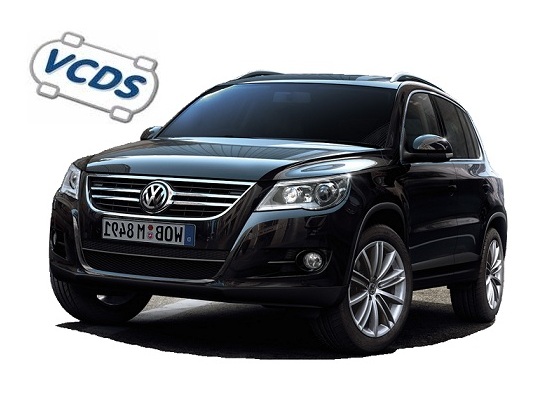
VW Tiguan 1 (5N) (2007-2016) / VW Tiguan 5N2 Facelift (specific facelift coding at bottom of page)
Tiguan (5N) – Activate Bluetooth on RNS 315
Purpose: to activate Bluetooth on the RNS 315. ATTENTION: Not all RNS-315 are equipped with a Bluetooth module. Module compatibility list3C0 035...
Tiguan (5N) – Activate RNS 510 voice command
Purpose: to activate voice control on the RNS 510 (SDS). ATTENTION: RNS 510 firmware must be version v2660. Activating voice control brings...
Tiguan (5N) – Activate turn signals in US mode
Purpose: Enables the US turn signals. (Tiguan 5N Phase 1 only) Procedure: 1 - Engine off, ignition off, connect your official VAG-COM...
Tiguan (5N) – Activating Corner Lights
Purpose: Activating the cornering lights causes the fog light on the side toward which you’re turning the steering wheel to turn on...
Tiguan (5N) – Adjusting the Brake Assist System
Purpose : to configure brake assist. Procedure : 1 - Engine off, ignition off, connect your official VAG-COM VCDS cable to the...
Tiguan (5N) – Ambient lighting intensity
Purpose: Used to adjust ambient lighting intensity. And activate it for retrofit. (floor lighting) For phase 1. Procedure: 1 - Engine off,...
Tiguan (5N) – Automatic closing of windows and roof in the event of rain
Purpose: Automatically closes the windows and sunroof when it rains. The vehicle must be locked using the remote control for this to...
Tiguan (5N) – Automatic door locking
Purpose: to set automatic door locking from 15km/h. Proceed : 1 - Engine off, ignition off, connect your official VAG-COM VCDS cable...
Tiguan (5N) – Automatic door unlocking
Purpose: to set automatic door unlocking when the ignition key is removed. Proceed : 1 - Engine off, ignition off, connect your...
Tiguan (5N) – Automatic headlamp activation from 140 km/h
Purpose: to automatically switch on the lights when the vehicle is travelling at over 140 km/h. (The lights will automatically go out...
Tiguan (5N) – Automatic headlamp activation in the event of rain
Purpose: to automatically turn on the lights when it's raining and the wipers have been triggered. Procedure: 1 - Engine off, ignition...
Tiguan (5N) – Changing the image of the RCD/RNS OPS
Purpose: to change the vehicle image of the OPS (parking aid) on the RCD 510/330/360/440 and RNS 315/510. Procedure: 1 - With...
Tiguan (5N) – Changing the RCD/RNS 510 theme
Purpose: to change the display theme of the RCD 510 and RNS 510. Procedure: 1 - Engine off, ignition off, connect your...
Tiguan (5N) – Comfort blinker
Purpose: to set the number of flashes for the “Comfort flashing” option. Proceed : 1 - Engine off, ignition off, connect your...
Tiguan (5N) – Coming Home time setting
Purpose: Set the length of time the headlights remain on after the car is locked. Procedure: 1 - Engine off, ignition off,...
Tiguan (5N) – Correction de l’affichage de consommation de l’ODB
Purpose: Allows you to correct the fuel consumption display on the onboard computer. Modification possible uniquement sur les modèles Milieu/Haut de gamme....
Tiguan (5N) – Deactivate brake pad warning light
Purpose: Allows you to disable the brake pad wear warning light on the OBD (On-Board Diagnostics) system, for example, for brake pads...
Tiguan (5N) – Deactivate rear wiper when reversing
Purpose: to deactivate automatic activation of the rear windshield wiper during reversing when the front windshield wipers are operating. Procedure: 1 -...
Tiguan (5N) – Deactivate windshield washer indicator
Purpose : to deactivate the windshield washer indicator on the ODB (on-board computer). Proceed : 1 - Engine off, ignition off, connect...
Tiguan (5N) – Deactivate/activate electric handbrake for rear brake pad change
Purpose: to deactivate/activate the electric handbrake in maintenance mode in order to change/replace the rear brake pad/disc linings. (EPB reset / Lining...
Tiguan (5N) – Defrost time setting
Purpose: to set the operating time for mirror and rear window defrosting. Procedure: 1 - Engine off, ignition off, connect your official...
Tiguan (5N) – Delete belt alarm
Purpose: To suppress the audible alarm and the warning light on the speedometer when driving without a seatbelt. Procedure: 1 - Engine...
Tiguan (5N) – Disable Automatic Rear Windshield Wiper
Purpose: to deactivate the automatic activation of the rear wiper or to suppress it. Procedure: 1 - With the engine off and...
Tiguan (5N) – Disable license plate illumination (ODB LED error)
Purpose: Disables license plate light control. Useful when installing LED bulbs without resistance or for error prevention. Procedure: 1 - Engine off,...
Tiguan (5N) – Door lock confirmation (key)
Purpose: Allows you to configure the door lock confirmation when using the key. Proceed : 1 - Engine off, ignition off, connect...
Tiguan (5N) – Door lock confirmation (Remote control)
Purpose: Allows you to configure the door lock confirmation when using the remote control. Proceed :1 - Engine off, ignition off, connect...
Tiguan (5N) – Door unlock confirmation (Remote control)
Purpose : to set the door unlock confirmation when using the remote control. Proceed : 1 - Engine off, ignition off, connect...
Tiguan (5N) – Door unlocking confirmation (Key)
Purpose: Allows you to configure the door unlock confirmation when using the key. Proceed : 1 - Engine off, ignition off, connect...
Tiguan (5N) – Enable Driving School Mode
Purpose: Adds a "Driving School" mode view to the RCD 210 / RCD 310 or the Discover MIB2 PQ, which displays turn...
Tiguan (5N) – Folding mirrors with ignition off and door open
Purpose : Allows mirrors to be folded down even after the ignition has been switched off and a door opened. (Also enables...
Tiguan (5N) – Full sunroof opening with remote control
Purpose: Allows the sunroof to be opened completely when opening with the remote control. (5N and 5N2) Procedure: 1 – Engine off,...
Tiguan (5N) – Headlamp washer duration setting
Purpose: Allows you to set how long the headlight washers remain activated. Procedure: 1 - Engine off, ignition off, connect your official...
Tiguan (5N) – Leaving Home duration setting
Purpose: to set the length of time the headlights remain on after the car is unlocked. Procedure: 1 – Engine off, ignition...
Tiguan (5N) – Noise Reduction When the OPS Is Activated
Purpose: Automatically lowers speaker volume when OPS is activated. Procedure : 1 - Engine off, ignition off, connect your official VAG-COM VCDS...
Tiguan (5N) – ODB Color versions
Purpose: Allows you to select the version of your color ODB. Proceed : 1 - Engine off, ignition off, connect your official...
Tiguan (5N) – OPS speed camera display on car radio screen
Purpose: Enables the display of OPS speed cameras on the car radio screen. Please note: The vehicle must be equipped with a...
Tiguan (5N) – Permanent headlamp deactivation (Scandinavian)
Purpose: Allows you to disable the low beams that are always on; they are activated only when set to "Auto," and during...
Tiguan (5N) – Programming a Remote Control
Purpose: Allows you to program the remote controls that will be used with the vehicle for central locking and unlocking. ⚠️ WARNING:...
Tiguan (5N) – Radar deactivation speed (or reversing camera)
Purpose: Selects the speed at which the reversing camera and radars are deactivated. Procedure: 1 - With the engine off and the...
Tiguan (5N) – Régler le volume du bip de recul
Purpose: to adjust the volume of the reversing beep. Procedure : 1 - Engine off, ignition off, connect your official VAG-COM VCDS...
Tiguan (5N) – Removing the electric handbrake without braking
Purpose: Allows you to remove the electric handbrake without having fastened your seatbelt, and without having your foot on the brake. This...
Tiguan (5N) – Resetting the Remote Controls
Purpose: Resets the settings for all remote controls associated with the vehicle. ⚠️ WARNING: After completing this procedure, all remote controls will...
Tiguan (5N) – Selective door unlocking
Purpose : Used to set up selective door unlocking. When unlocking the vehicle, only the driver's door is unlocked. To unlock all...
Tiguan (5N) – Speed limit display RNS 510
Purpose : to display the speed limit on the RNS 510 navigation screen. Procedure: 1 - Engine off, ignition off, connect your...
Tiguan (5N) – Turn on Daytime Running Lights with Fog Lights (DRL)
Purpose: Allows you to use the fog lights as daytime running lights. (For Phases 1 and 2) Procedure: 1 – Engine off,...
Tiguan (5N) – Turn on the ambient lighting
Purpose: Enables the ambient lighting. (After installing the wiring and lighting for an aftermarket installation) Procedure: 1 - Engine off, ignition off,...
Tiguan (5N) – Turn on the headlight washers
Purpose: to activate the headlamp washers. Procedure : 1 - Engine off, ignition off, connect your official VAG-COM VCDS cable to the...
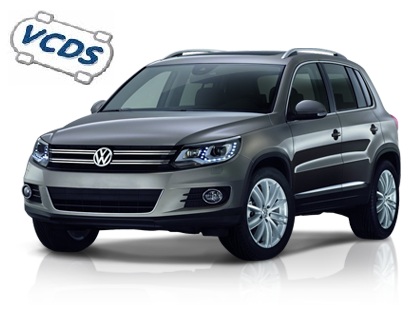
VW Tiguan 1 5N2 Facelift (2011-2016)
Tiguan (5N2) Facelift – Activating Corner Lights
Purpose: Activating the cornering lights causes the fog light on the side toward which you’re turning the steering wheel to turn on...
Tiguan (5N2) Facelift – Activate reversing camera (retrofit)
Purpose: Enables the rearview camera after it has been installed on the RCD 510/330/360/440 and RNS 315/510 or Discover MIB2 PQ (retrofit)....
Tiguan (5N2) Facelift – Enable USB port for iPhone CarPlay (retrofit)
Purpose: Enables the USB port for iPhone CarPlay accounting (after activating App Connect and changing the USB and/or USB cable) for Discover...
Tiguan (5N2) Facelift – Activate Off-Road mode on Discover PQ
Purpose: to add Offroad mode to Discover PQ with navigation. Warning! There are 3 lines of coding to do here. Proceed :...
Tiguan (5N2) Facelift – Add daytime running lights (DRL) to the ODB
Purpose: Allows you to enable or disable daytime running lights (DRL) in the ODB (MFA). (2011+) Procedure : 1 - Engine off,...
Tiguan (5N2) Facelift – Add mirror adjustment to the OBD
Purpose: Allows you to add the mirror adjustment menu—synchronized or individual—to the OBD (MFA). (2011+) Procedure: 1 - With the engine off...
Tiguan (5N2) Facelift – Fog Lights with High Beams
Purpose: This feature prevents the fog lights from turning off when you turn on your high beams; they will not turn off...
Tiguan (5N2) Facelift – Electronic differential lock (XDS)
Purpose: Enables the electronic differential lock (XDS). The Electronic Differential Lock (XDS) is an extension of the familiar EDS function.XDS does not...
Tiguan (5N2) Facelift – Needle check
Purpose: activates needle sweep when the car is started. (Needle Sweep) Information : If your meter is not compatible, the channel is...
Tiguan (5N2) Facelift – Coming / Leaving Home with fog lamps
Purpose: Enables fog lamps to be used for Coming Home and Leaving Home. Procedure: 1 - Engine off, ignition off, connect your...
Tiguan (5N2) Facelift – Coming / Leaving Home with Xenons
Purpose: Activates xenon headlamps instead of fog lamps for Coming Home and Leaving Home. Procedure: 1 - With the engine off and...
Tiguan (5N2) Facelift – Door lock/unlock confirmation (beep)
Purpose: Enables confirmation of vehicle locking/unlocking via beeps (in conjunction with the alarm) and adds the beep selection menu to the ODB...
Tiguan (5N2) Facelift – Start/Stop deactivation
Purpose: to deactivate the Start/Stop function completely. Only compatible with Gateway 7N0! Temperature deactivation method. Proceed : 1 - Engine off, ignition...
Tiguan (5N2) Facelift – Daytime running lights (DRL) off with handbrake on
Purpose: to deactivate the daytime running lights (DRL) when the handbrake is engaged. (After the end of 2009) Procedure: 1 - Engine...
Tiguan (5N2) Facelift – Deactivating the windshield washer indicator
Purpose: to deactivate the windshield washer indicator on the ODB (on-board computer). Procedure: 1 - Engine off, ignition off, connect your official...
Tiguan (5N2) Facelift – Deactivate brake pad warning light
Purpose: Allows you to disable the brake pad wear warning light on the OBD (On-Board Diagnostics) system, for example, for brake pads...
Tiguan (5N2) Facelift – Deactivate MirrorLink
Purpose: Allows you to disable or remove MirrorLink from App-Connect on the MIB Discover. The MirrorLink service has not been natively available...
Tiguan (5N2) Facelift – Automatic door unlocking
Purpose: to set automatic door unlocking when the key is removed. Procedure: 1 - Engine off, ignition off, connect your official VAG-COM...
Tiguan (5N2) Facelift – Selective door unlocking
Purpose: Allows you to configure selective door unlocking. When unlocking the vehicle, only the driver's door is unlocked. To unlock all doors,...
Tiguan (5N2) Facelift – Flash mode lights during emergency braking
Purpose: activates the brake/turn signal lights in flash mode during emergency braking. Procedure: 1 - Engine off, ignition off, connect your official...
Tiguan (5N2) Facelift – Hill Hold Control
Purpose: Enables Hill Hold Control (Hill Start Assist). Hill Hold Control maintains brake pressure for a few seconds after the brake pedal...
Tiguan (5N2) Facelift – Ambient light intensity
Purpose: Used to adjust ambient lighting intensity. And activate it for retrofit. (floor lighting) Procedure: 1 - Engine off, ignition off, connect...
Tiguan (5N2) Facelift – Heated Seat Memory
How it works: When you turn on the heated seat(s), the setting is turned off immediately as soon as you remove the...
Tiguan (5N2) Facelift – Change the vehicle image in Discover MIB2
Purpose: Allows you to change the vehicle image displayed on the Volkswagen Discover MIB2 multimedia system screen, which is useful after a...
Tiguan (5N2) Facelift – Programming a Remote Control
Purpose: Allows you to program the remote controls that will be used with the vehicle for central locking and unlocking. ⚠️ WARNING:...
Tiguan (5N2) Facelift – Automatically folding mirrors
Purpose : Automatically folds mirrors when vehicle is locked. For 4th generation door modules (models from 2013) activation is possible with VCDS...
Tiguan (5N2) Facelift – Coming-Home Settings
Purpose: Allows you to configure the Coming-Home behavior. Procedure : 1 - Engine off, ignition off, connect your official VAG-COM VCDS cable...
Tiguan (5N2) Facelift – Resetting the Remote Controls
Purpose: Resets the settings for all remote controls associated with the vehicle. ⚠️ WARNING: After completing this procedure, all remote controls will...
Tiguan (5N2) Facelift – Remove alarm belt
Purpose: To suppress the audible alarm and the warning light on the speedometer when driving without a seatbelt. Procedure: 1 - Engine...
Tiguan (5N2) Facelift – Automatic door locks
Purpose : to set automatic door locking from 15km/h. Procedure: 1 - Engine off, ignition off, connect your official VAG-COM VCDS cable...
This post is also available in:
 Français (French)
