
Overview
On some VAG Group vehicles, the following message may appear on the instrument panel:
“Emergency call function limited. Workshop!” / “Emergency call function limited. Workshop!”
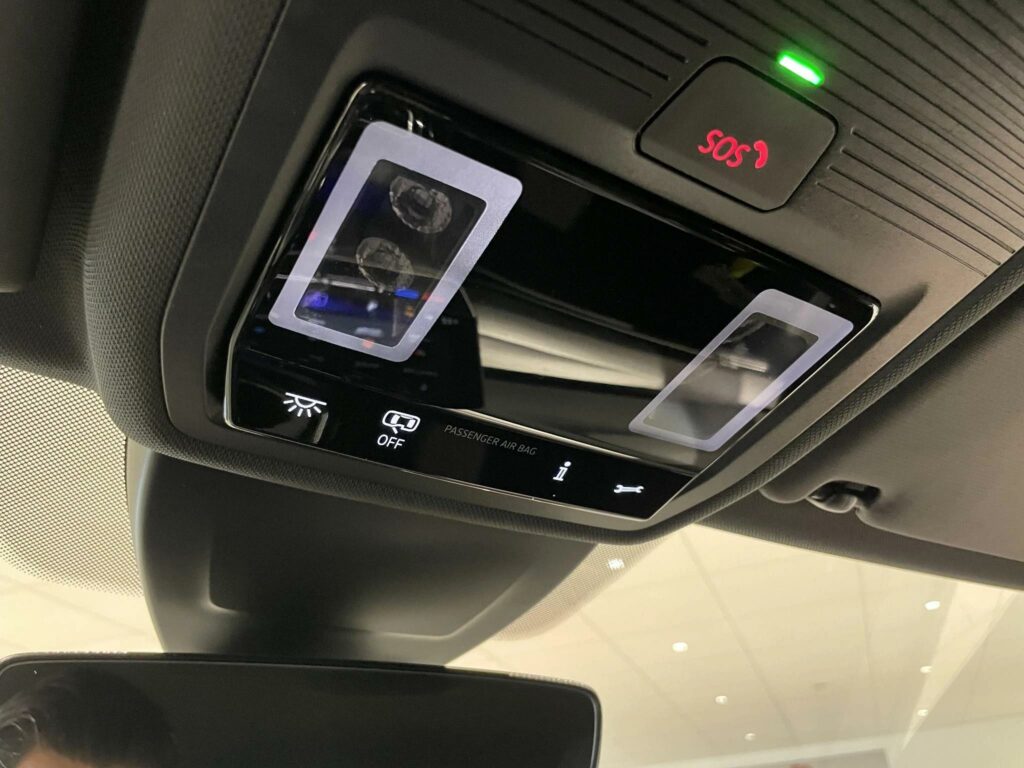
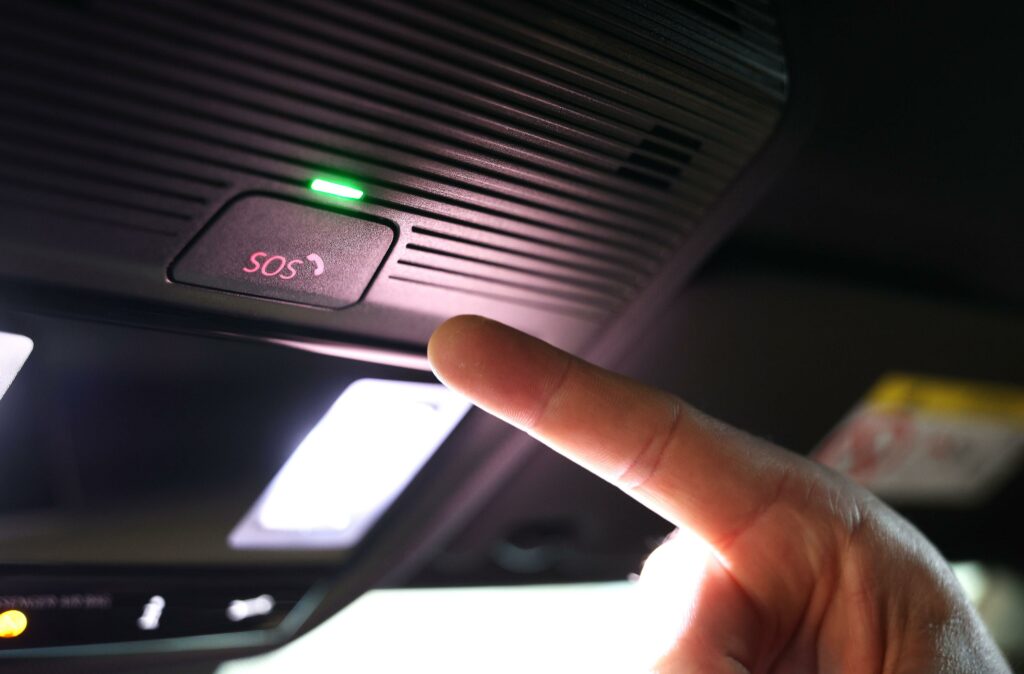
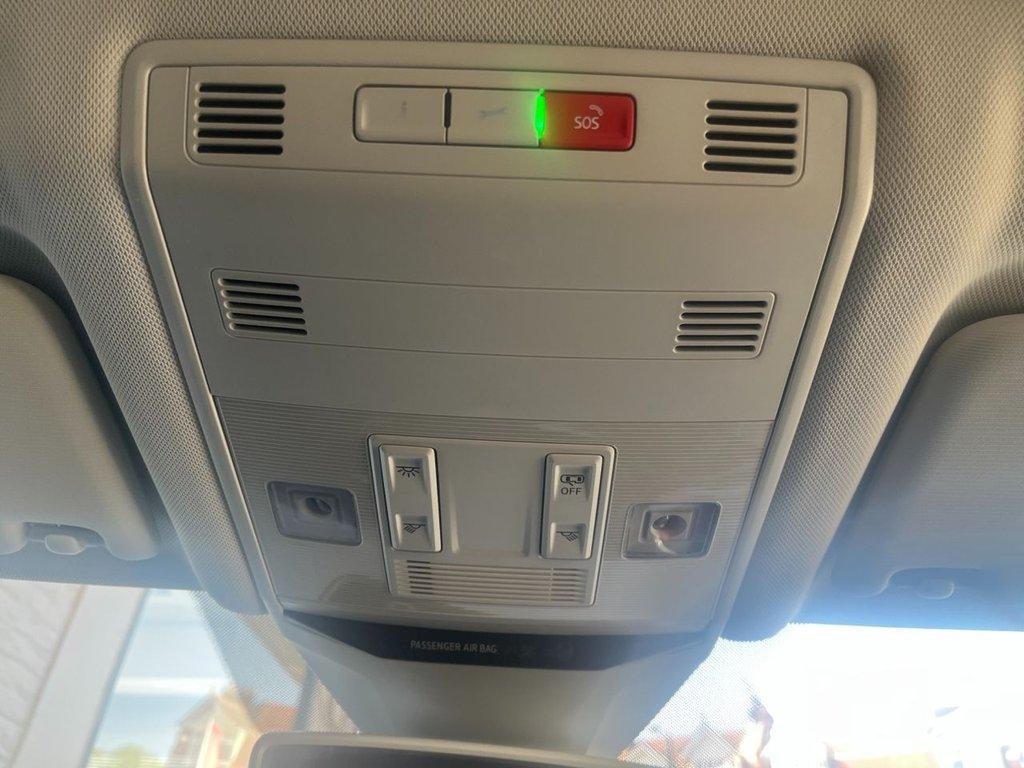
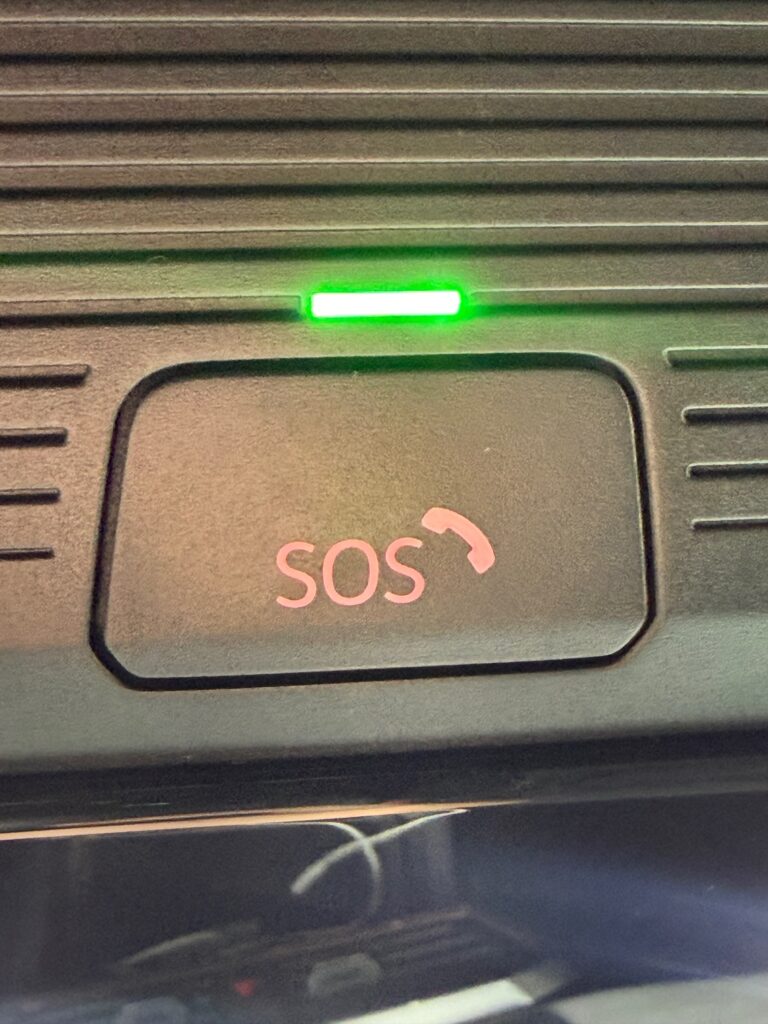
The SOS indicator light may also come on along with the red LED on the SOS button.
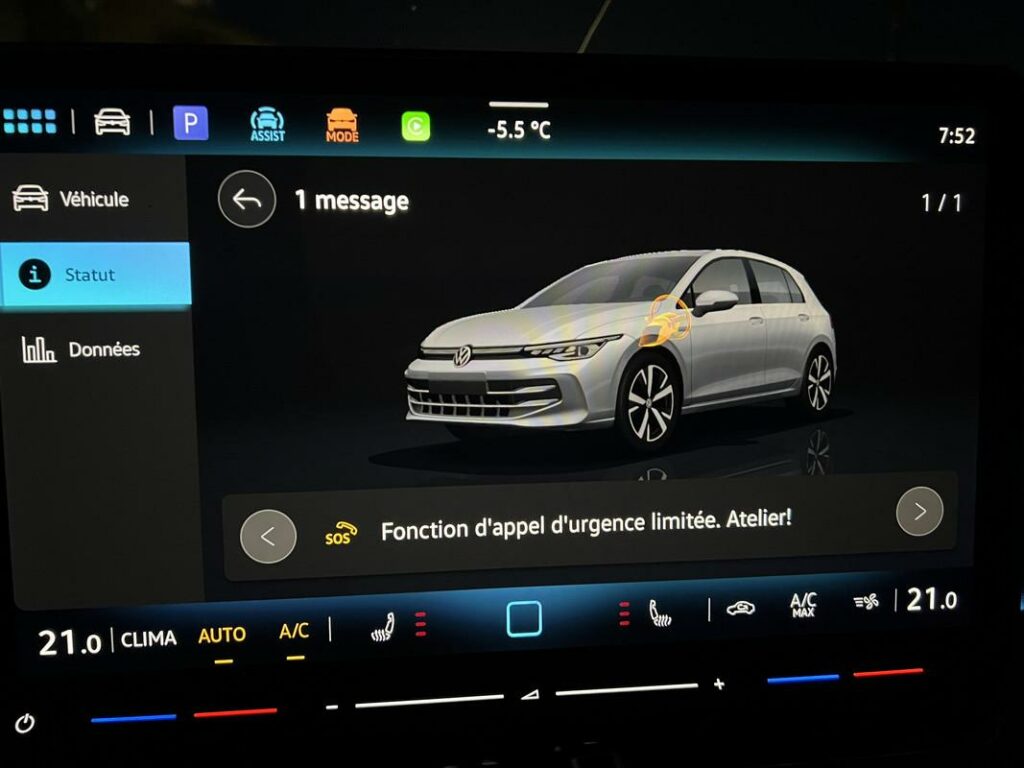
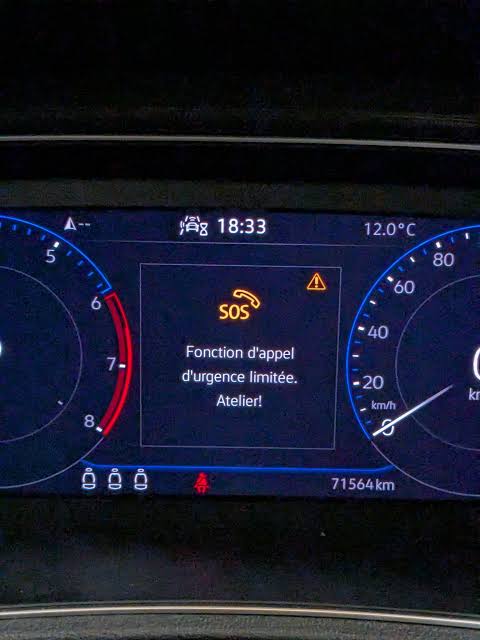
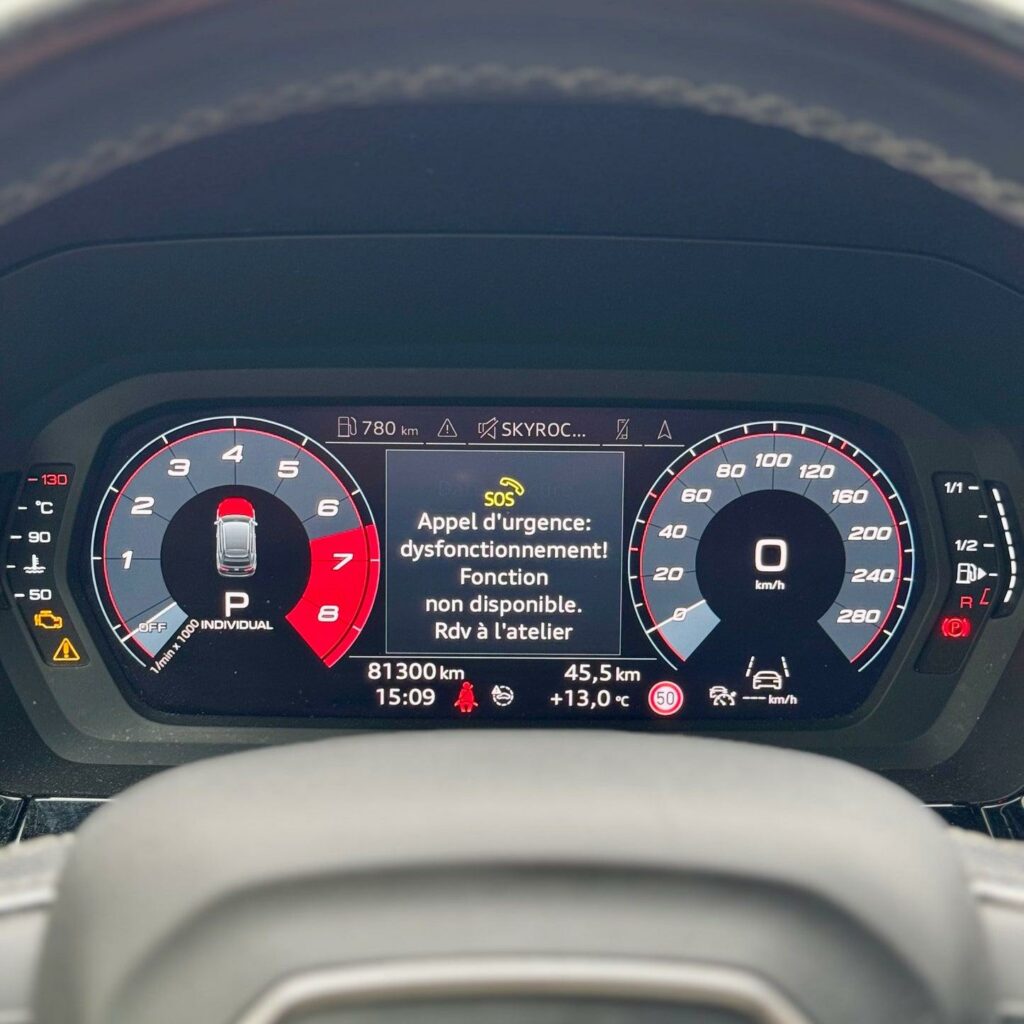
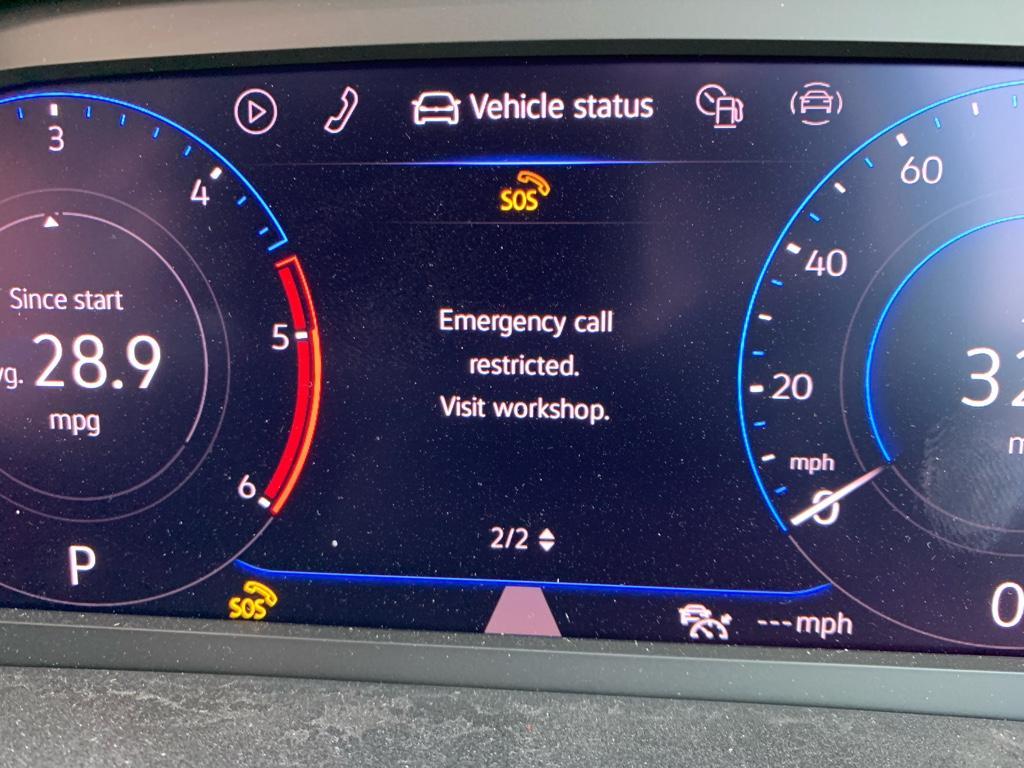
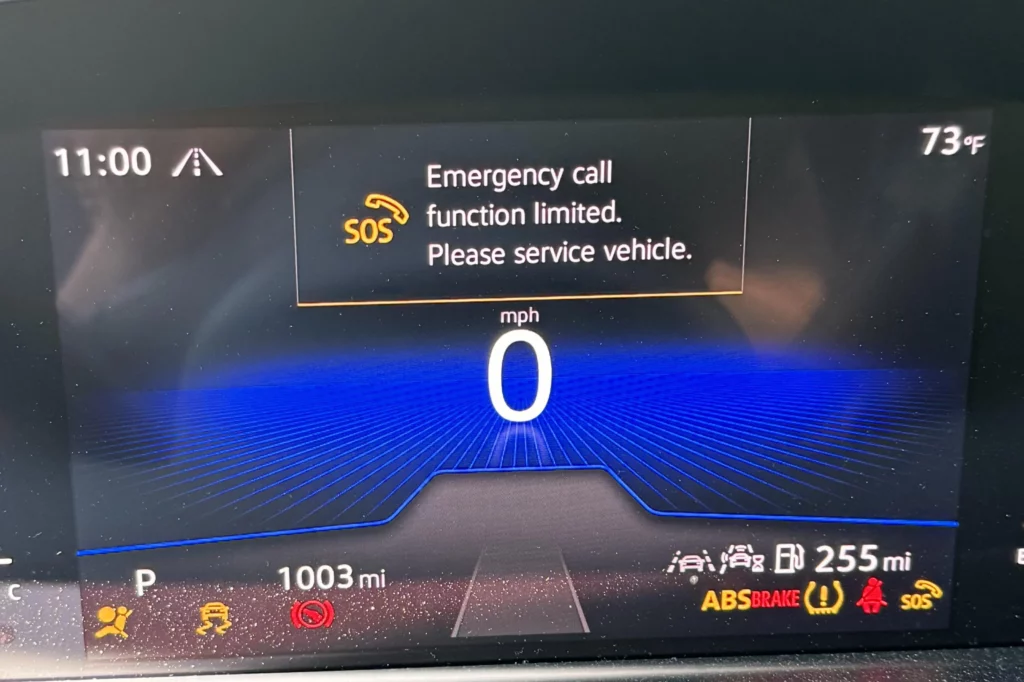
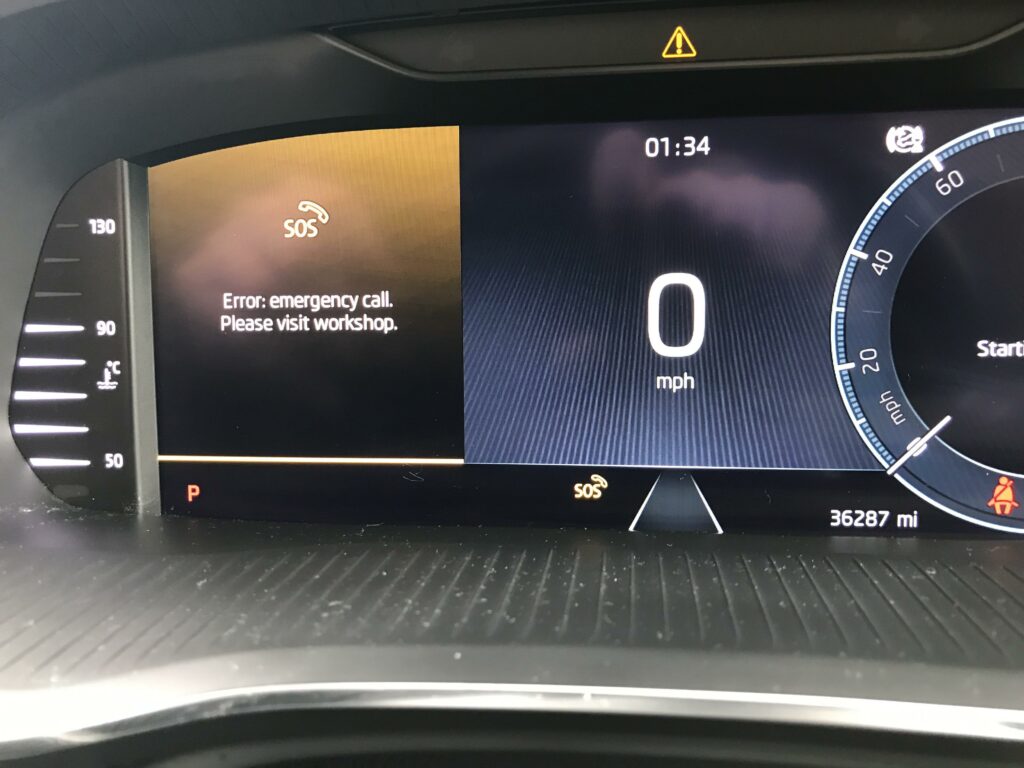
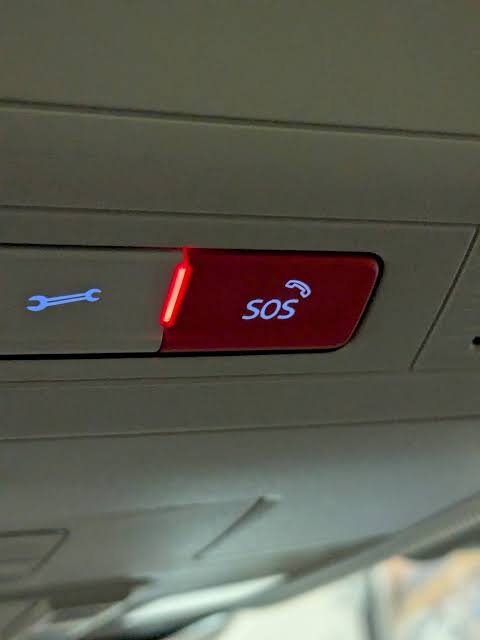
A diagnostic test using VCDS or OBDeleven can help determine the cause of the problem.
If there are faults related to the emergency call module’s backup battery, the battery must be replaced. After replacement, the battery history must be reset in the 75 – Emergency Call control unit.
Diagnostics with VCDS / OBDeleven
Connect VCDS or OBDeleven to the vehicle and turn on the ignition.
From the main menu, select:
75 – Emergency Call / 75 – Telematics
Then:
Error Codes – 02
Retrieve the stored error codes.
Signs that a backup battery may be reaching the end of its service life
The following issues may occur:
1644784 – Backup Battery
B1916 F2 [00001001] – Used/Worn Out
Backup Battery – Flat
or:
1644276 – Backup Battery
B1916 F4 [00001001] – Critical service life
Backup Battery – Limited Service Life
These faults indicate that the emergency call module’s backup battery has reached the end of its service life.
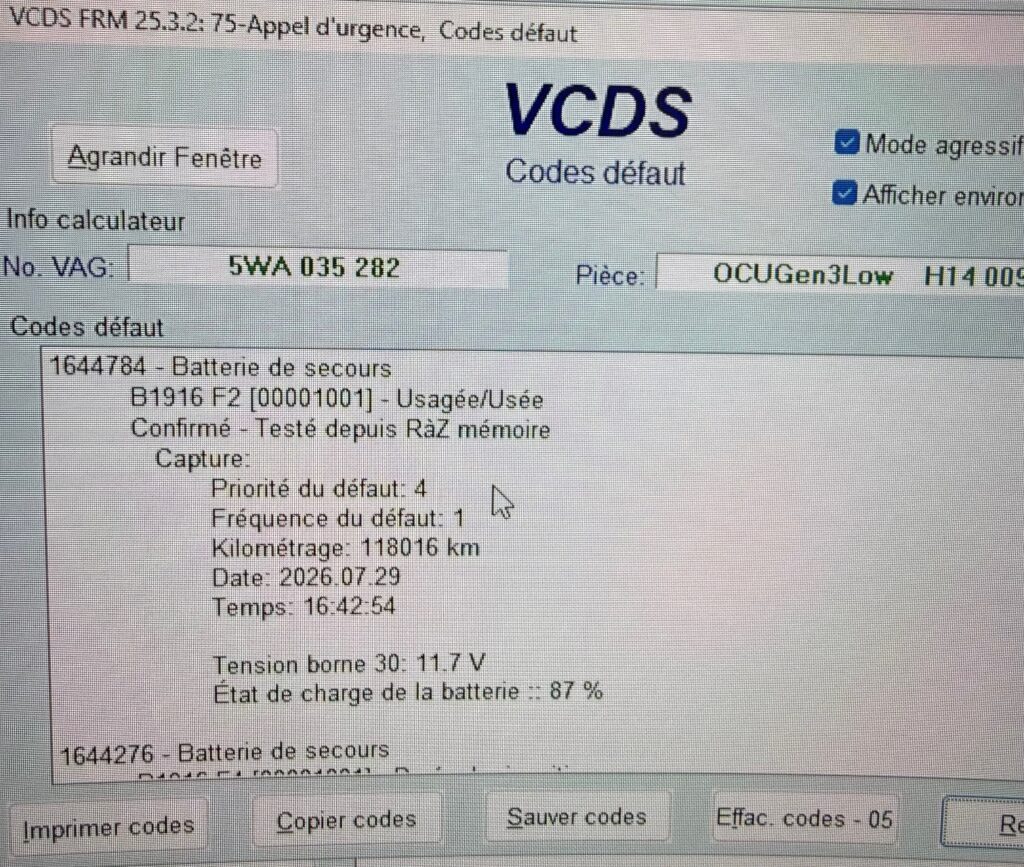
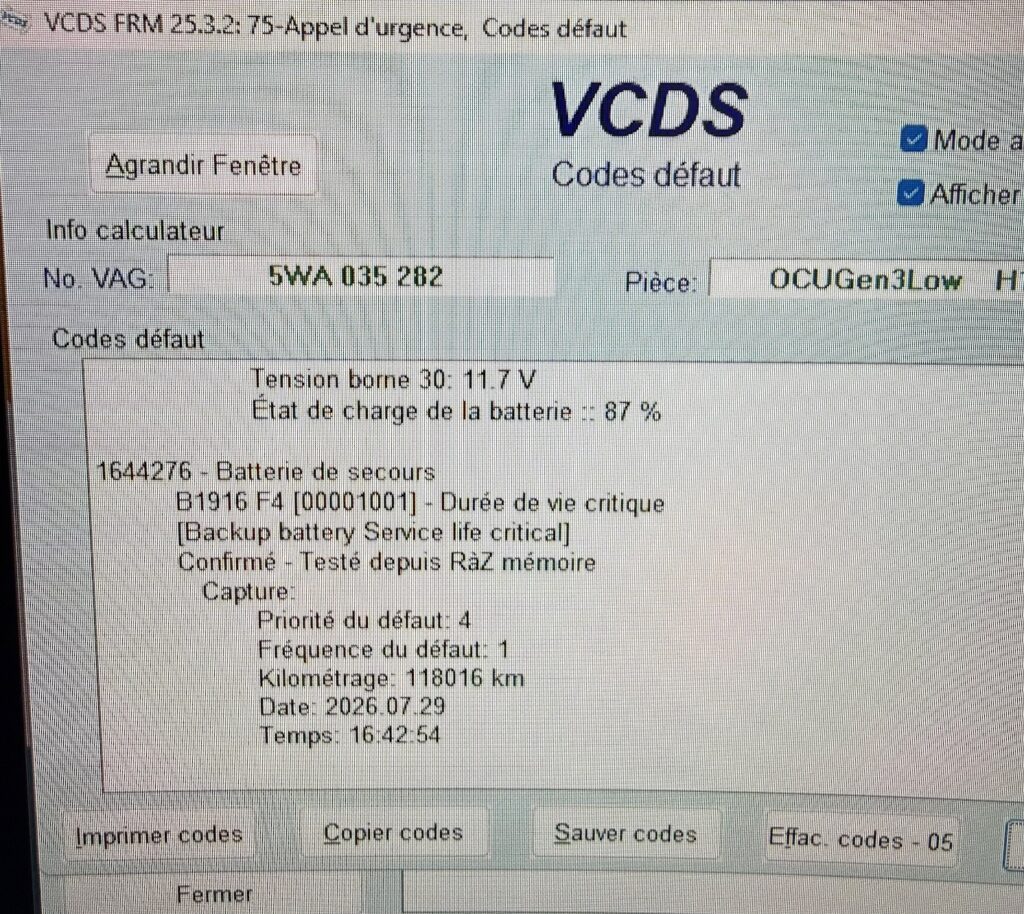
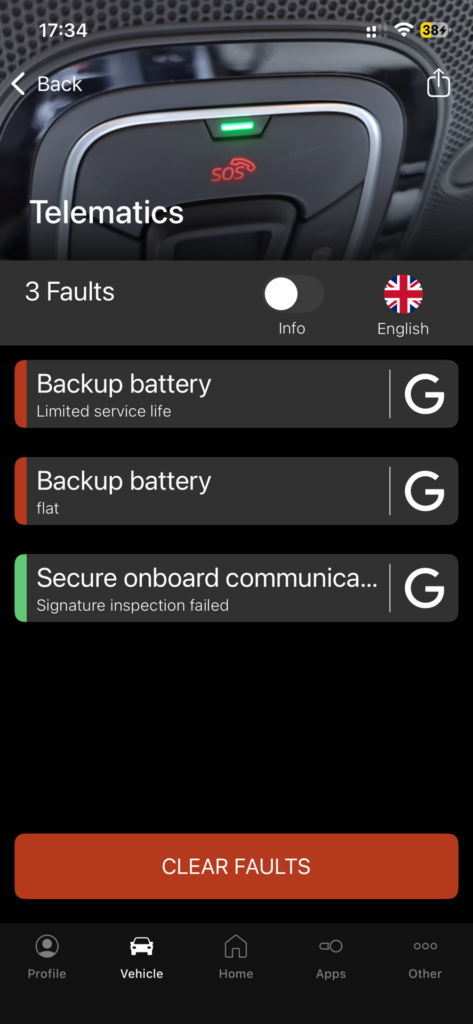
⚠️ Important: The mere appearance of the SOS message does not necessarily mean that the battery needs to be replaced. Always run a diagnostic check on control unit 75 – Emergency Call before replacing the battery.
Replacing the backup battery
If the diagnosis confirms faults B1916 F2 and/or B1916 F4 related to the backup battery, the battery must be replaced.
🔋 SOS module backup battery, part no.: 3G0915089
The replacement battery is available from VAG Custom:
Backup battery for SOS emergency call module
👉 VAG Custom – SOS Module Backup Battery
After replacing the battery, follow the procedure below to reset the history stored in the control unit.
Reset the Battery History with VCDS
After replacing the battery, reconnect VCDS to the vehicle.
Proceed :
1 – Engine off, ignition off, connect your official VAG-COM VCDS cable to the computer, then plug the other end into your vehicle’s diagnostics socket.
2 – Switch on the ignition and run the VCDS program.
3 – Click “Select,” then click “75 – Emergency Call” / “75 – Telematics“
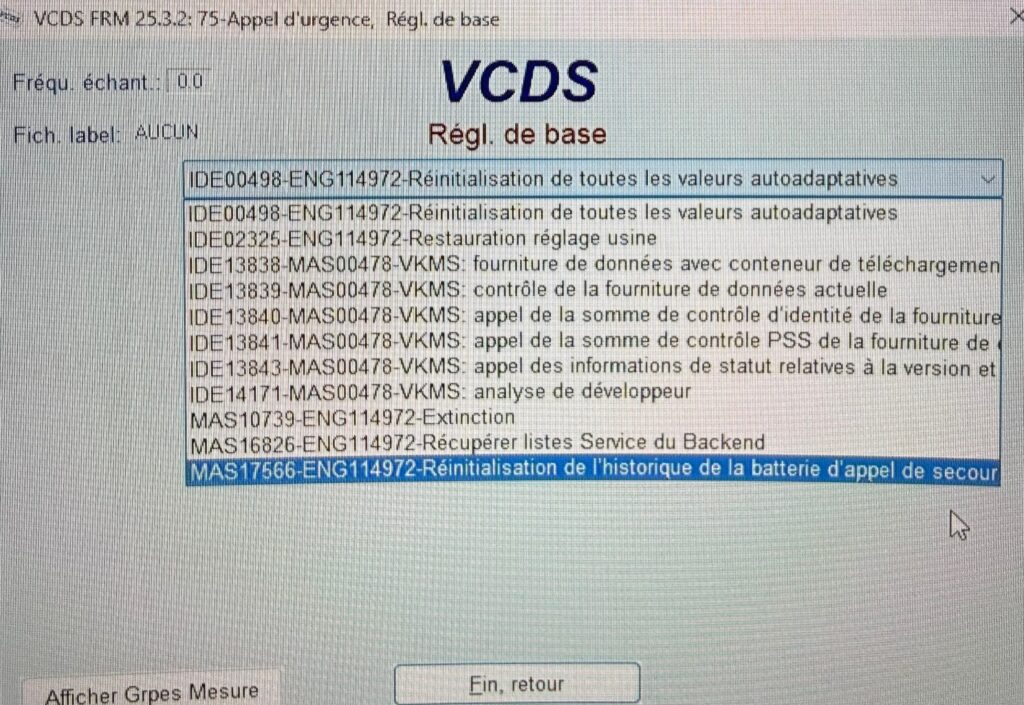
4 – Click “Adaptation – 10.”
5 – On this page, at the very top, there is a drop-down menu.
In this drop-down menu, select ” Reset the history of the emergency call battery ” / ” Resetting the history of the emergency call battery “
6 – Select this function.
7 – Start the basic setup and wait for the process to complete.
This procedure resets the history of the previous battery stored in the 75 control unit.
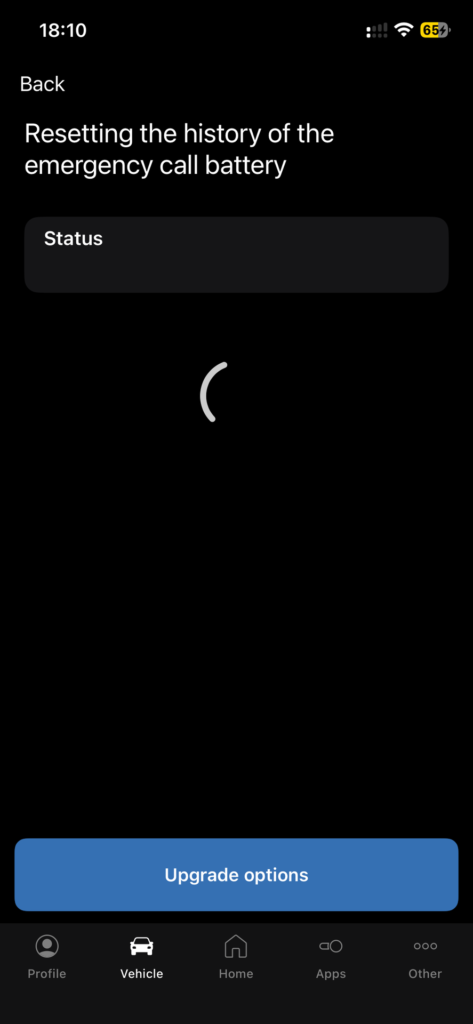
Reset the battery history with OBDeleven
After replacing the backup battery, connect OBDeleven to the vehicle and turn on the ignition.
- Open calculator 75 – Emergency Call.
- Go to Basic settings.
- Search for the function:
Resetting the emergency call battery history
- Select the function, then start the basic setup.
- Wait until the procedure is complete.
- Return to Calculator 75 – Emergency Call.
- Read the fault codes and clear the faults related to the old battery.
Clear the error codes
Once the reset is complete, go back to:
[Error Codes – 02]
Perform a new error check.
If the previous errors are still present, select:
[Clear Codes – 05]
Delete the recorded defects.
Next, turn off the ignition and then turn it back on.
Run a new diagnostic test on module 75—Emergency Call —to verify that the battery-related faults do not recur.
Result
After replacing the battery and resetting its history, the emergency call system should return to normal operation.
The message:
“Limited emergency call feature. Service!”
should disappear from the dashboard.
The SOS indicator should also return to normal operation with the green LED.
Affected Vehicles
This procedure applies in particular to models equipped with the emergency call system and the 75 control module – Emergency Call:
Audi
- A1/S1 GB — 2019-
- A3 Sedan/Sportback 8Y — 2020–
- Q2 GA — 2017-
- Q3 F3 Sportback — 2019–
- Q4 e-tron 89A/F4 — 2022-
- RSQ3 F3 Sportback — 2020-
SEAT
- Arona KJ — 2018–
- Ateca KH — 2016–
- Ibiza KJ — 2018–
- Leon 5FA/KL — 2020-
- Formentor 5F/KM — 2021-
- Tavascan 11 a.m. — 2024-
CUPRA
- Born 10E — 2022-
- Formentor 5F/KM — 2021-
- Tavascan 11 a.m. — 2024-
Škoda
- Elroq 5A — 2021-
- Enyaq 5A — 2021-
- Fabia PJ — 2022- — Sedan/Station Wagon
- Kamiq NW — 2019–
- Karoq ND — 2018-
- Kodiaq NV — 2018–
- Kushaq 6JM/PA — 2021-
- Octavia NN — 2020-
- Rapid NH — 2013–2022
- Scala NW — 2019-
Volkswagen
- Arteon 3H — 2017–
- Atlas Cross Sport CM — 2020–2023
- Caddy — 2021–
- Caddy SB — 2021-
- Crafter SC/SZ — 2017–
- Golf 7 7.5 5G— 2017–2020
- Golf 8 5-Door — 2020-
- ID.3 E1 — 2020-
- ID.4/ID.5 E2 — 2021-
- ID. Buzz EB — 2023—
- Jetta/Syncro BU — 2020–2022
- Passat 3G — 2018–2024
- Passat A3 — 2015–2022
- Polo Coupé AE — 2018–
- Polo Sedan/Classic/Notchback/Variant AW — 2018–
- Polo Sedan/Classic/Notchback/Variant CK — 2020–
- T-Cross C1 — 2019-
- T-Roc A1/AC — 2018-
- T-Roc Cabrio — 2020-
- Taigo CS — 2022-
- Taos CP — 2021–2023
- Teramont CA — 2018–2024
- Tiguan Allspace BW — 2018–
- Tiguan AD/BT — 2016–2024
- Touran 5T — 2016–
- T5 Multivan SH/SJ — 2020–
- Transporter/Caravelle SH/SJ — 2020–
⚠️ Compatibility
The fact that a vehicle appears on this list does not, in and of itself, guarantee that the procedure will be available. Check for the presence of the 75 – Emergency Call module and the basic settings function using VCDS / OBDeleven.
Related Tutorials
–> Activating App Connect for CarPlay/Android Auto
–> MST2, MHI2, and MIB2 Software Update
–> VAG GPS Navigation Update

