
Complete procedure for activating the Hidden Menu (Green Menu) on the AUDI MMi 3G and 3G+ without using VCDS or OBDeleven!
Vehicles affected include, in particular:
- Audi A1 — 2011–2018
- Audi A4 — 2013–2017
- Audi A5 — 2009–2018
- Audi Q3 — 2015–2019
- Audi Q5 — 2013–2018
- Audi Q7 — 2013–2018
- Audi A6 — 2012–2016
- Audi A7 — 2012–2016
- Audi A8 — 2011–2019
–> Check out the tutorials titled “Enable Hidden MMI Menu…” using VCDS for each Audi model
–> To access the Audi Red Engineering menu
WARNING: We are not responsible for any consequences these changes may cause… Try this at your own risk.
Start by downloading the file available for free here from VAG Custom:
1. Next, extract the file you just downloaded: MMI 3G 3GP Activation Hidden Menu.zip
2. Format an SD card to the FAT32 file system.
3. Copy the contents to the root directory of the SD card.
4. Start your AUDI and let the MMI boot up; this takes a few seconds.
5. Turn off Bluetooth on your smartphone if it is connected to the MMi, and remove all your SD cards (SD1 & SD2)…
6. Next, insert the SD card you prepared earlier into the SD1 slot.
7. You’ll see green text asking you to turn the large dial on your MMi center console; the message will then disappear.

8. Wait a few moments. A new message will appear stating that everything went well and that the hidden menu has been successfully enabled.
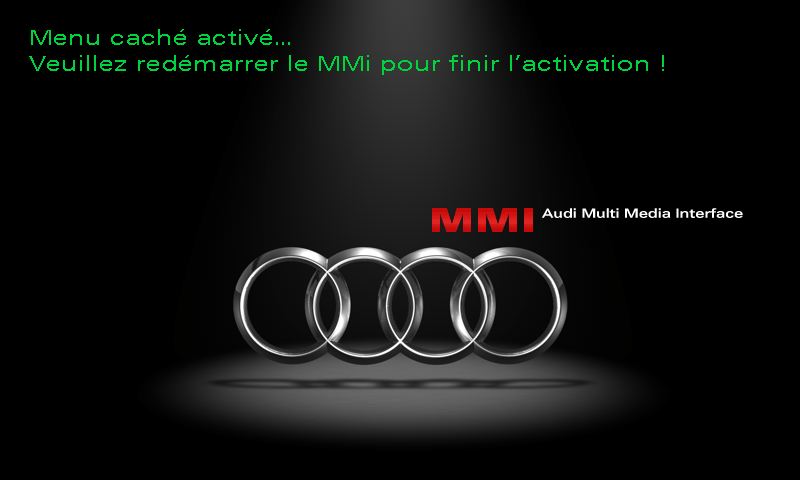
9. Restart the MMi using the button combination specific to your Audi.
Source: idevx
This post is also available in:
 Français (French)
