

Audi A4 B8 (8K) (2007-2015) / Audi S4 / RS4 / Allroad / Avant / A4 B8.5 Facelift (specific facelift coding at bottom of page)
A4 (B8) – 120 km/h overrun warning
Purpose: To activate or deactivate a message reminding you that you are exceeding the 120km/h speed limit. Procedure: 1 - Engine off,...
A4 (B8) – ACC distance setting in MMI
Purpose: Activates the display of the Adaptative Cruise Control (ACC) basic setting on the MMI 3G/3GP. Procedure: 1 - Engine off, ignition...
A4 (B8) – Activate Audi Drive Select Individual
Purpose: Enables Audi Drive Select Individual and allows it to be controlled via the MMI. Procedure: 1 - Engine off, ignition off,...
A4 (B8) – Activate automatic speed selection on ODB
Purpose : displays automatic speed selection in D and S modes on the on-board display. Procedure: 1 - Engine off, ignition off,...
A4 (B8) – Activate battery charge status in MMI
Purpose: Activates battery charge status in Audi MMI Basic / 2G / 3G / 3GP. Procedure: 1 - Engine off, ignition off,...
A4 (B8) – Activate daytime running lights (DRL) on MMI
Purpose: to activate/deactivate the daytime running lights (DRL) on the MMI. Procedure: 1 - Engine off, ignition off, connect your official VAG-COM...
A4 (B8) – Activate DVD playback while driving (VIM)
Purpose : Allows you to remove the MMI protection and continue watching a DVD or video while driving (Video in Motion). Proceed...
A4 (B8) – Activate gearshift recommendation
Purpose: Activates the gearshift recommendation. The gearshift recommendation is then displayed in the lower section of the ODB. Only available from model...
A4 (B8) – Activate heated mirrors (retrofit)
Purpose: to activate heated/defrosting mirrors after retrofitting. Proceed : 1 - Engine off, ignition off, connect your official VAG-COM VCDS cable to...
A4 (B8) – Activate MMI 3G CD/DVD extraction
Purpose: Activates CD/DVD extraction in the DVD player. Allows you to import / copy all CD/DVD / SD card content to the...
A4 (B8) – Activate mood lighting
Purpose: activates ambient lighting and its management via MMI. Procedure: 1 - Engine off, ignition off, connect your official VAG-COM VCDS cable...
A4 (B8) – Activate ODB information from MMI
Purpose: Enables on-board computer information (range, average consumption, instantaneous consumption, etc.) to be added to vehicles not equipped with ODB, without the...
A4 (B8) – Activate reversing camera (retrofit)
Purpose: to activate the reversing camera (Standard RVC) after retrofit. Please note: Reversing radars and MMI 3G are required. Only A4 B8...
A4 (B8) – Activate tire pressure monitoring system (TPMS)
Purpose: to activate tire pressure monitoring on the MMI and ODB. ABS is available in 2 versions: 1AT - ESP ready for...
A4 (B8) – Activate trailer coupling (retrofit)
Purpose: Enables the installation of a retrofit trailer hitch (trailer/towbar retrofit). Watch out! For Facelift model. Adaptation in motor control unit 01...
A4 (B8) – Activate turn signals in US mode
Purpose: to activate the blinkers in US mode. Proceed : 1 - Engine off, ignition off, connect your official VAG-COM VCDS cable...
A4 (B8) – Activation of steering wheel paddles (retrofit)
Purpose: to activate steering wheel paddles after retrofit only phase 1. Proceed : 1 - Engine off, ignition off, connect your official...
A4 (B8) – Adjust LED intensity when lights are on
Purpose: Allows you to adjust the brightness of the LEDs (DRL) when the headlights are on. The original LED intensity is set...
A4 (B8) – Audi Sound System volume control
Purpose: to adjust the volume of the engine sound (Audi Sound System - Soundaktor) inside the car. To mute the sound, use...
A4 (B8) – Automatic deactivation of unbuckled electric handbrake
Purpose: Allows automatic deactivation of the electric handbrake on start-up without having to fasten the seatbelt. Proceed : 1 - Engine off,...
A4 (B8) – Automatic folding of mirrors
Purpose: automatic folding of mirrors when vehicle is locked, with menu added to MMI. Procedure: 1 - Engine off, ignition off, connect...
A4 (B8) – Automatic headlight activation from 140 km/h
Purpose: to automatically switch on the lights when the vehicle is travelling at over 140 km/h. (The lights will automatically go out...
A4 (B8) – AUX-IN activation (retrofit)
Purpose: to activate the AUX (Auxiliary) socket on the rear of the MMI 2G 3G 3GPLUS, for retrofitting to CarPlay / Android...
A4 (B8) – Backup camera settings
Purpose: to modify the brightness, contrast, saturation and temperature of the rear camera image. Procedure: 1 - Engine off, ignition off, connect...
A4 (B8) – Change MMI 2G start logo
Purpose: to change the Splash Screen of the MMI 2G. Procedure: 1 - Engine off, ignition off, connect your official VAG-COM VCDS...
A4 (B8) – Change MMI 3G start logo
Purpose: to change the Splash Screen of the MMI 3G. For a custom logo see tuto: A4 (B8) - MMI 3G/3GP custom...
A4 (B8) – Coming / Leaving Home with fog lamps
Purpose: Enables fog lamps to be used for Coming Home and Leaving Home. Procedure: 1 - Engine off, ignition off, connect your...
A4 (B8) – Coming / Leaving Home with the Xenons
Purpose: To use xenons for Coming Home and Leaving Home. Procedure: 1 - Engine off, ignition off, connect your official VAG-COM VCDS...
A4 (B8) – Complete opening of sunroof with remote control
Purpose: Allows the sunroof to open fully when opening with the remote control. Procedure : 1 - Engine off, ignition off, connect...
A4 (B8) – Corner lights activation
Purpose: to switch on the fog lamp on the side where the steering wheel is turned. Procedure: 1 - Engine off, ignition...
A4 (B8) – Correction of ODB consumption display
Purpose: to correct the fuel consumption display on the on-board computer. Modification only possible on Mid/High range models. Note: modifications affect the...
A4 (B8) – Counter lighting
Purpose : to change the illumination of the hands and dial when the lights are off. Proceed : 1 - Engine off,...
A4 (B8) – Cruise control activation (retrofit)
Purpose : to activate the cruise control (retrofit). (Modification only possible after retrofit of cruise control switch) Proceed : 1 - Engine...
A4 (B8) – Deactivate “Key not in vehicle” warning light
Purpose: to deactivate the "Key not in vehicle" warning light This message appears on the display with this symbol when you take...
A4 (B8) – Deactivate brake pad warning light
Purpose: to deactivate the worn brake pad warning light on the ODB (on-board computer), e.g. if the brake pad has no sensor...
A4 (B8) – Deactivate door open alarm using contact
Purpose: to deactivate the alarm which is triggered when the door is opened and the contact is in position P. Procedure: 1...
A4 (B8) – Deactivate rear wiper when reversing
Purpose: to deactivate automatic activation of the rear windshield wiper during reversing when the front windshield wipers are operating. (A4 Avant) Procedure:1...
A4 (B8) – Deactivate windshield washer indicator
Purpose: to deactivate the windshield washer indicator on the ODB (on-board computer). Procedure: 1 - Engine off, ignition off, connect your official...
A4 (B8) – Deactivate/activate electric handbrake for rear brake pad change
Purpose: to deactivate/activate the electric handbrake in maintenance mode in order to change/replace the rear brake pad/disc linings. (EPB reset / Lining...
A4 (B8) – Delete belt alarm
Purpose: To suppress the audible alarm and the warning light on the speedometer when driving without a seatbelt. Procedure: 1 - Engine...
A4 (B8) – Disable lights-on warning
Purpose: to deactivate the "lights on" warning when the door is open. Procedure: 1 - Engine off, ignition off, connect your official...
A4 (B8) – Disable Start & Stop
Purpose: To configure Start and Stop operation. Procedure: 1 - Engine off, ignition off, connect your official VAG-COM VCDS cable to the...
A4 (B8) – Display speed on MMI
Purpose: Allows you to add a driving-school mode view on the MMI Radio Concert / Symphony, which displays speed (also ideal for...
A4 (B8) – Engine preheat activation
Purpose: to activate engine preheating so that both the engine and the vehicle interior are heated. In the factory, only the vehicle...
A4 (B8) – Flash mode during emergency braking
Purpose: activates the brake/turn signal lights in flash mode during emergency braking. Procedure : 1 - Engine off, ignition off, connect your...
A4 (B8) – Headlamp washer settings
Purpose: to set the delay time before the headlamp washer emerges / the duration of the headlamp washer spray / the number...
A4 (B8) – High beam assistant settings
Purpose: to set the speed thresholds for activation/deactivation of the high beam assistant (light assist). Procedure: 1 - Engine off, ignition off,...
A4 (B8) – Hill Hold Assist (retrofit)
Purpose: Enables automatic activation of Hill Hold Assist after the button is installed (retrofit). Hill Hold Assist maintains brake pressure for a...
A4 (B8) – LED Taillights (Retrofit)
Purpose: Allows for the configuration of LED taillights after replacing the original taillights (retrofit). Procedure : 1 - Engine off, ignition off,...
A4 (B8) – Lights on automatically when it rains
Purpose: to automatically turn on the lights when it's raining and the wipers have been triggered. Procedure: 1 - Engine off, ignition...
A4 (B8) – Lock/unlock confirmation (beeps)
Purpose: Enables vehicle lock/unlock confirmation with beeps. The vehicle must be equipped with the factory-installed alarm. Procedure: 1 – Engine off, ignition...
A4 (B8) – Lower passenger mirror when reversing
Purpose: automatically lowers the passenger mirror when reversing. The mirror adjustment knob must be in position“R” for the passenger mirror to lower...
A4 (B8) – Maintain LED intensity with turn signals
Purpose: Maintains the brightness of the LEDs (DRLs) when the turn signals are on. Proceed : 1 - Engine off, ignition off,...
A4 (B8) – Microphone sensitivity adjustment
Purpose: to adjust Bluetooth microphone sensitivity with Audi MMI. Procedure: 1 - Engine off, ignition off, connect your official VAG-COM VCDS cable...
A4 (B8) – MMI 2G speed alert and ODB display
Purpose: Activates the display of the speed alert setting and on-board computer activation on the MMI 2G screen. Procedure: 1 - Engine...
A4 (B8) – MMI 3G Bluetooth activation
Purpose: to activate Bluetooth with an Audi MMI 3G. Procedure: 1 - Engine off, ignition off, connect your official VAG-COM VCDS cable...
A4 (B8) – MMI 3G/3GP customized start logo
Purpose: To modify and/or customize the home screen logo (Custom Splash Screen) with a personalized image of the MMI 3G and 3GPLUS....
A4 (B8) – Needle check
Purpose: to activate the scanning of the speedometer needles when the car is started. (Needle Sweep) Proceed : 1 - Engine off,...
A4 (B8) – Oil temperature via Lap Timer
Purpose: to add the oil temperature to the stopwatch on the ODB screen. Proceed : 1 - Engine off, ignition off, connect...
A4 (B8) – Parking aid display on MMI
Purpose: to activate the display of reversing radars on the MMI, for vehicles with the Audi Parking System rear option only. (A4...
A4 (B8) – Rear lights activated with daytime running lights (DRL)
Purpose: Enables the use of the taillights as daytime running lights (Scandinavian DRL). Procedure: 1 - Engine off, ignition off, connect your...
A4 (B8) – Remove electric handbrake without braking
Purpose: Allows you to remove the electric handbrake without having fastened your seatbelt, and without having your foot on the brake. This...
A4 (B8) – Reprogram a new battery
Purpose: to reprogram / recode the new battery of all its data after replacement. Watch out! Depending on your calculator, select 61...
A4 (B8) – Speed of radar deactivation (or reversing camera)
Purpose : Selects the speed at which radar and/or reversing camera are deactivated. Proceed : 1 - Engine off, ignition off, connect...
A4 (B8) – Suppress ODB error (license plate LED)
Purpose: Eliminates ODB error when replacing original license plate light bulbs with non-error LEDs. Procedure: 1 - Engine off, ignition off, connect...
A4 (B8) – Tear Wiping
Purpose: to activate the windshield wipers once more after using the windshield washer, in order to remove any remaining water from the...
A4 (B8) – Turn on daytime running lights (DRL)
Purpose: Allows you to select the lights that will be used as daytime running lights (LEDs, fog lights, etc.) Procedure: 1 -...
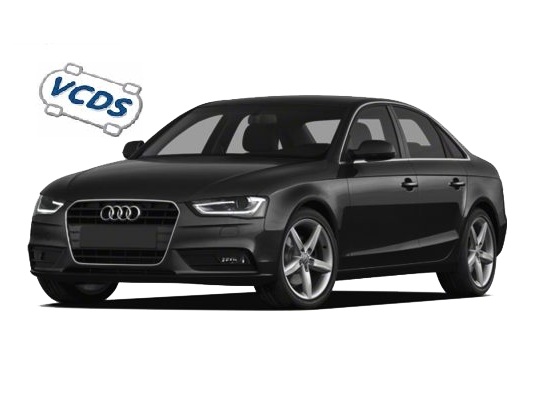
Audi A4 B8.5 (8K) Facelift (2012-2015)
A4 (B8) Facelift – Bluetooth MMI 3GP activation
Purpose: to activate Bluetooth with an Audi MMI 3G PLUS. Procedure: 1 - Engine off, ignition off, connect your official VAG-COM VCDS...
A4 (B8) Facelift – Activate reversing camera (retrofit)
Purpose: to activate the reversing camera after installation (retrofit camera standard aftermarket or dynamic line camera with camera high module). Proceed :...
A4 (B8) Facelift – Activate MMI 3GP CD/DVD extraction
Purpose: Activates CD/DVD extraction in the DVD player. Allows you to import / copy all CD/DVD / SD card content to the...
A4 (B8) Facelift – Activate Audi Drive Select Individual
Purpose: Enables Audi Drive Select Individual and allows it to be controlled via the MMI. On facelift models, the button must be...
A4 (B8) Facelift – Activate ambient lighting
Purpose: activates ambient lighting and its management via MMI. The hidden menu must be activated (See: Activate hidden menu MMI 3GP )...
A4 (B8) Facelift – Activate DVD playback while driving (VIM)
Purpose: Allows you to remove the MMI protection and continue watching a DVD or video while driving (Video in Motion). Proceed :...
A4 (B8) Facelift – Enable Bluetooth audio streaming (A2DP) MMI 3GP
Purpose: Enables Bluetooth streaming audio on the MMI 3G PLUS, so you can listen to music from your A2DP-compatible audio player. ATTENTION:...
A4 (B8) Facelift – Activate tire pressure monitoring system (TPMS)
Purpose: to activate tire pressure monitoring on the MMI and ODB. The hidden menu must be activated (See: Activate hidden menu MMI...
A4 (B8) Facelift – Activate MMI 3GP WiFi streaming
Purpose: Allows you to activate Wifi WLAN (hot spot) on the MMI 3G PLUS and listen to music from your audio player...
A4 (B8) Facelift – Change MMI 3GP start logo
Purpose: to change the Splash Screen of the MMI 3G PLUS. For a custom logo see tuto: A4 (B8) - MMI 3G/3GP...
This post is also available in:
 Français (French)
