
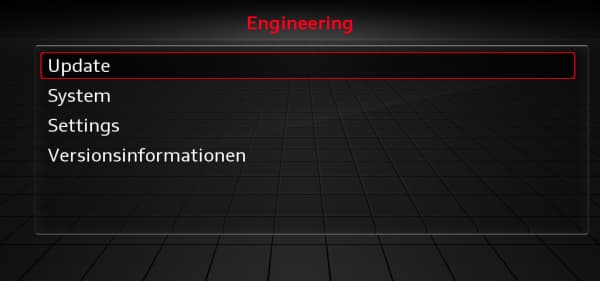
Audi – How do I access the Red Engineering Menu?
The Red Engineering Menu, also known as the Red Engineering Menu (REM) or Engineering Menu, is a hidden technical menu found on various generations of Audi multimedia systems.
In particular, it allows you to view detailed information about the multimedia system, its software and hardware versions, and various technical features.
The method for accessing the red Engineering menu depends on the generation and exact part number of the MMI.
⚠️ Warning: Some of the functions in this menu are intended for technical operations. Do not change any settings unless you know exactly what they do.
How do you identify your MMI?
Before following these steps, it is important to correctly identify the multimedia system installed in your Audi.
The simplest way is to check the system’s version information.
Depending on the generation of your MMI, you may find the following part numbers, among others:
| MMI Model | Software Version | Generation |
| MMI 2G High | SW: XX-XX XX.X.X XXXX | 2005–2008 |
| MMI 3G Low/Basic | BNav_EU_XXXXX | 2008–2016 |
| MMI 3G High | HNav_EU_XXXXX | 2008–2012 |
| MMI 3G+ | HN+_EU_XXXXX or HN+R | 2012–2016 |
| MMI RMC | RMC_EU_XXXXX | 2010–2015 |
| MMI MIB1 STD | MSTD_EU_AU_XXXXX | 2012–2015 |
| MMI MIB1 High | MHIG_EU_AU_XXXXX | 2012–2015 |
| MMI MIB2 High | MHI2_ER_AUXXX_XXXXX | 2015–2019 |
| MMI MIB2Q High | MHI2Q_ER_AUXXX_XXXXX | 2015–2019 |
| MMI MHS2 | MHS2_ER_AU_PXXXX | 2016–2019 |
| MMI MH2P | MH2P_ER_AU_PXXXX | 2019 + |
| MMI MHI3 | MHI3_EU_AUXXXX_PXXXX | 2019 + |
Below you will find the different generations of MMI, the part numbers used to identify them, and the corresponding Audi models and model years.
⚠️ The model years listed correspond to the compatibility information provided for the various MMI systems. A single vehicle generation may be equipped with multiple multimedia systems depending on the model year, trim level, and equipment.
Key combinations
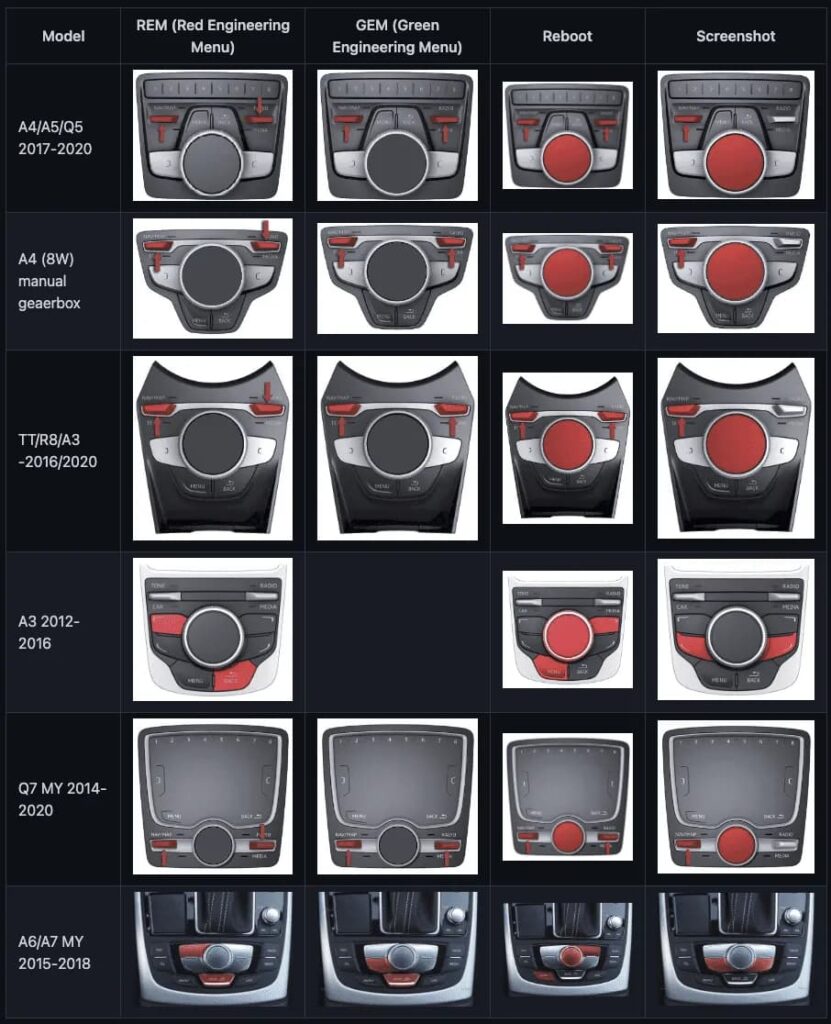
Once you have identified your multimedia system, the key combination used to access the red Engineering menu depends on the MMI generation.
The different combinations are shown in the image below.
In older cars (primarily those manufactured before 2016), you can use one of the keyboard shortcuts below to access the red engineering menu.
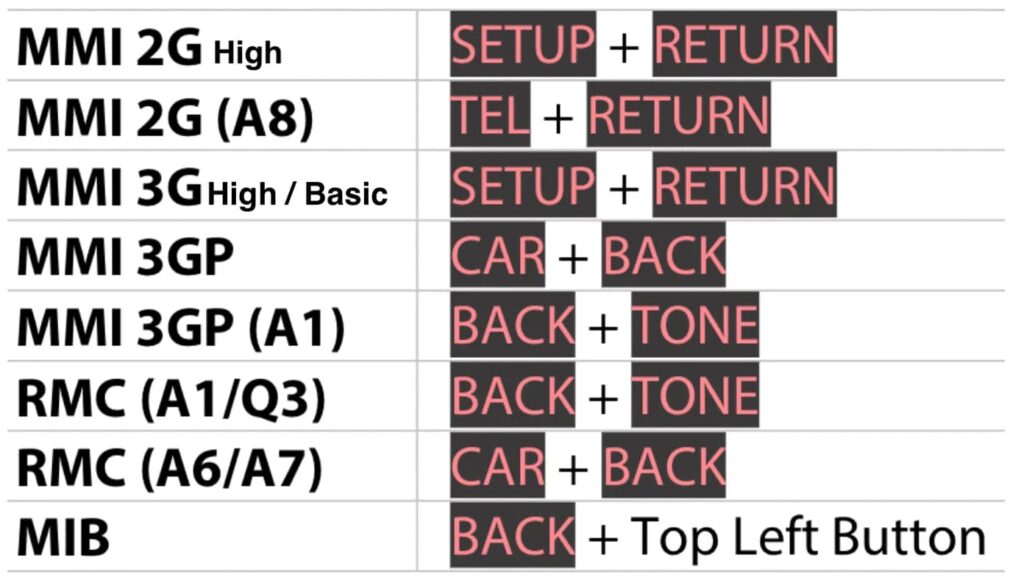
👉 Use only the combination that corresponds to your MMI.
If you don’t know your system’s generation, refer to the various references and photos provided later in this tutorial.
MMI 2G
Reference / Software:
XX-XX XX.XX XXXX
Vehicles affected include, in particular,
- Audi A4 — 2009–2010
- Audi A5 — 2008–2009
- Audi A6 — 2005–2009
- Audi A8 — 2002–2011
- Audi Q7 — 2007–2009
- Audi RS6 — 2008–2011
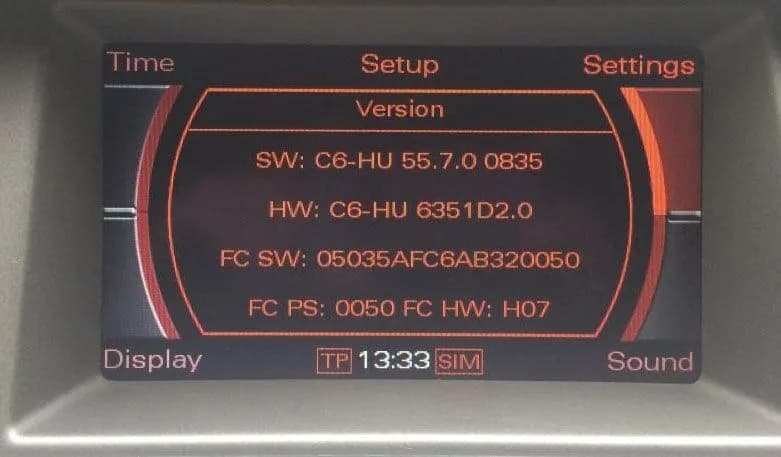
Identify the 2G MMI
The MMI 2G is one of the first generations of Audi multimedia systems.
Check the version displayed in the system information and compare it with the image below to verify your system.
MMI 3G Basic / Low
Reference / Software:
BNav_XX_XXXXX
Vehicles affected include, in particular,
- Audi A4 — 2010–2013
- Audi A6 — 2009–2012
- Audi Q5 — 2009–2013
- Audi Q7 — 2009–2012
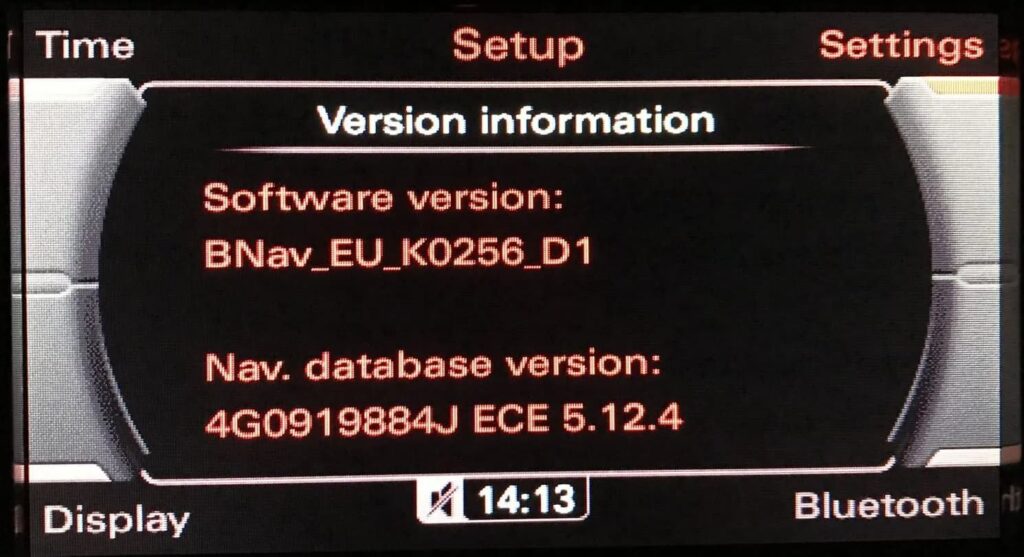
Identify the MMI 3G Basic / Low
The MMI 3G Basic / Low can be identified by a software version that begins with BNav_.
Compare the part number displayed on your MMI with the photo below to verify your system.
MMI 3G High
Reference / Software:
HNav_XX_XXXXX
Vehicles affected include, in particular,
- Audi A4 — 2010–2013
- Audi A5 — 2010–2013
- Audi Q5 — 2010–2013
- Audi Q7 — 2010–2013
- Audi A8 — 2009–2010
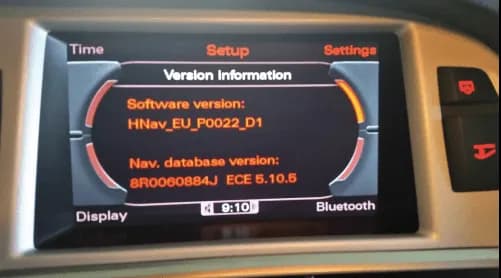
Identify the MMI 3G High
The MMI 3G High typically uses a software version that begins with HNav_.
Check the version displayed in the system information and compare it with the image shown below.
MMI 3G+
Reference / Software:
HN+_XX_XXXXX
or
HN+R
Vehicles affected include, in particular,
- Audi A1 — 2011–2018
- Audi A4 — 2013–2017
- Audi A5 — 2009–2018
- Audi Q3 — 2015–2019
- Audi Q5 — 2013–2018
- Audi Q7 — 2013–2018
- Audi A6 — 2012–2016
- Audi A7 — 2012–2016
- Audi A8 — 2011–2019
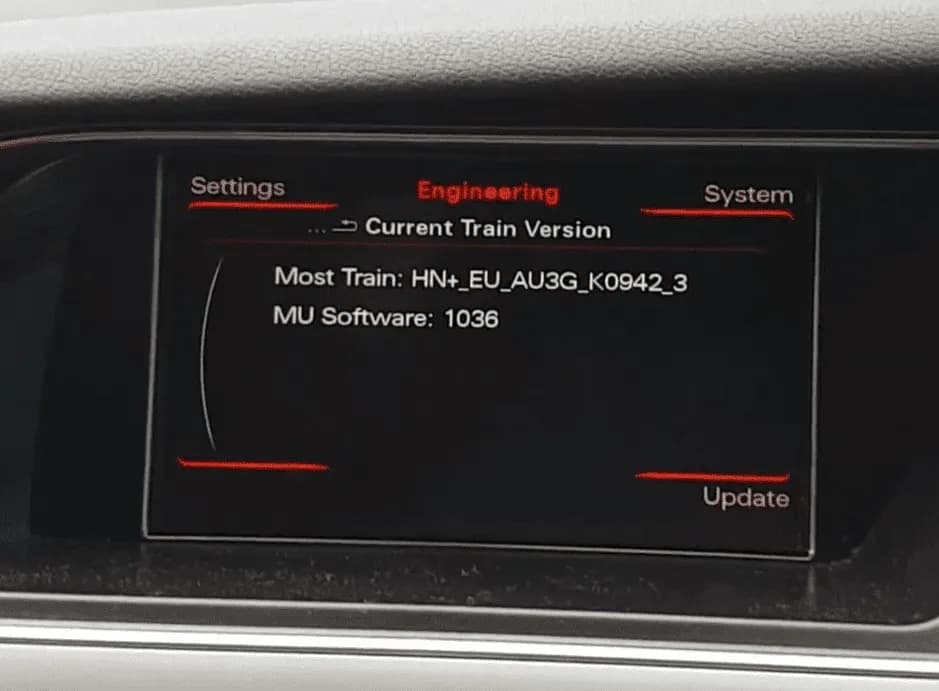
Identify the 3G+ MMI
The MMI 3G+ can be identified by the software part numbers HN+_ or HN+R.
This generation is an evolution of the MMI 3G and is featured in many Audi models from that period.
Compare your software version with the image below.
MMI RMC
Reference / Software:
RMC_XX_XXXXX
Vehicles affected include, in particular,
- Audi A1 — 2010–2018
- Audi A3 — 2013–2018
- Audi A6 — 2011–2017
- Audi A7 — 2010–2017
- Audi Q3 — 2011–2018
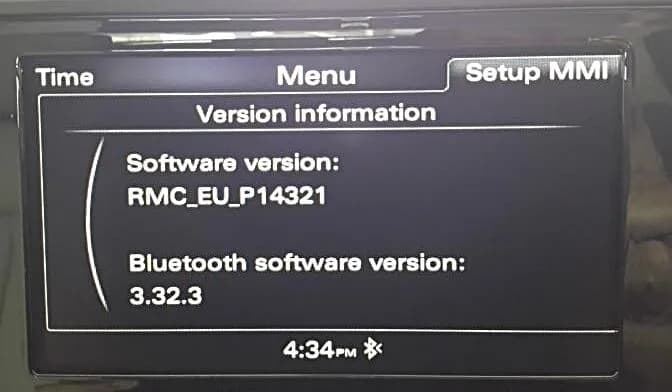
Identify the RMC MMI
The RMC MMI can be easily identified by a software version that begins with RMC_.
Check your system’s version information and compare it with the image below.
–> MMI RMC Software Update (fixes Bluetooth issue)
MMI MIB1
Reference / Software:
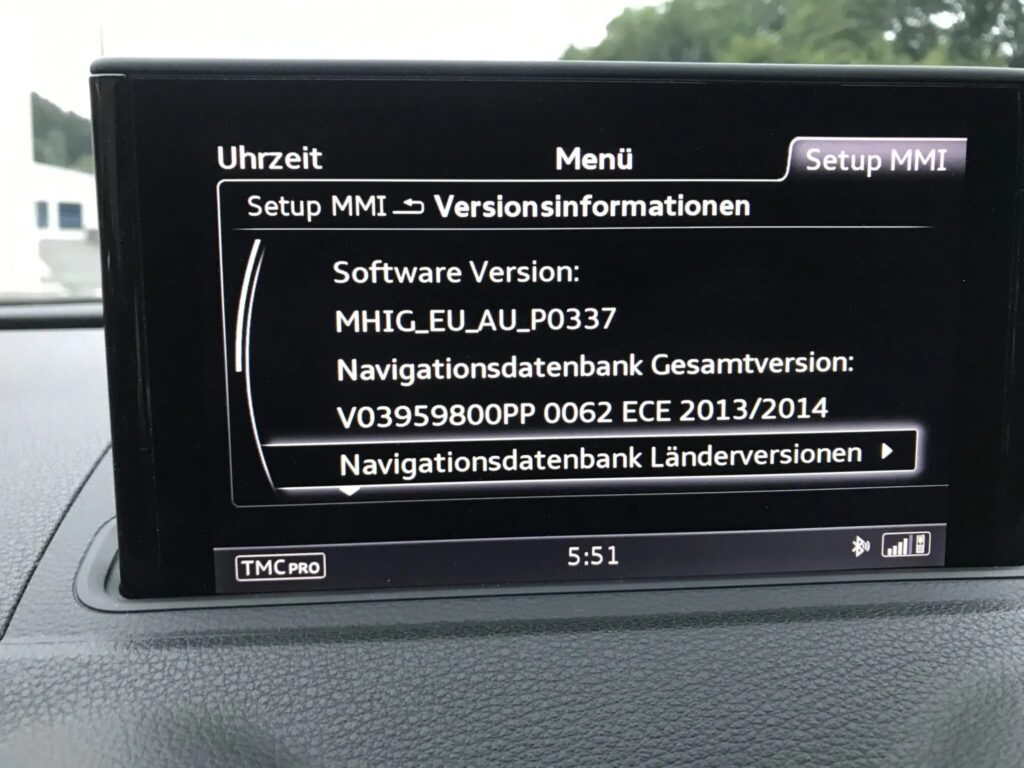
MHIG_XX_XXXX
Vehicles affected include, among others,
- Audi A3 — 2013–2017
Identify the MMI MIB1
In particular, the MIB1 can be identified by a software version that begins with MHIG_.
Compare your part number with the photo below to verify your system.
MMI MSTD
Reference / Software:
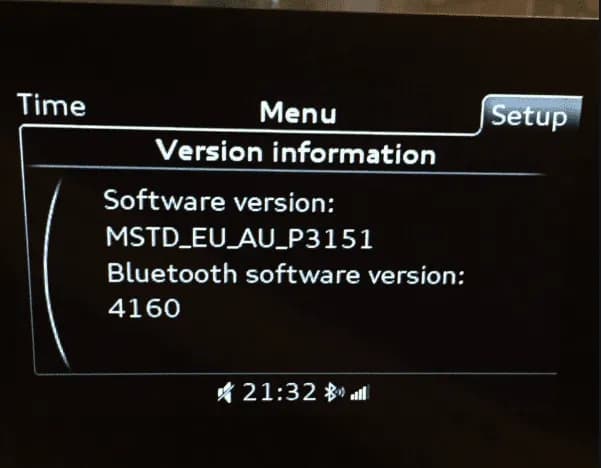
MSTD_XX_XXXX
Vehicles affected include, among others,
- Audi A3
Identify the MMI MSTD
The MSTD is one of the systems based on the MIB architecture.
The MSTD_ software reference number is one way to identify it.
Compare your part number with the photo below to verify your system.
MMI MIB2
Reference / Software:
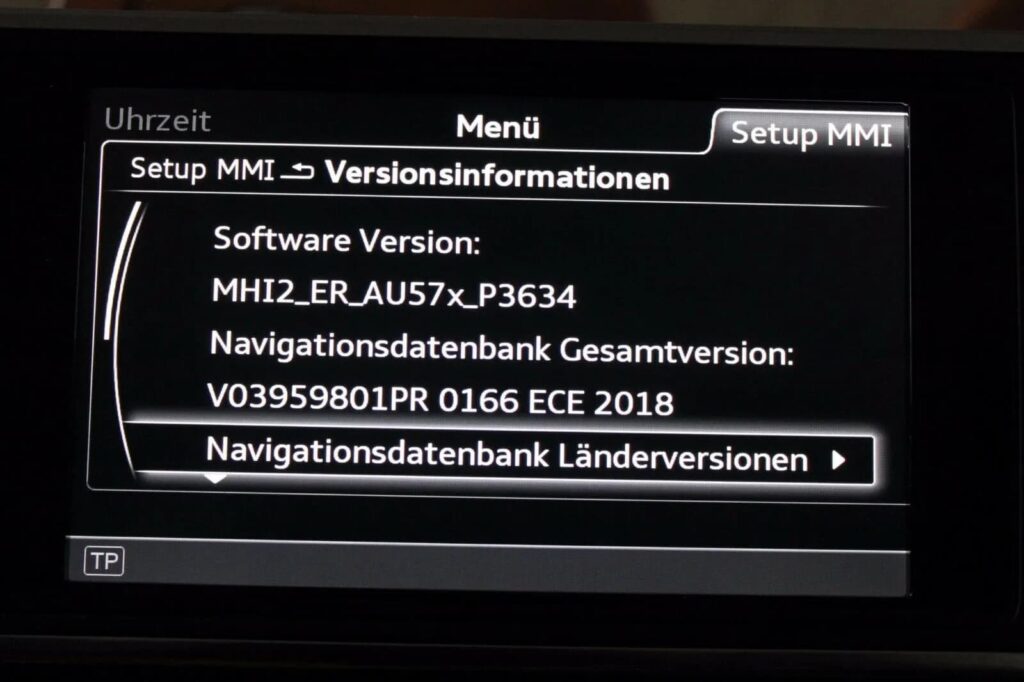
MHI2_XX_XXXX
Vehicles affected include, in particular,
- Audi A4 — 2017–2019
- Audi A6 — 2017–2019
- Audi A7 — 2017–2019
- Audi A8 — 2018–2019
Identify the MMI MIB2
The MIB2 can be identified, among other things, by a software reference number beginning with MHI2_.
Check the software version displayed in the system information and compare it with the image below.
MMI MIB2 High – MHI2Q
Reference / Software:
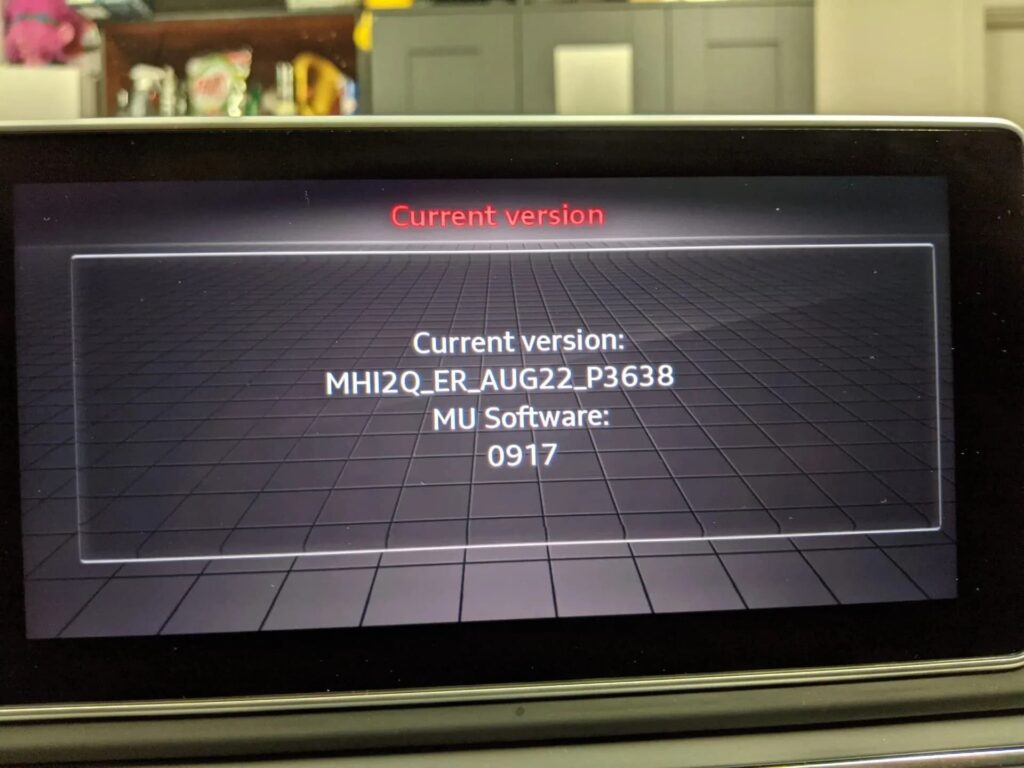
MHI2Q_XX_XXXX
Identify the MMI MHI2Q
The MHI2Q is a variant of the MIB2.
The reference MHI2Q_ is used to identify it in the version information.
Compare your part number with the photo below to verify your system.
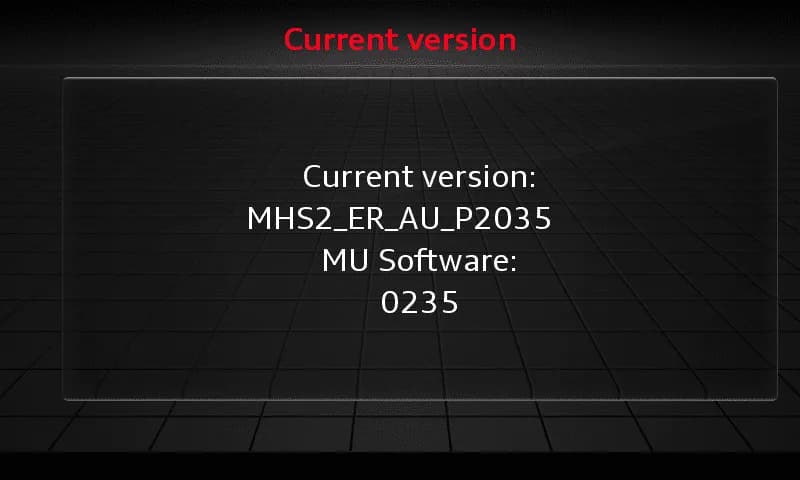
MMI MIB2 – MHS2
Reference / Software:
MHS2_XX_XXX
Identify the MHS2 MMI
Some MIB2 units use the MHS2_ prefix.
Checking the software version confirms the system generation before running the procedure.
Compare your part number with the photo below to verify your system.
MMI MIB2 – MH2p
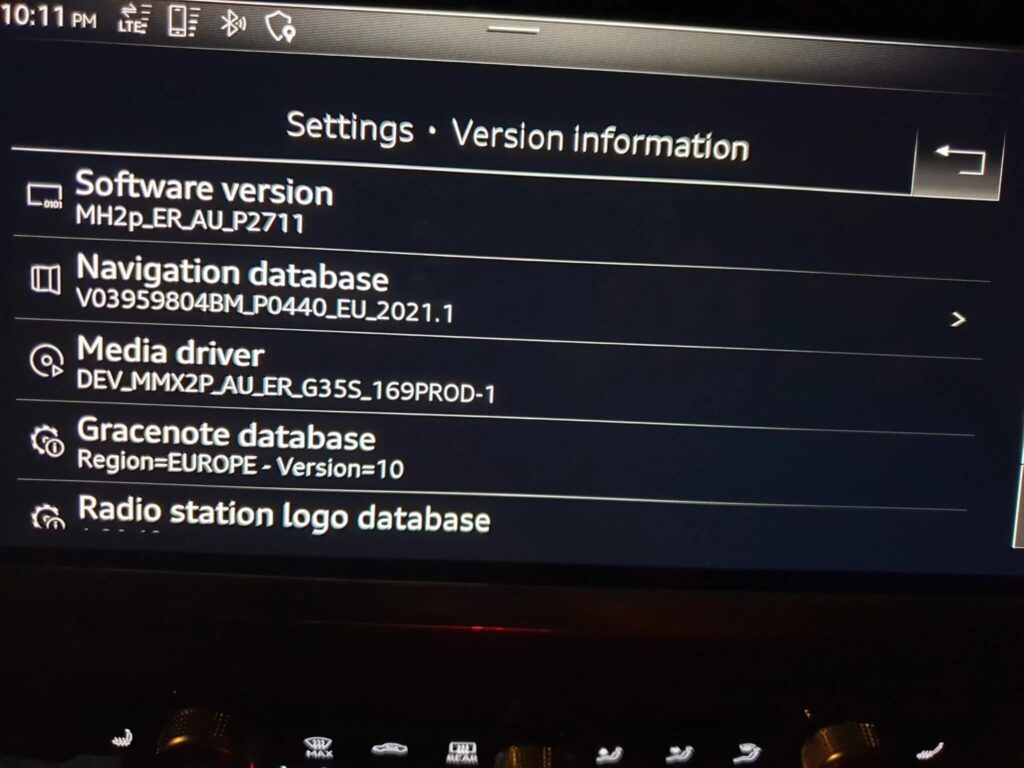
Reference / Software:
MH2p_XX_XXX
Identify the MH2p MMI
Units with the MH2p_ designation belong to a different generation of MIB2 units.
As with other systems, always check the reference number listed in the version information before following the procedure.
Compare your part number with the photo below to verify your system.
What is the red “Engineering” menu used for?
Depending on the system generation, the Red Engineering Menu provides access to various technical information and functions.
In particular, it can be used to:
- check the firmware version;
- view the MMI’s hardware information;
- identify the various components of the system;
- view certain system information;
- access certain technical features;
- perform certain maintenance tasks;
- Review useful information before updating the system.
The available features may vary significantly from one generation of MMI to another.
Red Menu and Green Menu: What’s the Difference?
Be careful not to confuse the red Engineering menu with the hidden green menu.
The green menu provides access to various settings and hidden functions in the MMI.
The red Engineering menu is primarily intended for technical information, diagnostics, and certain maintenance tasks.
If the hidden menu on your MMI isn’t enabled yet, check out our dedicated tutorial:
→ Enable the hidden green menu on Audi
⚠️ Important: Before making any changes
The Engineering menu provides access to functions that are not normally intended for everyday use.
Never change a setting at random.
Be especially careful with functions related to:
- the firmware;
- the bootloader;
- updates;
- the file system;
- hardware settings.
Improper handling or interrupting a software operation may cause the MMI to malfunction.
Important
The procedures presented on VAG Coding must always be tailored to the vehicle model, model year, MMI generation, system part number, and software version.
Two Audi vehicles from the same generation may sometimes be equipped with different multimedia systems.
Be sure to always identify your MMI before following a procedure.
Not sure which MMI you have?
Compare the software version displayed on your MMI with the various reference numbers and photos shown in this tutorial.
If you are unable to identify your system:
- Your Audi model
- the vehicle’s model year
- the MMI reference
- the software version displayed in the system information.
This will make it easier for you to determine which procedure for accessing the Engineering menu applies to your system.
This post is also available in:
 Français (French)
