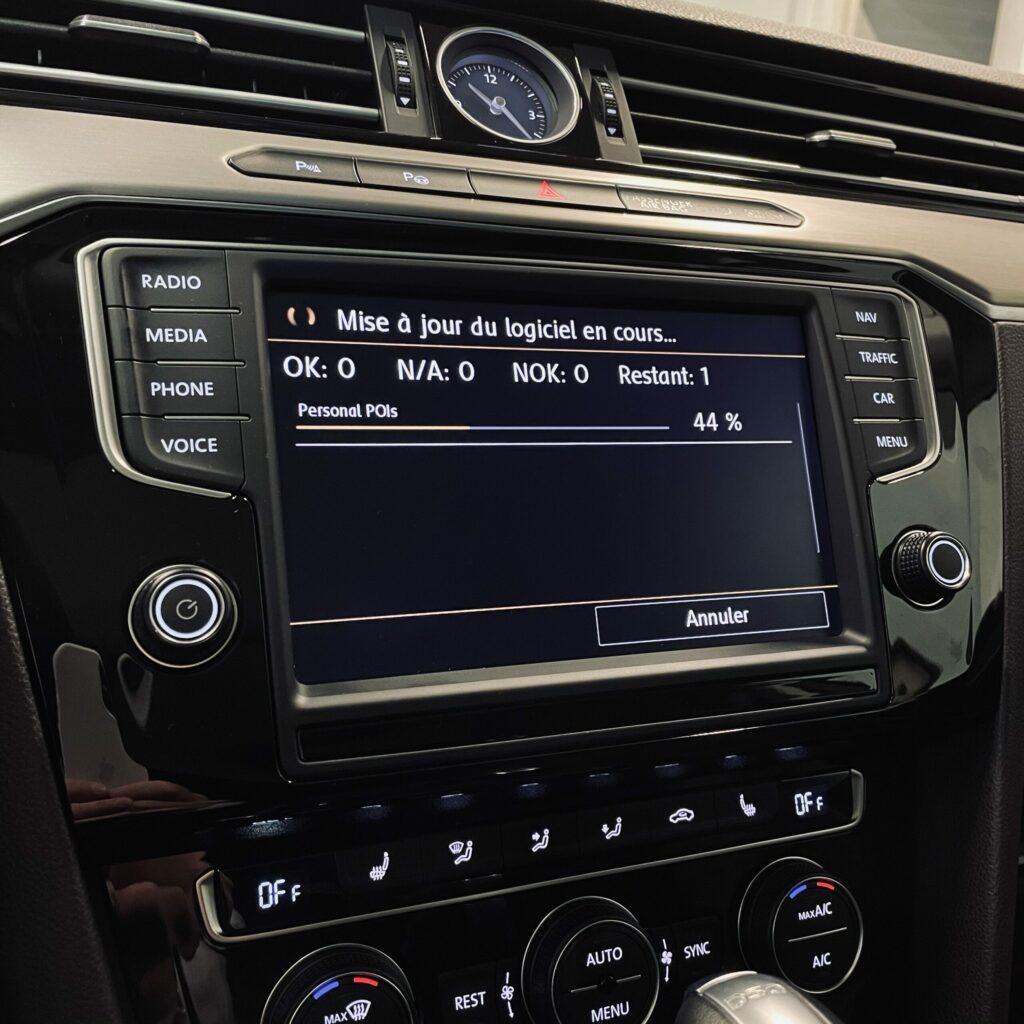
MST2 MIB2 Software Update for Volkswagen, Seat, and Škoda
The MIB2 multimedia systems installed in Volkswagen, Seat, and Škoda vehicles use different firmware versions. A software update can help fix certain bugs, improve system stability, and resolve certain issues related to MIB2 operation, including connection, detection, or compatibility issues with Apple CarPlay and Android Auto.
Before performing any update, it is essential to accurately identify the software version installed on your system. Not all MST2 firmware versions are compatible with all MIB2 units.
What is MST2 firmware?
The term MST2 refers to a family of software systems used in certain MIB2 units manufactured by the Volkswagen Group.
In particular, you may come across references such as:
MST2_EU_VW_ZR_PxxxxT
MST2_EU_SE_ZR_PxxxxT
MST2_EU_SK_ZR_PxxxxT
The SW Train’s full reference number identifies the unit’s platform and software family.
It is therefore important not to choose firmware based solely on the vehicle model.
How can I find out the software version of my MIB2?
To view the currently installed version:
- Press and hold the MENU button for about 3 seconds.
- Select Update / Software Versions.
- Check the version of SW Train installed.
- Write down the complete reference number displayed on the screen.
Example:
MST2_EU_VW_ZR_P0369T
This information is essential for determining which update can be installed.
Volkswagen MST2 Update
Volkswagen MIB2 systems may be available on Discover Media or Composition Media systems, among others.
Examples of references:
MST2_EU_VW_ZR_P0XXXT
MST2_EU_VW_PQ_P0XXXT
Compatibility depends on the exact firmware version and the unit installed in the vehicle.
Update Available for Volkswagen
Volkswagen models compatible with MST2 / MIB2
- Golf 7 (5G) — Discover MIB2 / MIB2.5
- Passat B8 (3G) — Discover MIB2 / MIB2.5
- Touran 2 (5T / 2T) — Discover MIB2 / MIB2.5
- Tiguan 2 (AD1) — Discover MIB2 / MIB2.5
- Polo 5 (6C) — certain Discover MIB2 versions
- Polo 6 (AW1) — Discover MIB2.5
- T-Roc (A1) — Discover MIB2.5
- T-Cross (C1) — Discover MIB2.5
- Arteon (3H) — Discover MIB2
- Transporter T6
- Caddy — particularly models equipped with a Discover PQ MIB2
- Scirocco
- Tiguan 1 (5N2) — certain Discover PQ MIB2 models
- New Beetle / Beetle — particularly models from 2016 onward equipped with Discover PQ MIB2
⚠️ Warning: The model alone is not sufficient to determine compatibility. It is especially important to check the firmware reference in MENU → Update / Software Versions → Installed SW Train Version. VAG Custom specifically lists the following families: MST2_EU_VW_P0XXXD, MST2_EU_VW_ZR_P0XXXT, and MST2_EU_VW_PQ_P0XXXT.
Versions beginning with MSTD are not affected by this update.
→ MST2 Discover Volkswagen Software Update
Seat MST2 Update
Seat vehicles equipped with MIB2 feature systems such as Easy Connect, Media System, and Navi System.
References may begin with, for example:
MST2_EU_SE_ZR_P0XXXT
MST2_EU_SE_PQ_P0XXXT
Example of an update:
MST2_EU_SE_ZR_P0449T → MST2_EU_SE_ZR_P0480T
The VAG Custom page specifically notes compatibility with certain Seat Leon 5F, Ibiza, and Ateca models equipped with MIB2. Versions beginning with MSTD are not affected by this update.
Update Available for Seat
→ MST2 Easy Connect Seat Software Update
Škoda MST2 Update
Škoda MIB2 models can use the Amundsen, Bolero, or Columbus systems, among others.
References may begin with, for example:
MST2_EU_SK_ZR_P0XXXT
MST2_EU_SK_PQ_P0XXXT
Example of an update:
MST2_EU_SK_ZR_P0449T → MST2_EU_SK_ZR_P0480T
The update offered by VAG Custom applies specifically to certain Škoda Octavia 3, Superb, Fabia, and Yeti models equipped with compatible MIB2 units.
Update Available for Škoda
→ MST2 Software Update for Amundsen / Bolero / Columbus Škoda
Why should you update your MIB2?
A firmware update may be particularly useful in the following cases:
- system slowdowns
- software bugs
- Bluetooth issues
- Connection issues with App-Connect / Full Link / Smartlink
- system instability or reboots
- bugs fixed in a newer software version.
However, an update does not automatically add all the features available in newer versions. For example, installing new firmware alone does not guarantee that CarPlay or Android Auto will be available if the necessary hardware or licenses are not present.
Be sure to check firmware compatibility
Never choose MST2 firmware just because it matches your vehicle’s make or model.
In particular, you should check the following:
- The complete SW Train reference
- the unit’s platform
- the unit’s manufacturer
- the hardware version
- the region
- compatibility with the installed firmware version.
A failed update or an interruption during installation may cause the multimedia system to malfunction.
It is recommended that you have a stable power supply throughout the entire operation.
What do you need?
Depending on the unit and the method used, the update may require:
- a Windows computer;
- an SD card or compatible storage device;
- the firmware that matches the unit exactly;
- enough time to complete the update;
- a stable power supply for the vehicle.
Do not use the navigation SD card containing your map data to perform an update without first checking the instructions for your unit.
Are you looking for the right firmware for your MIB2?
If you’re not sure which version to use for your MIB2, VAG Custom offers software updates tailored to the various MST2 families from Volkswagen, Seat, and Škoda.
Volkswagen
→ MST2 Discover Volkswagen Software Update
Seat
→ MST2 Easy Connect Seat Software Update
Škoda
→ MST2 Software Update for Amundsen / Bolero / Columbus Škoda
Before proceeding with the update, always check the ” Installed SW Train Version ” reference displayed in your MIB2.
Important: An MST2 software update is specific to the installed unit. If in doubt, do not install firmware whose compatibility has not been verified.