Order your CarPlay/Android Auto activation with App-Connect for VW, Full Link for Seat, or SmartLink for Skoda from our partner VAG Custom: CarPlay/Android Auto Activation and Hidden Features, Parts, Accessories, and Services to customize your VAG Group vehicle (Audi, VW, Seat, Skoda) Note: You cannot activate App-Connect / Full Link / SmartLink / Audi Smartphone...
Read more ...
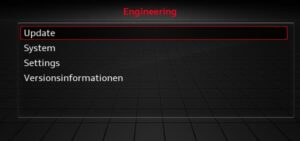
Software downloads for VAG (Audi, VW, Seat, Skoda) VCDS VAG-COM 21.3 21.9 24.7.0 25.3.1 25.3.2 / ODIS ENGINEERING 17.0.1 / ODIS SERVICE 23.0.1 / ETKA 8.3 / PETKA 8.3 / ELSAWIN 6.0 To purchase VCDS diagnostic cable VAG-COM / ODIS / VCP / ODBELEVEN the partner page on VAG Custom - Diagnostic VAG-> VCDS software
Read more ...
Order your VCDS VAG-COM cable unlocking, repair, and update service / VCDS software installation assistance from our partner VAG Custom: CarPlay / Android Auto activation and hidden features, parts, Accessories, and Services to customize your VAG Group vehicle (Audi, VW, Seat, Skoda) --> Unlocking / Repair / Updating the VCDS VAG-COM Cable on VAG Custom...
Read more ...
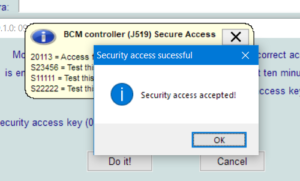
The security access function Codes [login-11] or [security access-16] must be used on some ECUs (but not all) to recode or modify adaptation values. On others, it can be used to activate or deactivate certain functions. Contents: List of MQB security access codes List of EDC 15 / 16 / 17 ECU security access codes...
Read more ...
List of VAG and generic fault codes in French. This list contains every fault/error code that can be output by specialized VAG Group software such as VCDS VAG-COM, OBDeleven, ODIS, Carly, VCP or by a multi-brand diagnostic suitcase device such as Delphi, WOW, Autel, Bosch, Autocom, Launch, Topdon, iCarsoft, other OBD2 boxes ... -> VCDS...
Read more ...
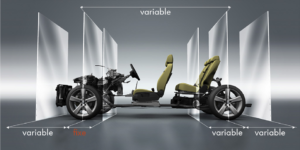
What are VAG platforms? -> What is SFD protection?-> VCDS vs OBDeleven comparison VAG Platforms: MQB, MLB, MEB, PPE, and SSP For several years now, the Volkswagen Group has been using various modular platforms shared by its brands: Volkswagen, Audi, SEAT, CUPRA, Škoda, and Volkswagen Commercial Vehicles. These platforms make it possible to share much...
Read more ...

VCDS vs. OBDeleven: Which Tool Should You Choose? VCDS or OBDeleven? This is one of the most frequently asked questions when diagnosing, programming, or customizing a vehicle from the Volkswagen Group. Both solutions provide access to the on-board computers of Volkswagen, Audi, Seat, and Škoda vehicles, but they operate differently and offer different capabilities. VCDS...
Read more ...
List of coding and modification options with OBDeleven OBD11 ONE-CLICK APPS for vehicles from the VAG Group (Audi, Volkswagen, Seat, Skoda)-> Buy your OBDeleven device with VAG Custom -> VCDS vs OBDeleven comparison OBDeleven One-Click Apps Audi list OBDeleven One-Click Apps Volkswagen list OBDeleven One-Click Apps Seat / Cupra list OBDeleven One-Click Apps Skoda list...
Read more ...
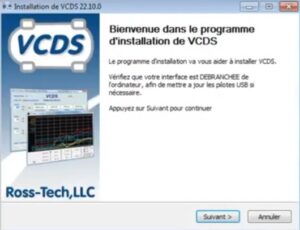
How do I install the unofficial VCDS VAG-COM software / clone and configure it for antivirus or blocking? In this tutorial, we’ll show you how to properly install your VCDS 21.9/23.11/24.7/25.3.2 interface or any other version, even older ones. The basic procedure remains exactly the same; you simply run the corresponding executable file, namely VCDS-FRM-XXXX-installer.exe...
Read more ...
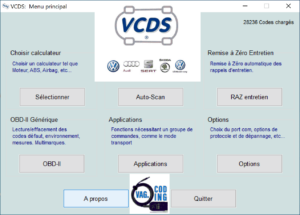
1 - VCDS stands for VAG-COM Diagnostic System: It's diagnostic software designed primarily for Volkswagen, Audi, Seat and Skoda vehicles from Ross-Tech. It allows you to personalize your vehicle, read fault codes and code and parameterize ECUs. The software also has a generic OBD2 mode: this function can be used to read the fault memory...
Read more ...
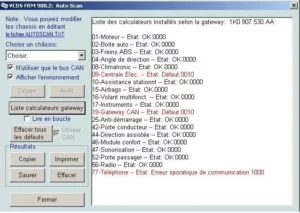
How do I view and delete fault codes using the VCDS / VAG COM diagnostic interface? Are you new to VCDS and have just purchased a VCDS cable for your Vag? Maybe a Golf, an S3 or a Polo? Take 5 minutes to understand how to read and delete your car's fault codes. To do...
Read more ...
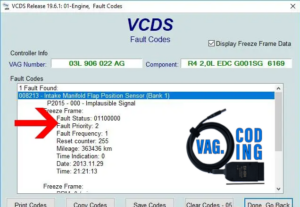
If you're a regular LOGS and AutoScan user at VCDS VAGCOM / OBDeleven, and you check your vehicle's fault codes from time to time, you've probably noticed that the LOGS shows a “Fault Priority”. But what purpose does this period serve? What does fault priority mean? In VCDS and OBDeleven software, the fault priority number...
Read more ...
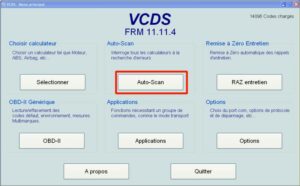
Would you like to make modifications or activate hidden options by coding or adapting your vehicle? Before making any modifications, I advise you to make a backup of the information stored in the calculators, for which there are several possibilities. -> VCDS: Operation and use-> VCDS: Deleting fault codes Simple version, one Auto-Scan and backup...
Read more ...
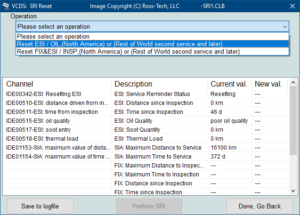
After your vehicle has been serviced, it is necessary to reset the oil change interval (SRI Reset), which resets the mileage and due date. VCDS software must be used to reset periodic maintenance. Contents : R.A.Z maintenance / Reset drain VCDS MQB after 2013 R.A.Z maintenance / Reset VCDS CAN Bus drain after 2003 VCDS...
Read more ...
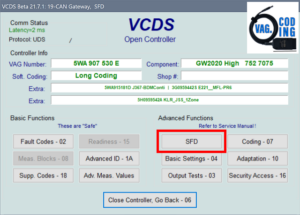
VCDS: What is SFD and SFD2 protection? SFD (Schutz der FahrzeugDiagnose) is a protection system implemented by the Volkswagen Group to secure access to the control modules in modern vehicles. In particular, this protection restricts certain modification operations, such as coding, adjustments, basic settings, and certain actuator tests. However, standard diagnostics are generally still possible:...
Read more ...
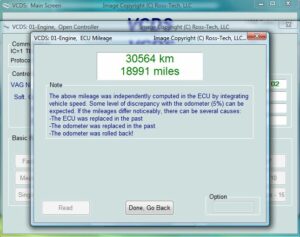
How do I know if the mileage is real? Modified odometer: how to recognize it with VCDS? How do you know if your VAG vehicle's odometer is displaying the correct mileage data? Here are a few tips to spot possible cheating when buying a used car. It is possible to check whether an odometer has...
Read more ...
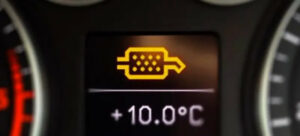
The Diesel Particulate Filter (DPF) reduces pollutant gas emissions. It operates in two stages. Filtration: this retains the most polluting particles. In the process, a layer of soot forms on the filter, which can prevent air from passing through the mechanism. This is why the FAP then moves on to the second stage Regeneration: the...
Read more ...
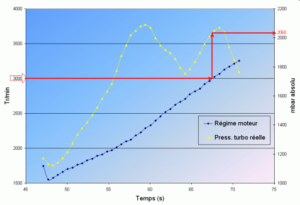
How to check turbo pressure without a pressure gauge on a TFSI, TSI or TDI engine? On a Golf 5, Scirocco, TT, Golf 7R, TTRS or RS3? For those of you who don't have a turbo pressure gauge on your car, here's a short tutorial to help you see how your turbo is performing. Checking...
Read more ...
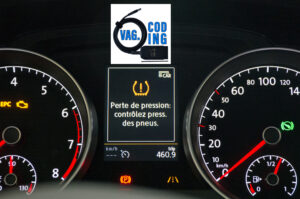
Resetting tire pressure warning light via VCDS / OBDeleven diagnostic tool Tire Pressure Reset (TPMS) The Tire Pressure Monitoring System (TPMS) on Volkswagen vehicles is an essential tool for ensuring your safety and optimizing the life of your tires. After adjusting tire pressure or changing tires, it is often necessary to reset this system. Here's...
Read more ...
When should I make the basic settings? As soon as the gearbox is drained for the DSG6, but also in the event of couplings, bugs, replacement of a gearbox part or the complete gearbox for the DSG 6 and 7. This procedure allows you to reset your DSG gearbox and, depending on the case, even...
Read more ...
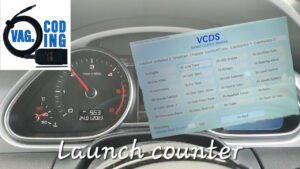
Understanding and Checking the Launch Control Number on Audi, Volkswagen, Seat and Skoda Cars Contents: 1 - Introduction to Launch Control 2 - How Launch Control works on Audi and Volkswagen 3 - The Launch Control Program: Conditions and Use 4 - The Impact of Launch Control on Vehicle Durability 5 - Why Check the...
Read more ...
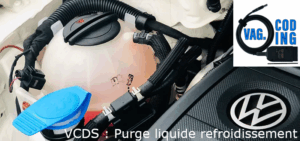
Cooling system drain (LDR) procedure with VCDS ? For diesel engine EA288 (1.4TDI, 1.6TDI, 2.0TDI) and petrol engine EA888 (1.8 & 2.0 TSI / TFSI) Why can't these engines be purged the old-fashioned way, or at least not easily? In the past, to bleed a circuit, all you had to do was fill the circuit,...
Read more ...
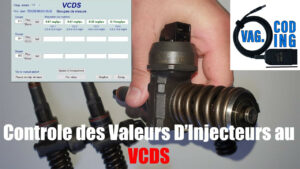
How to Check / Test / Verify Injector Values on Volkswagen Audi Seat Skoda 1.6 1.9 2.0 2.7 3.0 TDI CR and 2.0 FSI TSI TFSI with VCDS. Role and operating principle Located at the cylinder inlet or in the intake manifold, the injector sprays fuel in microscopic droplets at the end of the compression...
Read more ...
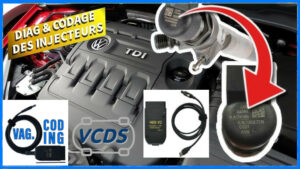
How to Adapt / Encode / Coding / Learning Injector Correction Values IMA code for Volkswagen Audi Seat Skoda 1.6 2.0 2.7 3.0 TDI CR engine with VCDS or ODIS. Adapting the injector correction values is a crucial step in the maintenance of a Volkswagen Audi Seat Skoda engine, particularly when replacing an injector or...
Read more ...
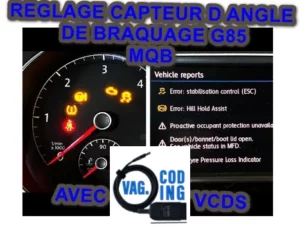
The G85 steering angle sensor basic setting procedures allow you to set the zero position for the G85 steering angle sensor, depending on the model. Contents: Basic setting of G85 steering angle sensor for MQB Basic setting of G85 steering angle sensor for ABS MK70 Basic setting of G85 steering angle sensor for ABS MK60...
Read more ...
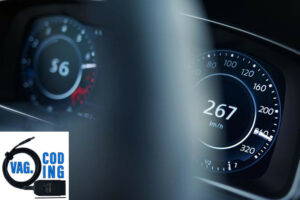
How to Unlock Your Vehicle's Top Speed (V-Max) with VCDS Tired of electronic speed limits on your vehicle? Would you like to unleash your engine's full potential by increasing its maximum speed? With VCDS (VAG-COM), you can do it yourself, but be careful. Introduction Electronic speed limits can be frustrating for drivers who want to...
Read more ...
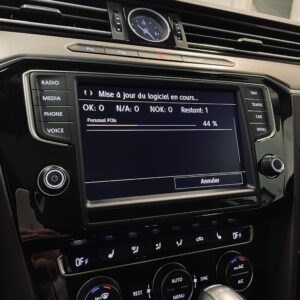
Software Update for MST2, MHI2, and MIB2 in Volkswagen, Seat, and Škoda Vehicles The MIB2 multimedia systems installed in Volkswagen, Seat, and Škoda vehicles use different firmware versions. A software update can help fix certain bugs, improve system stability, and resolve certain issues related to MIB2 operation, including connection, detection, or compatibility issues with Apple...
Read more ...
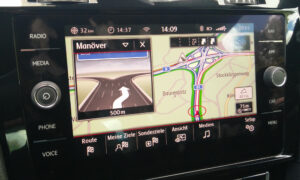
GPS Navigation Updates for Volkswagen, Audi, Seat, and Škoda Updating your GPS maps allows you to use the latest maps on your navigation system. Depending on your vehicle and the multimedia system installed, you can update the maps using an SD card, a USB flash drive, directly online, or through the manufacturer’s official portal. For...
Read more ...
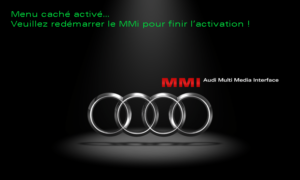
Complete procedure for activating the Hidden Menu (Green Menu) on the AUDI MMi 3G and 3G+ without using VCDS or OBDeleven! Vehicles affected include, in particular: Audi A1 — 2011–2018 Audi A4 — 2013–2017 Audi A5 — 2009–2018 Audi Q3 — 2015–2019 Audi Q5 — 2013–2018 Audi Q7 — 2013–2018 Audi A6 — 2012–2016 Audi
Read more ...
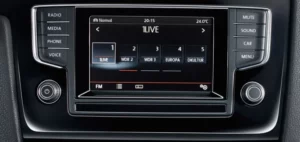
How to add / download radio logos for the radio station buttons on your DISCOVER PRO & MEDIA MIB 1 infotainment system for VW Golf 7 / Passat B8 / Scirocco / Polo 5 6C / Touran 2T. The right logo makes it easier to find your favorite station. You can install on your radio
Read more ...