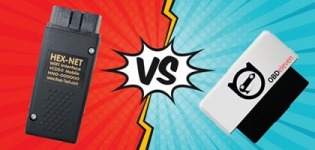
VCDS vs. OBDeleven: Which Tool Should You Choose?
VCDS or OBDeleven? This is one of the most frequently asked questions when diagnosing, programming, or customizing a vehicle from the Volkswagen Group.
Both solutions provide access to the on-board computers of Volkswagen, Audi, Seat, and Škoda vehicles, but they operate differently and offer different capabilities.
VCDS is a tool specifically designed for advanced diagnostics and coding of VAG Group vehicles.
OBDeleven is a more compact and portable solution that works with a Bluetooth device connected to a smartphone. Its features include diagnostics, manual programming, adaptations, and One-Click Apps.
So, which one should you choose?
The answer depends mainly on how you use it.
-> List of OBDeleven One-Click Apps
-> What is SFD protection?
-> VAG Platforms
VCDS vs. OBDeleven: Comparison Chart
| Function | VCDS | OBDeleven |
|---|---|---|
| VAG Diagnostics | ✅ | ✅ |
| Reading Faults | ✅ | ✅ |
| Removal of Defects | ✅ | ✅ |
| Real-time data | ✅ | ✅ |
| Encoding | ✅ | ✅ |
| Long encoding | ✅ | ✅ |
| Adaptations | ✅ | ✅ |
| Basic Settings | ✅ | ✅ |
| Exit Tests | ✅ | ✅ |
| One-Click Apps | ❌ | ✅ |
| Use on a smartphone | ❌ | ✅ |
| Using on a Windows Computer | ✅ | ❌ |
| Bluetooth Connection | HEX-NET | ✅ |
| SFD | ✅* | ✅ |
| SFD2 | ⚠️ Limited | ⚠️ Limited |
| Brands Other Than VAG | Very limited | ✅ depending on the role |
| Credits for manual coding | ❌ | ❌ |
| Credits for One-Click Apps | ❌ | ✅** |
* How the SFD works with VCDS depends on the version of VCDS, the interface, and the authorization mode used.
** Credits are used for One-Click Apps. They are not required for manual coding with PRO or ULTIMATE.
VCDS: The Specialized Tool for the VAG Group
VCDS (VAG-COM Diagnostic System) is developed by Ross-Tech and is specifically designed for vehicles from the Volkswagen Group.
It works with a VCDS interface connected to a Windows computer.
VCDS is particularly valued for advanced diagnostics, manual coding, and access to the many functions of VAG control modules.
With VCDS, you can, among other things:
- read the error codes
- fault remove
- view real-time data
- perform acceptance testing
- make basic adjustments
- edit the adaptations
- to code
- perform long coding
- access the various calculators
- Perform a full Auto-Scan
- save the encoding information
- perform various advanced diagnostic procedures.
VCDS offers features such as Coding, Long Coding, Adaptation, Basic Settings, Output Tests, Security Access, and Auto-Scan.
VCDS and Manual Coding
VCDS is particularly useful for users who want to understand exactly what they are changing in the ECUs.
On computers that use Long Coding, it is possible, in particular, to work directly with bytes and bits.
Example:
09 – Cent. Elect. → Coding → Long Coding
Then modify the byte and the bit corresponding to the desired function.
This is the type of procedure found in many VAG Coding tutorials.
OBDeleven: VAG diagnostics from your smartphone
OBDeleven works with a device connected to the vehicle’s OBD port.
The device communicates with the app installed on your smartphone.
Its main advantage is its simplicity: you don’t need a laptop to perform everyday tasks.
With OBDeleven, you can, among other things:
- conduct a diagnosis
- read the defects
- fault remove
- view real-time data
- to code
- perform long coding
- modify certain adaptations
- make basic adjustments
- access the subcalculators
- Use One-Click Apps.
Advanced manual coding and customization features are available with the PRO or ULTIMATE plan.
OBDeleven One-Click Apps
One of the major differences between VCDS and OBDeleven is the inclusion of One-Click Apps.
These are preconfigured functions that allow you to enable certain options without having to manually search for the settings in the control units.
In particular, these include functions related to:
- lighting
- comfort
- the display
- customization
- some hidden features
- certain retrofit features.
OBDeleven reports that several thousand One-Click Apps are available, depending on the vehicle.
OBDeleven Credits
Credits are a virtual currency used to activate One-Click Apps.
They are not required for manual coding, Long Coding, or adjustments using PRO/ULTIMATE.
With PRO, One-Click Apps are generally still accessible using credits.
With ULTIMATE, One-Click Apps are included under the plan’s fair use policy.
VCDS Prices at VAG Custom
VAG Custom offers several VAG diagnostic interfaces.
The rates currently listed include:
VAGCOM HEX-V2 25.3
€139.90
Interface for diagnostics and coding with VCDS.
VAGCOM HEX-V2 FULL PACK 25.3
€149.99
Version offered with a more comprehensive package.
VAGCOM HQ
€79.90
Interface designed for vehicles manufactured through 2017, according to the VAG Custom data sheet.
Prices are subject to change. Visit the VAG Custom page for current pricing.
→ See the VCDS interfaces at VAG Custom
OBDeleven Prices at VAG Custom
VAG Custom also offers several versions of OBDeleven 3.
OBDeleven 3 – Unit Only
€84.99
In particular, the unit allows you to perform basic diagnostic functions.
OBDeleven 3 PRO Pack + 100 credits
€139.99
This bundle includes the device, the PRO plan, and 100 credits.
The PRO package includes manual coding, Long Coding, and adaptations for compatible VAG vehicles.
OBDeleven 3 ULTIMATE Pack
€259.99
The ULTIMATE package is designed for users who want to take advantage of advanced features and One-Click Apps without having to purchase credits for each activation, subject to fair use policies.
Prices are those currently listed by VAG Custom and are subject to change.
→ See the OBDeleven products at VAG Custom
VCDS or OBDeleven for programming?
Both tools can be used to perform a wide variety of coding tasks.
However, they are used differently.
With VCDS
The procedure generally involves the following steps:
Calculator → Encoding → Long Encoding
Then, the bytes and bits are modified when the computer uses Long Coding.
VCDS is particularly useful for users who want to make their own modifications and fully understand the coding process.
With OBDeleven
The procedure is carried out through the app:
Calculator → Encoding / Long Encoding
The interface is more modern and easier to use on a smartphone.
OBDeleven also allows you to perform tuning and various advanced operations with the PRO or ULTIMATE plan.
Important
Titles, byte numbers, available adaptations, and encoding options may vary depending on:
- the model
- the year
- the calculator
- the software version
- the vehicle’s equipment.
That is why the VAG Coding tutorials are organized by vehicle model.
SFD: Protection for Recent VAG Vehicles
On recent VAG vehicles, the SFD protection must also be taken into account.
SFD stands for Schutz Fahrzeug Diagnose.
This is a security layer that requires authorization before certain changes can be made to the protected control units.
This protection applies in particular to certain generations of vehicles based on the MQB Evo and MEB platforms, including, for example, the Golf 8, the Škoda Octavia IV, the Seat Leon IV, the Audi A3 8Y, the VW ID.3, the VW ID.4, and the Škoda Enyaq.
In particular, the SFD can block certain transactions involving:
- encoding
- adaptations
- configuration
- settings.
SFD with VCDS: Tokens are subject to a fee
This is an important distinction to be aware of.
VCDS can work with SFD-protected ECUs, but access requires SFD authorization.
Historically, VCDS has allowed users to use offline SFD tokens generated by VAG servers.
Ross-Tech notes that these tokens are not provided directly by Ross-Tech and must be obtained from an authorized source.
VCDS now also offers an SFD Service that enables online authorization.
This service is available for a fee outside the beta period:
- $50 per year for an Enthusiast interface, with a limit on the number of VINs;
- $100 per year for a Professional plan, with unlimited VINs.
In particular, the service requires a HEX-V2 or HEX-NET interface, a valid VCDS license, and identity verification.
Key Points for VCDS
VCDS + SFD vehicle = You may need to use an SFD token or the paid SFD Service.
The cost of SFD access must therefore be taken into account in addition to the price of the interface when you regularly work on vehicles equipped with this system.
SFD with OBDeleven
OBDeleven also offers SFD unlocking on compatible vehicles.
With PRO or ULTIMATE, SFD unlocking is included, and there is no additional charge for each SFD unlock.
OBDeleven credits are used for One-Click Apps, not for SFD unlocking itself.
Key Takeaways
VCDS: SFD with tokens / SFD paid service depending on the method used.
OBDeleven: SFD included with PRO / ULTIMATE on compatible vehicles.
This is therefore an important factor to consider if you own a Golf 8, a Leon 4, an Octavia 4, an A3 8Y, or another recent VAG vehicle.
What about SFD2?
SFD and SFD2 should not be confused.
The latest vehicles feature additional safeguards related, in particular, to automotive cybersecurity requirements.
The SFD2 may impose additional restrictions, and not all functions are necessarily accessible using a third-party diagnostic tool.
In 2026, SFD2 compatibility therefore remains an important factor to check before purchasing a tool for a newer vehicle.
OBDeleven notes, in particular, that certain VAG models starting in 2024 feature new security measures and that access to the ECUs may be restricted on these vehicles.
Ross-Tech also notes that the features locked by SFD2 are not yet available through its SFD Service.
So don’t assume that a tool compatible with SFD will automatically be compatible with all SFD2 features.
VCDS or OBDeleven for diagnostics?
VCDS
VCDS is particularly useful for in-depth diagnostics of VAG vehicles.
In particular, it offers:
- Auto-Scan
- fault reading
- advanced data
- measurement blocks
- advanced measures
- output tests
- Basic Settings
- adaptations
- encoding
- Long Coding
- Security Access.
This tool is particularly well-suited for advanced enthusiasts and professionals who regularly work on VAG vehicles.
OBDeleven
OBDeleven is particularly handy for quick diagnostics using a smartphone.
With just the unit itself, the basic diagnostic functions allow you to read and clear fault codes and view available data, among other things.
For more features, the PRO or ULTIMATE plan gives you access to advanced features.
VCDS or OBDeleven for a beginner?
→ OBDeleven
For a beginner, OBDeleven is probably the easiest to use.
Smartphones make it easy to quickly perform everyday tasks, and One-Click Apps let you activate certain features without having to know how to code manually.
VCDS or OBDeleven for a VAG enthusiast?
→ VCDS
If you want to understand how ECUs work and perform manual programming yourself, VCDS remains an excellent solution.
It is particularly well-suited for those who want to go beyond the basic preset options.
→ OBDeleven PRO
OBDeleven PRO is also a great option for enthusiasts who want to perform manual coding while still enjoying the convenience of using a smartphone.
VCDS or OBDeleven for One-Click Apps?
→ OBDeleven
This is where OBDeleven clearly has the edge.
One-Click Apps let you quickly enable certain features without having to manually search for the settings.
With ULTIMATE, One-Click Apps are included in the plan subject to the fair use policy.
VCDS or OBDeleven: Pros and Cons
VCDS
✅ Benefits
- Very comprehensive for VAG diagnostics
- Great for manual coding
- Many advanced features
- Perfect for VAG enthusiasts
- Well-suited for professional diagnosis
- No credits required to perform manual coding
❌ Disadvantages
- Requires a Windows computer
- Less convenient than a smartphone
- A more technical interface
- Access to SFD may require tokens or a paid SFD service
- SFD2 features remain limited
OBDeleven
✅ Benefits
- Use with a smartphone
- Very compact housing
- Modern interface
- Simple Diagnosis
- Manual coding
- Adaptations
- One-Click Apps
- SFD included with PRO / ULTIMATE on compatible vehicles
- Compatible with certain other brands, depending on the features
❌ Disadvantages
- Advanced features require the PRO or ULTIMATE version
- One-Click Apps use credits with PRO
- The options depend on the vehicle
- Newer vehicles equipped with SFD2 may have certain limitations
Which tool should you choose?
| Your needs | Our Choice |
|---|---|
| Quick Diagnosis | OBDeleven |
| Use with a smartphone | OBDeleven |
| One-Click Apps | OBDeleven |
| Simple Manual Coding | OBDeleven PRO |
| Advanced Manual Coding | VCDS |
| In-Depth VAG Diagnosis | VCDS |
| Professional Use of VAG | VCDS |
| SFD Vehicle | Both, depending on the function |
| SFD2 Vehicle | Check compatibility before purchasing |
| Beginner | OBDeleven |
| VAG Enthusiast | VCDS or OBDeleven PRO |
VCDS or OBDeleven: Our Review
There is no clear winner.
Both tools are very powerful, but they serve slightly different purposes.
🖥️ VCDS
A great choice if you’re looking for:
- a comprehensive VAG diagnostic;
- manual coding;
- advanced features;
- regular use;
- a tool designed exclusively for the VAG Group.
📱 OBDeleven
A great choice if you’re looking for:
- simplicity;
- use on a smartphone;
- a compact tool;
- One-Click Apps;
- manual coding with PRO;
- a practical solution for personal use.
Where can I buy VCDS and OBDeleven?
VAG Custom offers several diagnostic interfaces and packages.
VCDS / VAG-COM
→ VAGCOM HEX-V2
→ VAGCOM HEX-V2 FULL PACK
→ VAGCOM HQ
OBDeleven
→ OBDeleven 3
→ OBDeleven 3 PRO Pack + 100 credits
→ OBDeleven 3 ULTIMATE Pack
The prices currently listed by VAG Custom are, notably , €139.90 for the HEX-V2, €149.99 for the HEX-V2 Full Pack, €79.90 for the VAGCOM HQ, €84.99 for the OBDeleven 3, €139.99 for the PRO Pack + 100 credits, and €259.99 for the ULTIMATE Pack.
Beware of VCDS copies
Many cables advertised online as VCDS/VAG-COM are unofficial interfaces or copies.
These interfaces may have compatibility limitations and do not necessarily receive the same level of support as an official interface.
For serious use, choose an interface that is compatible with your vehicle and always verify that it is compatible with the specific vehicle model year.
VAG Coding with VCDS and OBDeleven
VAG Coding offers several thousand tutorials on coding and customizing vehicles from the VAG Group.
The tutorials are organized by model to make it easier for you to find the procedure that applies to your vehicle.
In particular, you’ll find tutorials on:
- Volkswagen Golf
- Volkswagen Passat
- Volkswagen Tiguan
- Volkswagen Polo
- Audi A3
- Audi A4
- Audi Q5
- Seat Leon
- Seat Ibiza
- Škoda Octavia
- Škoda Superb
- Škoda Kodiaq
- and many other models.
Procedures may vary depending on the model, model year, equipment, and the control module installed.
Before performing any programming, always make sure the tutorial matches your vehicle exactly.
Conclusion
VCDS and OBDeleven are two excellent tools for diagnosing, programming, and customizing a vehicle from the VAG Group.
The choice depends mainly on how you plan to use it:
VCDS → Advanced diagnostics, manual coding, and heavy-duty use on VAG vehicles.
OBDeleven → simplicity, smartphone, One-Click Apps, and manual programming with PRO.
For newer vehicles, the SFD and SFD2 must also be taken into account.
VCDS may require SFD tokens or a paid SFD Service subscription to access certain protected features.
OBDeleven offers SFD unlocking at no additional cost with the PRO/ULTIMATE plans on compatible vehicles.
Regardless of which tool you choose, always use a procedure that is appropriate for your model, your ECU, and its software version.
Vous trouverez nos liens pour l’achat d’un câble VCDS ou OBDeleven sur la boutique de notre partenaire VAG CUSTOM :