

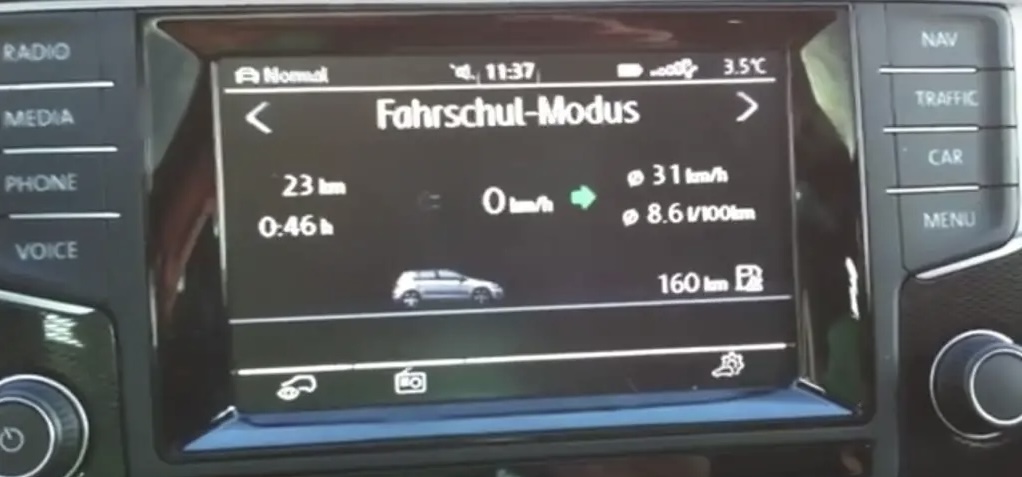
Purpose: Adds a “Driving School” mode view to the RCD 210 / RCD 310 or the Discover MIB2 PQ, which displays turn signals, speed, and more… (Also ideal for accompanied driving)
Procedure:
1 – With the engine off and the ignition off, connect your official VAG-COM VCDS cable to the computer, then plug the other end into your vehicle’s diagnostic port.
2 – Switch on the ignition and run the VCDS program.
RCD 210 / RCD 310
Line 1:
3 – Click “Select,” then click “56 – Radio.”
4 – Click “Adaptation – 10.”
6 – At the very top of this page, there is a drop-down menu.
From this drop-down menu, select “Channel 2.”
7 – On this same page, there is a second drop-down menu toward the bottom
of the page.
From this menu, select “1” and then confirm.
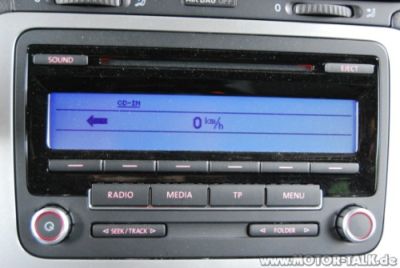
Discover MIB2 PQ:
Line 1:
3 – Click on“Select” then click on“5F – Electr. information”.
4 – Click on“Security Access – 16” then enter the code“20103”.
5 – Click on“Adaptation – 10”.
6 – On this page, at the very top, there is a drop-down menu.
In this drop-down menu, choose“Vehicule function list CAN-Driving_school“.
7 – On this same page, there is a second drop-down menu at the bottom
of the page.
On this menu, select“active” and confirm.
Line 2:
3 – Click on“Select” then click on“5F – Electr. information”.
4 – Click on“Security Access – 16” then enter the code“20103”.
5 – Click on“Adaptation – 10”.
6 – On this page, at the very top, there is a drop-down menu.
In this drop-down menu, choose“Vehicule menu operation-menu_display_driving_school“.
7 – On this same page, there is a second drop-down menu at the bottom
of the page.
On this menu, select“active” and confirm.
Line 3:
3 – Click on“Select” then click on“5F – Electr. information”.
4 – Click on“Security Access – 16” then enter the code“20103”.
5 – Click on“Adaptation – 10”.
6 – On this page, at the very top, there is a drop-down menu.
In this drop-down menu, choose“Vehicule menu operation-menu_display_driving_school_over_threshold_high“.
7 – On this same page, there is a second drop-down menu at the bottom
of the page.
On this menu, select“active” and confirm.
This post is also available in:
 Français (French)
