

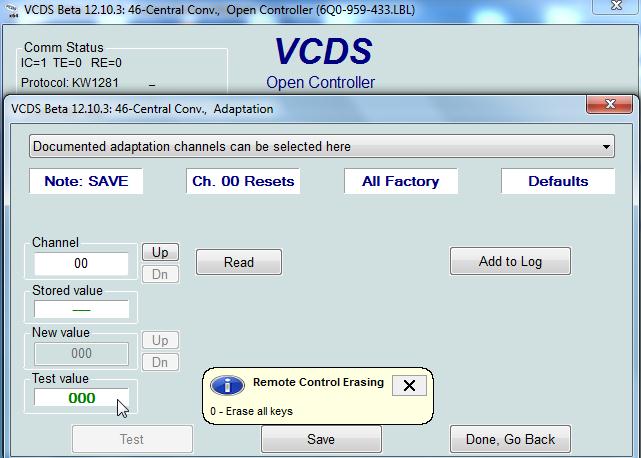
Purpose: Resets the settings for all remote controls associated with the vehicle.
⚠️ WARNING: After completing this procedure, all remote controls will be deleted and will need to be reprogrammed using the “Program a Remote Control” tutorial .
If your vehicle is equipped with a KESSY remote control (05 – Access/Start Authorization), you cannot delete the remote controls using this procedure.
Proceed :
1 – Engine off, ignition off, connect your official VAG-COM VCDS cable to the computer, then plug the other end into your vehicle’s diagnostics socket.
2 – Switch on the ignition and run the VCDS program.
Line 1:
3 – Click “Select,” then click “ “09 – Cent. Elect.”.”
4 – Click on “Adaptation – 10”.
5 – Select Channel 00
Set the value to 0 and save
This post is also available in:
 Français (French)
