

Purpose: to deactivate the automatic activation of the rear wiper or to suppress it.
Procedure:
1 – With the engine off and the ignition switched off, connect your official VAG-COM VCDS cable to the computer, then connect the other end to your vehicle’s diagnostic port.
2 – Switch on the ignition and run the VCDS program.
Line 1:
3 – Click on“Select”, then click on“09 – Cent. Elect.”.
4 – Click on“Coding 07”.5 – Select the “0” module and click on “Long Coding Helper”:
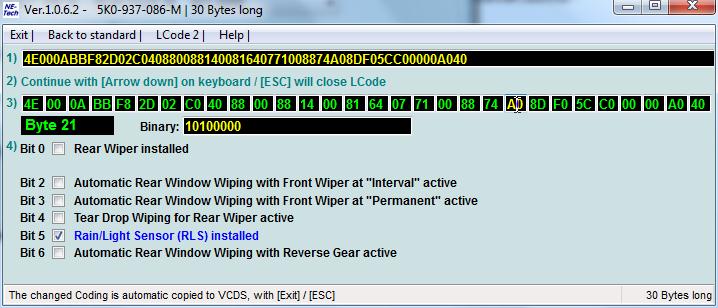
Byte 21:
Bit 2: Uncheck “Automatic Rear Window Wiping with Front Wiper at ‘Interval’ active”.
Bit 3: Uncheck “Automatic Rear Window Wiping with Front Wiper at ‘Permanent’ active”.
Bit 6: Uncheck “Automatic Rear Window Wiping with Reverse Gear active”.
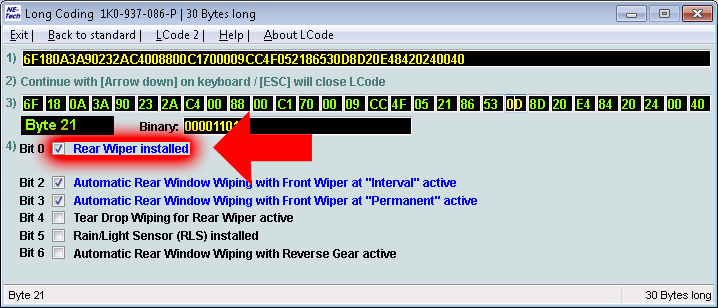
To completely deactivate the rear wiper after disassembly for wiper removal style with pad:
Byte 21: Deactivate Bit 0 “Rear Wiper installed”.
This post is also available in:
 Français (French)
