

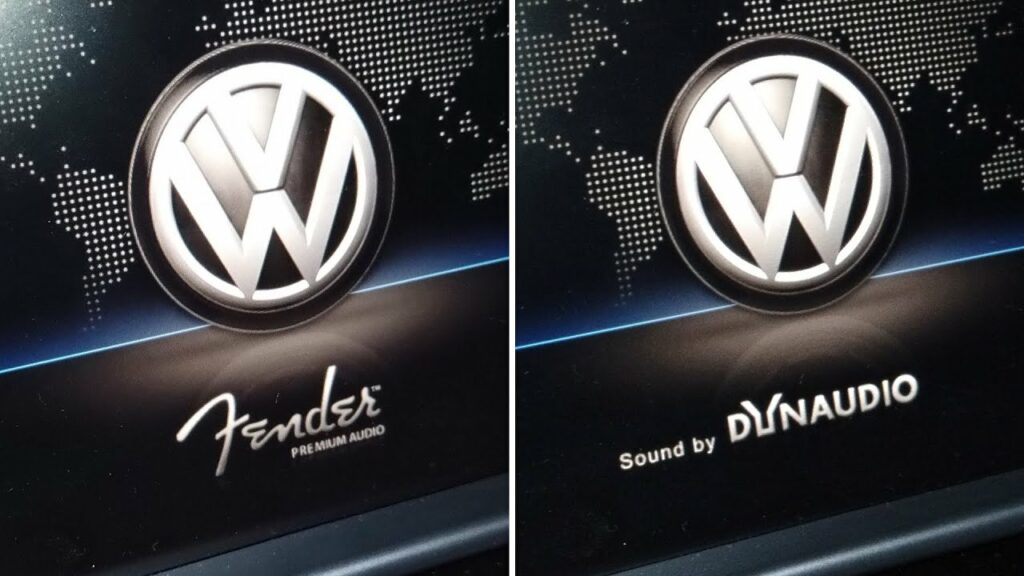
Purpose: To display the Fender or Dynaudio logo when your Discover Media or Pro is launched.
Procedure:
1 – Engine off, ignition off, connect your official VAG-COM VCDS cable to the computer, then plug the other end into your vehicle’s diagnostics socket.
2 – Switch on the ignition and run the VCDS program.Procedure: 1 – Engine off, ignition off, connect your official VAG-COM VCDS cable to the computer, then plug the other end into your vehicle’s diagnostics socket.
Line 1:
3 – Click on“Select” then click on“5F – Information Electr.”.
4 – Click on“Security Access – 16” then type the code“20103”
5 – Click on“Adaptation – 10”.
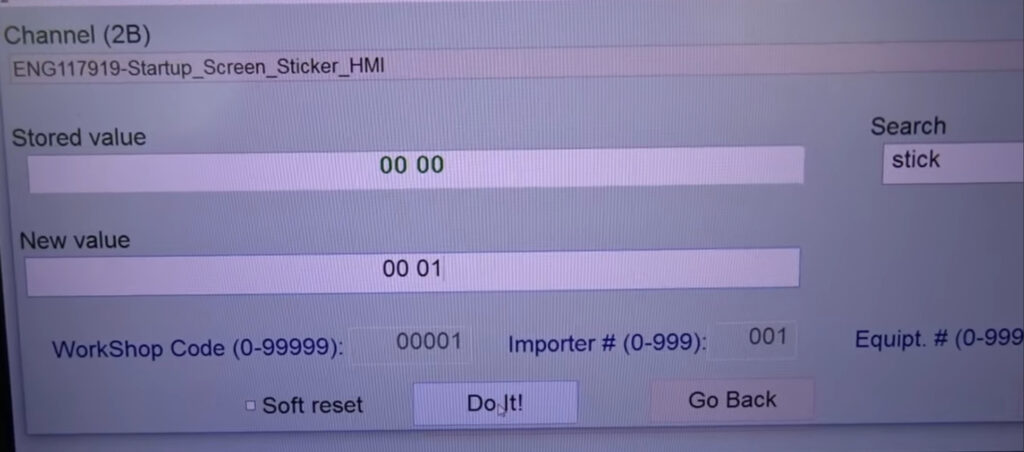
6 – On this page, at the very top, there is a drop-down menu.
From this drop-down menu, select the “Startup_Screen_Sticker_HMI” channel .
7 – On this same page, there is a second drop-down menu, but towards the bottom
of the page.
On this, choose“1” for Fender or“2” for Dynaudio, then validate. (00 01 or 00 02, 00 00 without logo)
This post is also available in:
 Français (French)
