
Purpose: Allows you to modify the lighting of the LED taillights to achieve a more aggressive look (Tesla-style) by disabling the central horizontal lines on the taillights. (Parking Lights and Brake Lights)
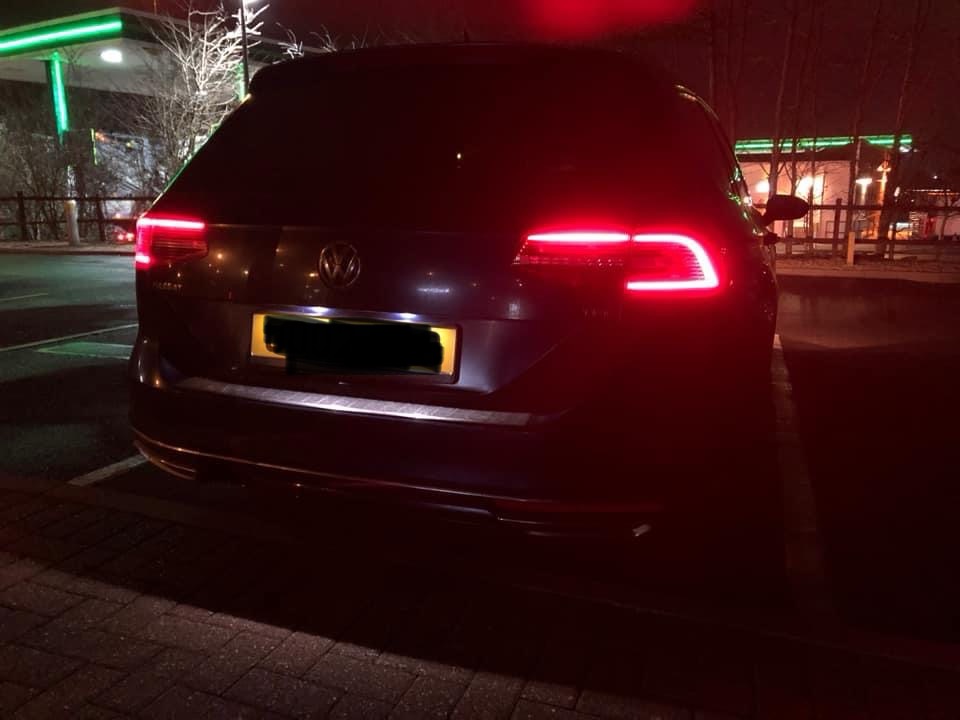
Watch out! There are 3 lines of coding to do here.
Proceed :
1 – Engine off, ignition off, connect your official VAG-COM VCDS cable to
the computer, then plug the other end into your vehicle’s diagnostics socket.
2 – Switch on the ignition and run the VCDS program.
Line 1:
3 – Click on“Select”, then click on“09 – Cent. Elect.”.
4 – Click on“Security Access – 16” then enter the code“31347”.
5 – Click on“Adaptation – 10”.
6 – On this page, at the very top, there is a drop-down menu.
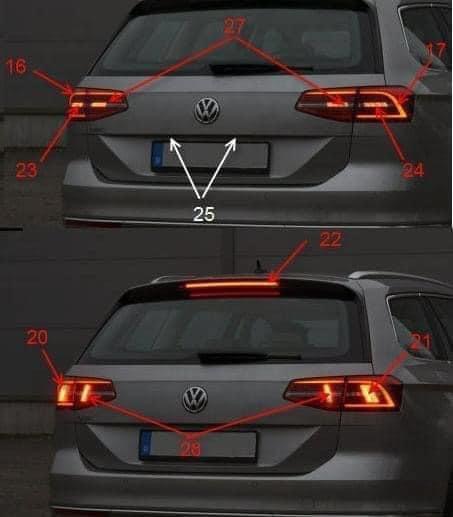
In this drop-down menu, choose“Leuchte27SL RC6-Lichtfunktion A27”.
7 – On this same page, there is a second drop-down menu located toward the bottom
.
From this menu, select “Non-Active” and then confirm. (Source: Standlicht Allgemein)
Line 2:
3 – Click on“Select”, then click on“09 – Cent. Elect.”.
4 – Click on“Security Access – 16” then enter the code“31347”.
5 – Click on “Adaptation – 10”.
6 – On this page, at the very top, there is a drop-down menu.
In this drop-down menu, choose“Leuchte24SL HRA65-Lichtfunktion A24”.
7 – On this same page, there is a second drop-down menu located toward the bottom
.
From this menu, select “Non-Active” and then confirm. (Source: Standlicht Allgemein)
Line 3:
3 – Click on“Select”, then click on“09 – Cent. Elect.”.
4 – Click on“Security Access – 16” then enter the code“31347”.
5 – Click on“Adaptation – 10”.
6 – On this page, at the very top, there is a drop-down menu.
In this drop-down menu, choose“Leuchte23SL HLC10-Lichtfunktion A23”.
7 – On this same page, there is a second drop-down menu located toward the bottom
.
From this menu, select “Non-Active” and then confirm. (Source: Standlicht Allgemein)
This post is also available in:
 Français (French)
