
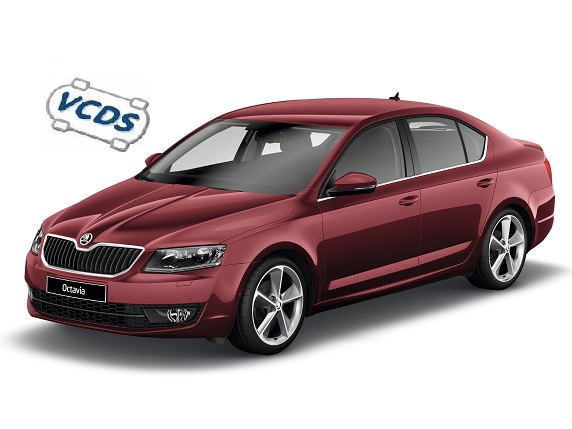
Purpose: Allows you to change the vehicle image displayed on the Skoda Bolero Amundsen Columbus MIB2 multimedia system screen; this is useful after a retrofit to ensure that the image matches the actual vehicle model.
The 5F calculator allows you to configure the vehicle’s make, model, generation, variant, and variant code. Once these values are entered correctly, the corresponding image appears on the screen.
These settings also affect the vehicle’s display on the onboard computer, the Climatronic menu, the balance and sound distribution settings, the ambient lighting, the parking assist and rearview camera, as well as other functions displayed on the multimedia system’s screen.
Proceed :
1 – Engine off, ignition off, connect your official VAG-COM VCDS cable to the computer, then plug the other end into your vehicle’s diagnostics socket.
2 – Switch on the ignition and run the VCDS program.
Line 1:
3 – Click on“Select” then click on“5F – Electr. information”.
4 – Click on “Security Access – 16,” then enter the code “20103“
5 – Click on “Coding – 07,” then click on “Long Coding Helper“
6 – Replace the byte values “00, 01, 02” with the list of coding options for the Skoda vehicle’s model, generation, variant, and supplement.
- 03 62 00 – Skoda Fabia
- 03 62 02 – Skoda Fabia Kombi
- 03 73 01 – Skoda Octavia
- 03 73 02 – Skoda Octavia Kombi
- 03 73 42 – Skoda Octavia Kombi Scout
- 03 73 51 – Skoda Octavia vRS
- 03 73 52 – Skoda Octavia Kombi vRS
- 03 73 11 – Skoda Octavia facelift
- 03 73 12 – Skoda Octavia facelift Kombi
- 03 53 31 – Skoda Rapid
- 03 53 30 – Skoda Rapid Spaceback
- 03 53 71 – Skoda Rapid facelift
- 03 53 70 – Skoda Rapid facelift Spaceback
- 03 84 01 – Skoda Superb
- 03 84 02 – Skoda Superb Kombi
- 03 23 06 – Skoda Karoq
- 03 23 46 – Skoda Karoq Scout
- 03 23 16 – Skoda Kodiaq
- 03 23 66 – Skoda Kodiaq Scout
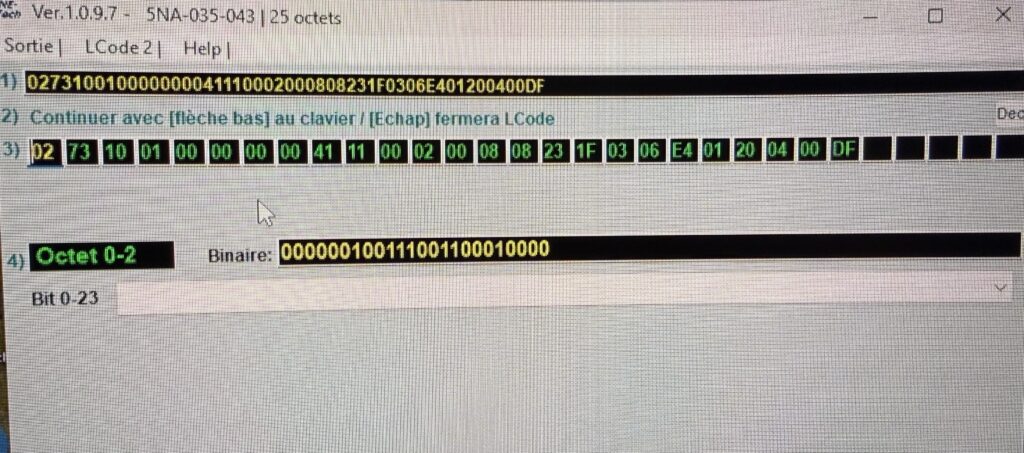
Example for a Golf 7.5 Phase 2 (see photo):
Byte 00: 02 / Byte 01: 73 / Byte 02: 10
This post is also available in:
 Français (French)
