
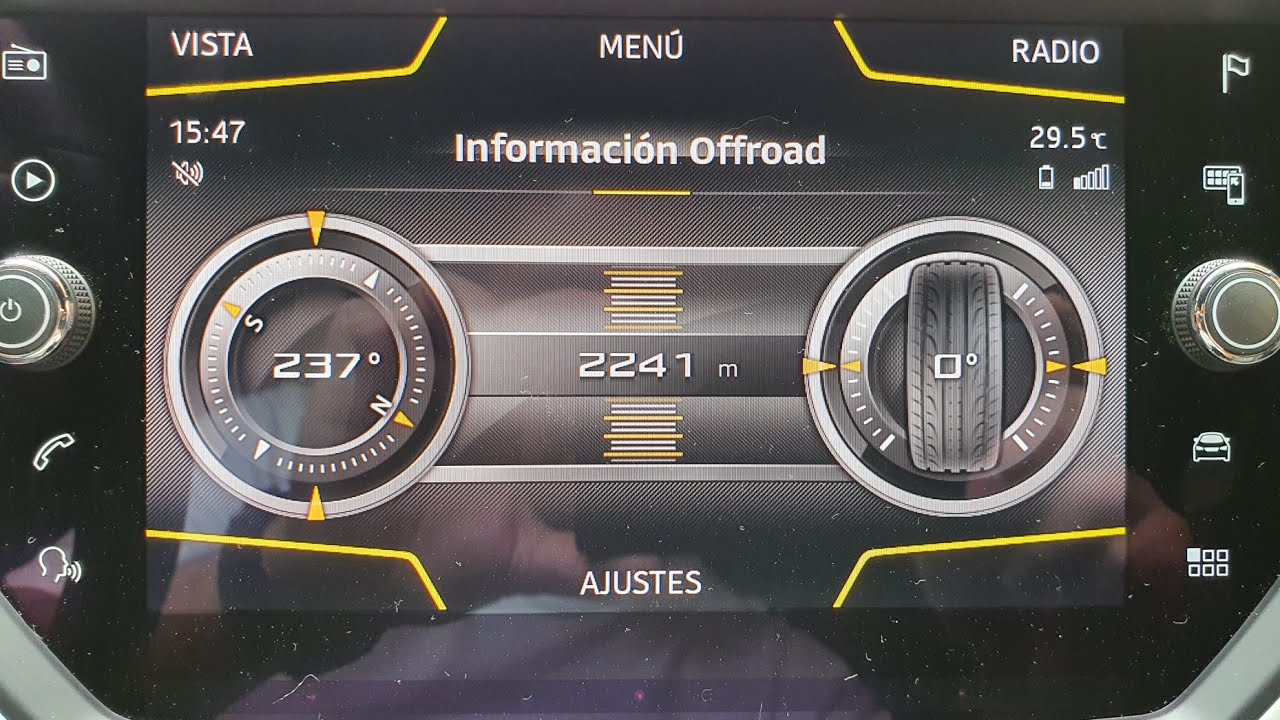
Purpose: Allows you to add the Offroad Information screen to the MIB2 Easy Connect V2 with navigation. To display Offroad: CAR -> Views -> Offroad
Warning!! There are 3 lines of code to enter here.
Procedure:
1 – With the engine off and the ignition off, connect your official VAG-COM VCDS cable to the computer, then plug the other end into your vehicle’s diagnostic port.
2 – Turn on the ignition, then launch the VCDS program.
Line 1:
3 – Click “Select,” then click “5F – Electrical Information.“
4 – Click “Security Access – 16,” then enter the code “20103“
5 – Click “Adaptation – 10.”
6 – On this page, at the very top, there is a drop-down menu.
In this drop-down menu, choose“Car_Function_List_BAP_Gen2-compass_0x15“.
7 – On this same page, there is a second drop-down menu located toward the bottom
of the page.
From this menu, select “active” and then confirm.
Line 2:
3 – Click “Select,” then click “5F – Electrical Information.“
4 – Click “Security Access – 16,” then enter the code “20103“
5 – Click “Adaptation – 10.”
6 – On this page, at the very top, there is a drop-down menu.
In this drop-down menu, choose“Car_Function_Adaptations_Gen2-menu_display_Compass“.
7 – On this same page, there is a second drop-down menu located toward the bottom
of the page.
From this menu, select “active” and then confirm.
Line 3:
3 – Click “Select,” then click “5F – Electrical Information.“
4 – Click “Security Access – 16,” then enter the code “20103“
5 – Click “Adaptation – 10.”
6 – On this page, at the very top, there is a drop-down menu.
In this drop-down menu, choose“Car_Function_Adaptations_Gen2-menu_display_Compass_over-threshold_high“.
7 – On this same page, there is a second drop-down menu located toward the bottom
of the page.
From this menu, select “active” and then confirm.
Additional line if OFF Road not activated :
Car_Function_Adaptations_Gen2
menu_display_compass: Change the value to “activated” [Default: “Not activated”]
menu_display_compass_over_threshold_high: Set the value to “activated” [Default: “Not activated”]
menu_display_angle_of_slope: Set the value to “activated” [Default: “Not activated”]
menu_display_angle_of_slope_over_threshold_high: change the value to “activated” [Default: “Not activated”]
Car_Function_List_Bap_Gen2
compass_0x15: Set the value to “activated” [Default: “Not activated”]
compass_0x15_msg_bus: Change the value to “Comfort data bus”
angle_of_slope_0x24: change the value to “activated” [Default: “Not activated”]
angle_of_slope_0x24_msg_bus: Change the value to “Comfort data bus”
This post is also available in:
 Français (French)
