

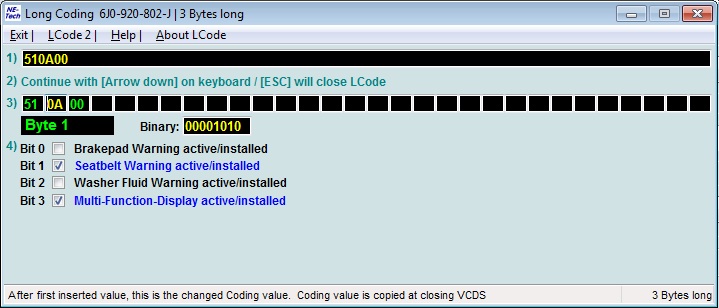
Purpose: Allows you to disable the brake pad wear warning light on the OBD (On-Board Diagnostics) system, for example, for brake pads without a sensor or if the sensor is malfunctioning / Brake Pad Warning Light Deactivation.
Procedure:
1 – Engine off, ignition off, connect your official VAG-COM VCDS cable to the computer, then plug the other end into your vehicle’s diagnostics socket.
2 – Switch on the ignition and run the VCDS program.
Line 1:
3 – Click on ” Select”, then click on ” 17 – Instruments“.
4 – Cliquer sur « Codage – 07 » puis cliquer sur « Assistant Codage Long« .
5 – Select byte 1: “
” Then uncheck bit 0: “Brakepad warning active/installed”

This post is also available in:
 Français (French)
