

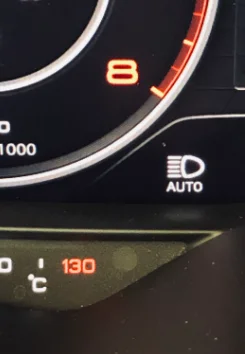
Purpose: activates High Beam Assist for vehicles with Sign Assist or Lane Assist option.
Caution: Please use these instructions only on vehicles equipped with Xenon headlights or “simple/static” LED headlights. In vehicles equipped with Matrix LED, this function is always active at the factory.
Proceed :
1 – Engine off, ignition off, connect your official VAG-COM VCDS cable to
the computer, then plug the other end into your vehicle’s diagnostics socket.
2 – Switch on the ignition and run the VCDS program.
Line 1:
3 – Click on“Select”, then click on“09 – Cent. Elect.”.
4 – Click on“Coding – 07” then click on“Long Coding Helper”.
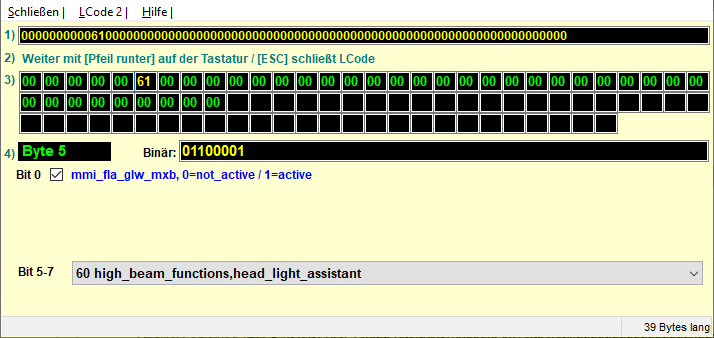
5 – Select byte“05”
Tick Bit 0“mmi_fla_glw_mxb,active”
Then in the Bit “5-7” drop-down menu, select“60 high_beam_functions,head_light_assistant”.
Line 2:
3 – Click on“Select” then click on “.A5 – Frt Sens. Drv. Assist“.
4 – Click on“Coding – 07” then click on“Long Coding Helper”.
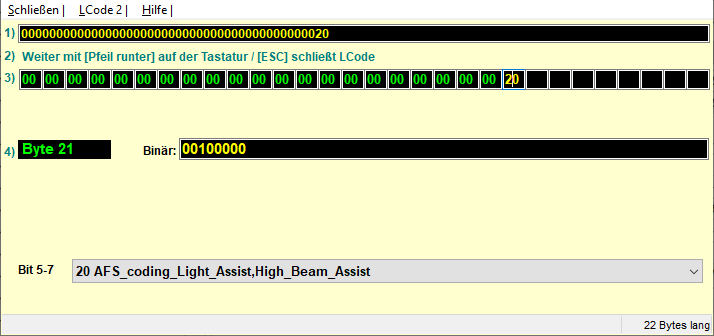
5 – Select byte“67”
Then, in the“Bit 2-5” drop-down menu, select“04 AFS_coding_Light_Assist,High_Beam_Assist”.
This post is also available in:
 Français (French)
