
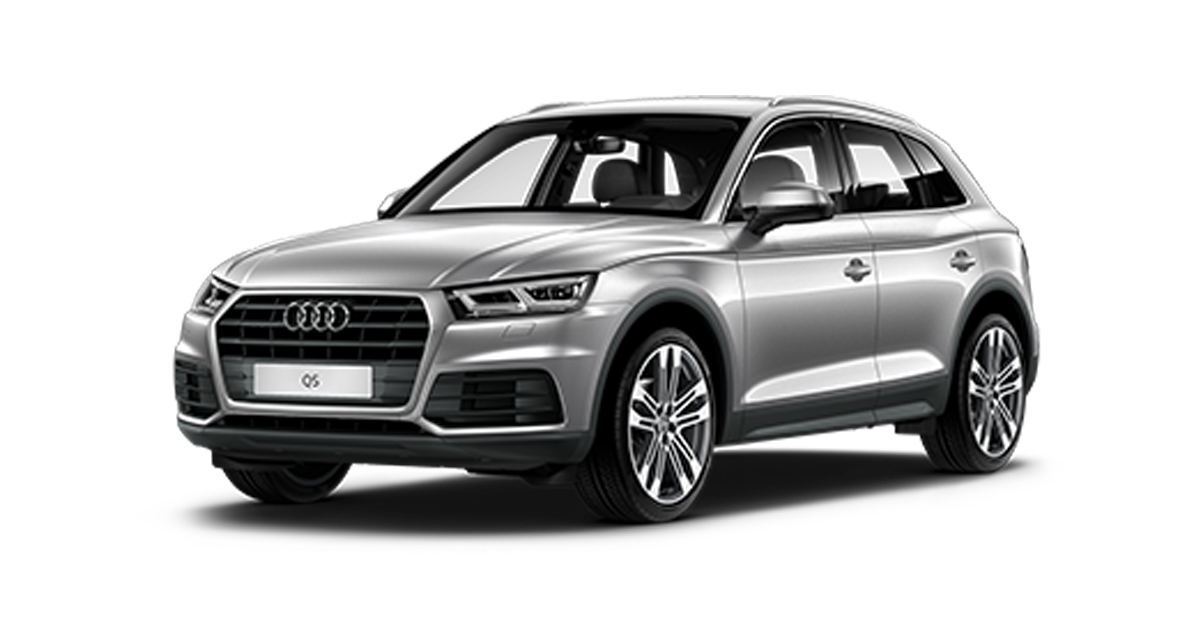
Purpose: Enables the rearview camera after it has been installed on the MMI (retrofit).
Procedure:
1 – With the engine off and the ignition off, connect your official VAG-COM VCDS cable to the computer, then connect the other end to your vehicle’s diagnostic port.
2 – Turn on the ignition, then launch the VCDS program.
Wiring :
- 2 CAN signal wires (for communication) – Orange-Purple (CAN High) and Orange-Brown (CAN Low)
- 2 video signal wires – Black and transparent
- 2 power wires – White (less than 12 V) and brown (GND)
Line 1:
3 – Click on“Select”, then click on“19 – CAN Gateway“.
4 – Select “Installation List”
5 – Tick:“6C – Rear View Camera” in the list
6 – Save coding
Line 2:
3 – Click “Select,” then click “6C – Rear View Camera.”
5 – Click on“Coding – 07” then click on“Long Coding Helper“.
6 – Select byte 07
Then check bit 0, 1, 2 and 4
Example:
Byte 04 – bit 0 locked at 1 and AHK
Byte 04 – Bit 1 on 1 – Front and rear parking aid installed
Byte 04 – Bit 1 on 0 – Rear parking aid installed
Byte 04 – bits 2 on 1 – Parking unit installed
Byte 07 – bits 0 on 1 – Guides through
Byte 07 – bits 1 on 1 – Parallel guides
Byte 07 – Bit 2 on 1 – Trailer Guides
Byte 07 – Bit 3 on 1 – Guide cross
Byte 07 – Add 4 on 1 – Park direction aid Guide installed
Line 3 :
3 – Click “Select,” then click ““09 – Cent. Elect.”“.
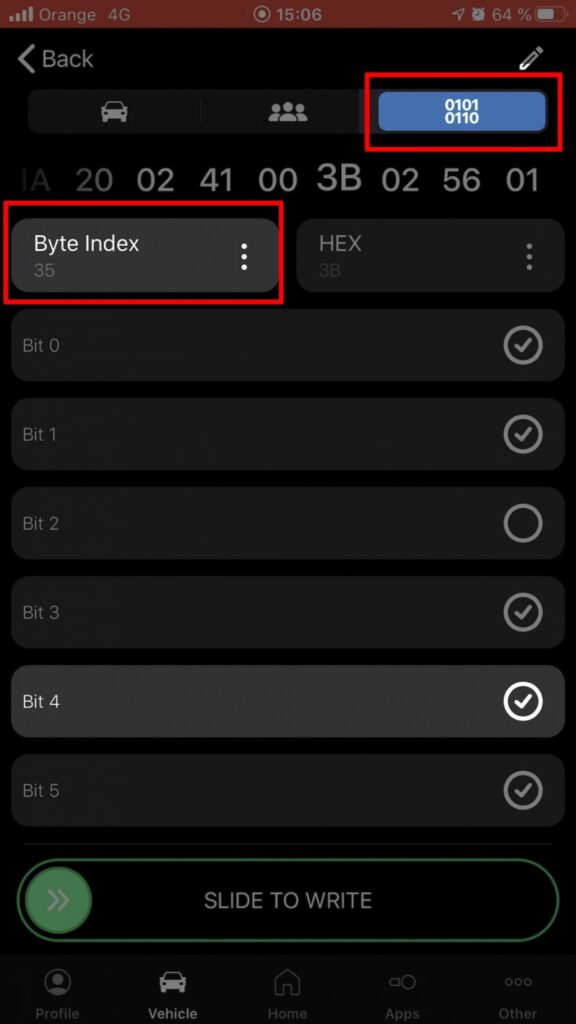
4 – Click on“Coding – 07” then click on“Long Coding Helper“.
5 – Select byte 35
Then check bit 4
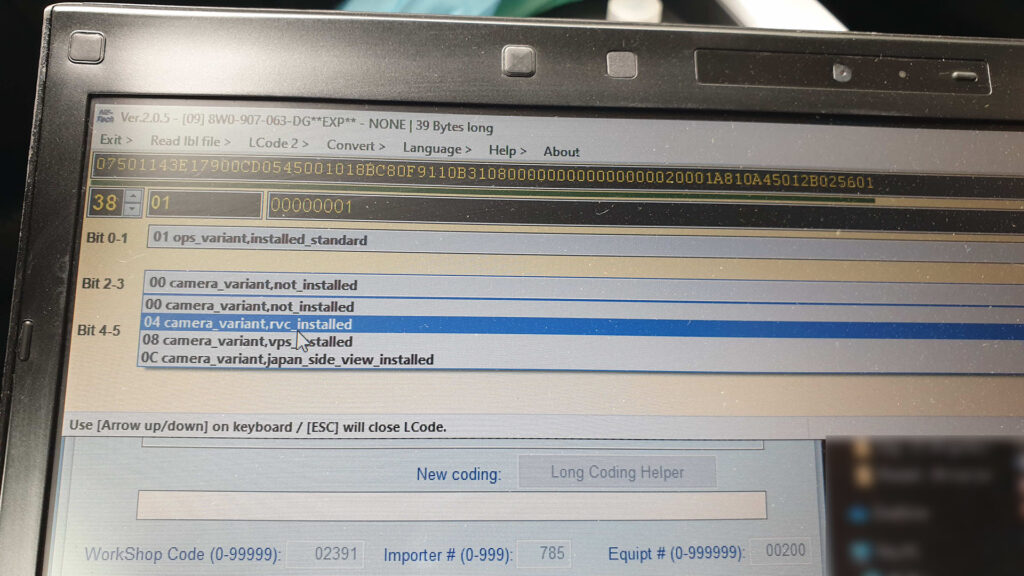
If you have an SOS button, the code is different. Byte 35 is missing, so go to byte 38, at Bit 2-3, select “04 camera variant_rvc, installed”. See image below.
For the Q5 Facelift with MIB3, select “Rvcc”
Line 4:
3 – Click “Select,” then click “5F – Electrical Information.“
4 – Click “Security Access – 16,” then enter the code “20103“
5 – Click on “Adaptation – 10“
6 – At the very top of this page, there is a drop-down menu.
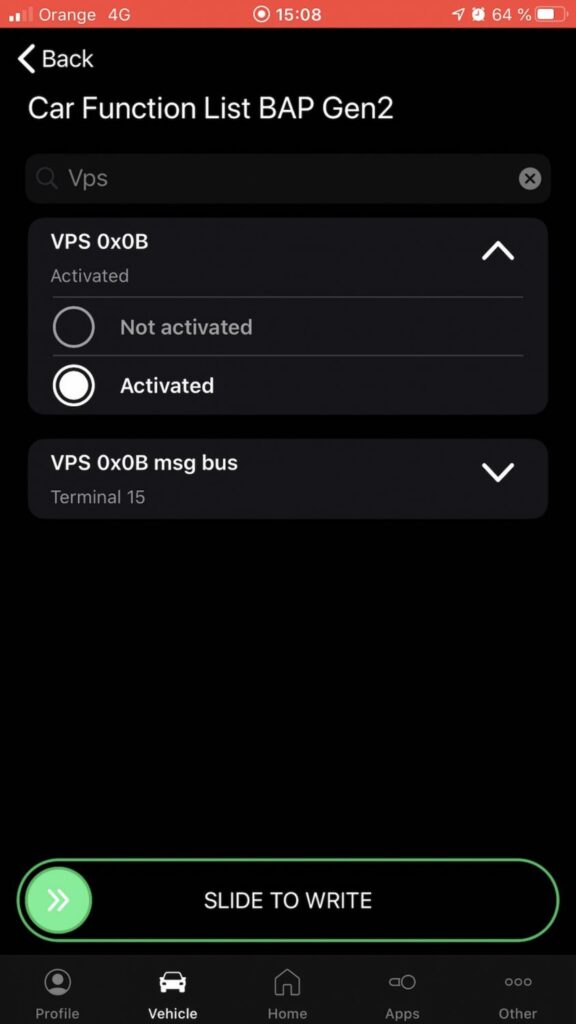
From this drop-down menu, select “Car Function List BAP Gen2 – VPS_0x0B“
7 – On this same page, there is a second drop-down menu, but further down
the page.
From this menu, select the value “active“
Line 5:
3 – Click “Select,” then click “5F – Electrical Information.“
4 – Click “Security Access – 16,” then enter the code “20103“
5 – Click on“Adaptation – 10”.
6 – On this page, at the very top, there is a drop-down menu.
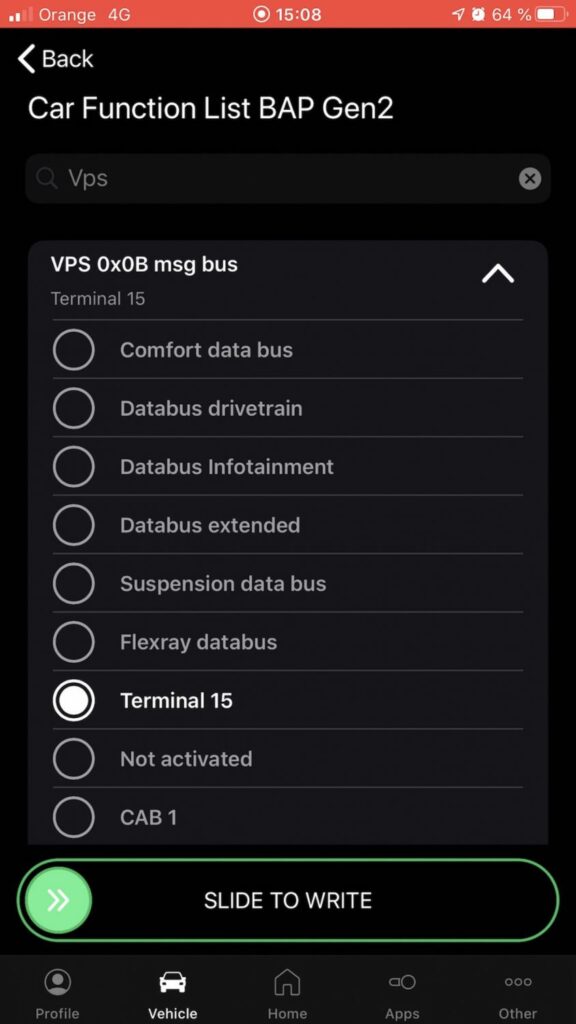
In this drop-down menu, choose “Car Function List BAP Gen2 – VPS_0x0B_msg_bus“
7 – On this same page, there is a second drop-down menu at the bottom
of the page.
On this menu, choose the value “Terminal 15“
For A4 B9.5 Facelift with MIB3, search:“Vehicle function list BAP”.
MMI reset
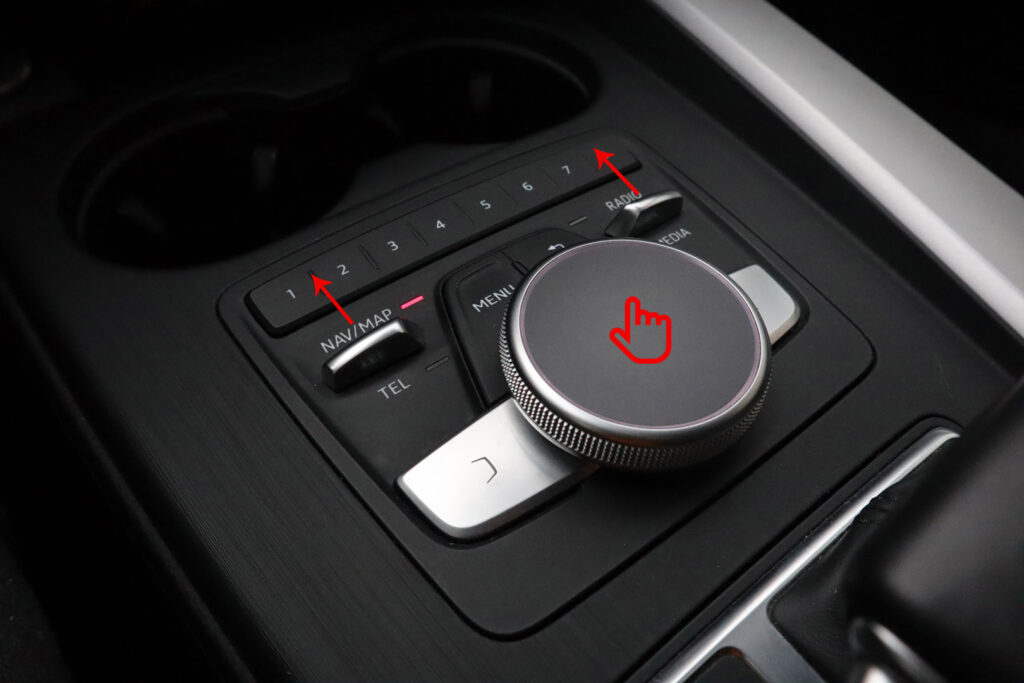
After coding, you need to reset MMI. Push NAV/MAP, RADIO and the center button simultaneously for a few seconds, then release.
To reset the MIB3 on the Q5 Facelift, press the volume button on the center console until the MMI turns back on.
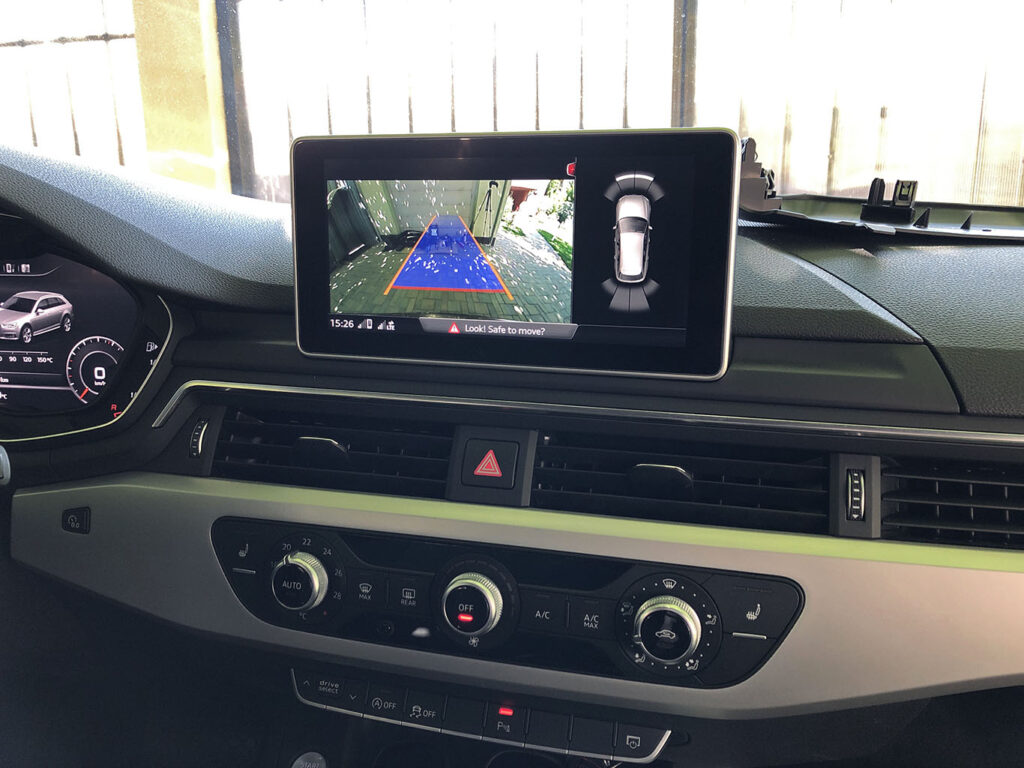
The camera must be started when you select reverse gear or press the parking button (P) in the center console. The result:
This post is also available in:
 Français (French)
