

Purpose: Enables the hidden menu (green menu, hidden menu, test mode, engineer mode) in the Audi MMI 2G.
Procedure:
1 – With the engine off and the ignition switched off, connect your official VAG-COM VCDS cable to the computer, then plug the other end into your vehicle’s diagnostic port.
2 – Turn on the ignition, then launch the VCDS program.
Line 1:
3 – Click “ Select,” then click“07 – Display/Control.”
4 – Click on “Adaptation – 10”.
5 – Select Channel 08 (Service Menu) and set the value to 1
Reboot the MMI by pressing SETUP + the Dial + the Upper-Right Button
To open the Hidden Menu, press MENU + CAR (for 6 seconds)
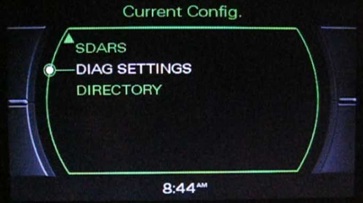
–> To access the Audi Red Engineering menu
This post is also available in:
 Français (French)
