

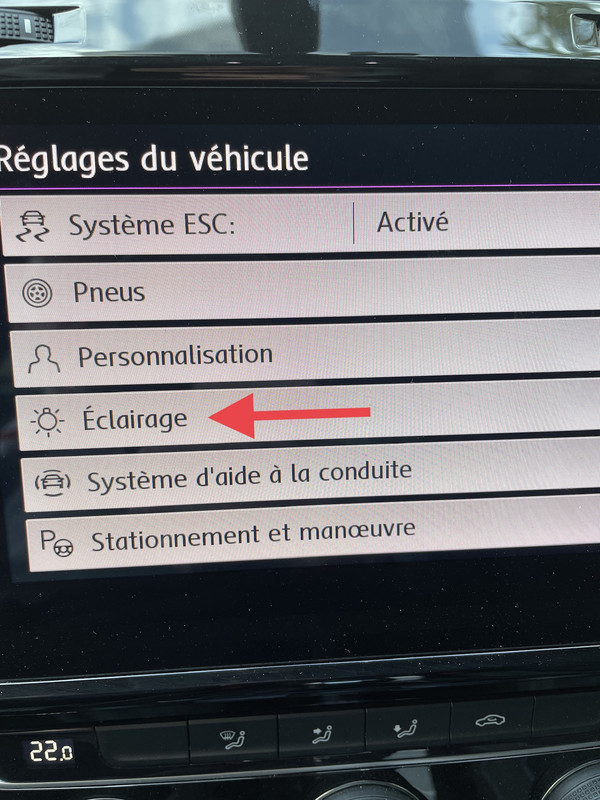
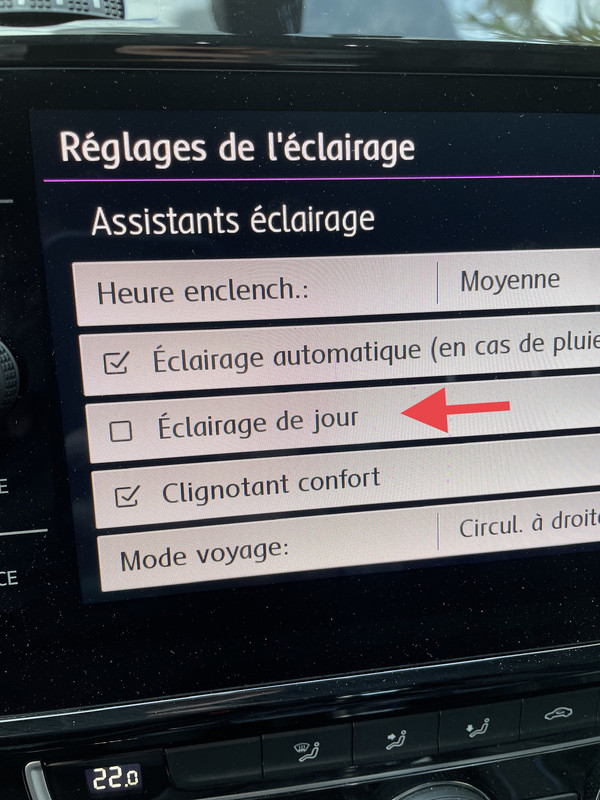
Purpose: Allows you to turn the daytime running lights (DRL) on or off from the Discover in the CAR menu.
ATTENTION to your country’s regulations and technical inspection for daytime running lights!
However, if you’re coding in your car to avoid using too much of your battery, this is a good solution…
Procedure:
1 – With the engine off and the ignition switched off, connect your official VAG-COM VCDS cable to the computer, then connect the other end to your vehicle’s diagnostic port or your OBDeleven unit.
2 – Turn on the ignition, then launch the VCDS program or the OBDeleven app.
VCDS:
Line 1:
3 – Click on“Select”, then click on“09 – Cent. Elect.”.
4 – Click on“Security Access – 16” then enter the code“31347”.
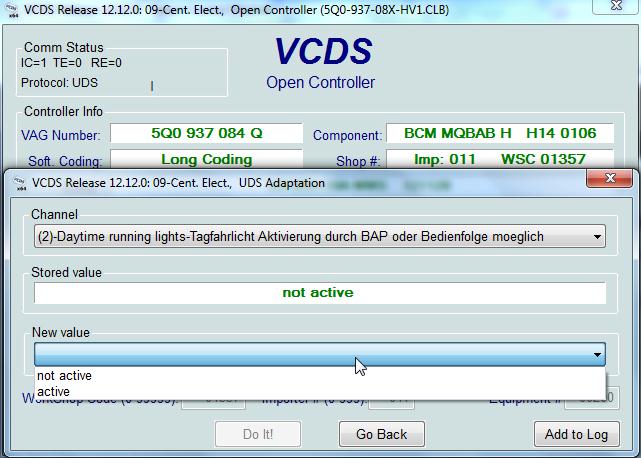
5 – Click on“Adaptation – 10”.
6 – At the very top of this page, there is a drop-down menu.
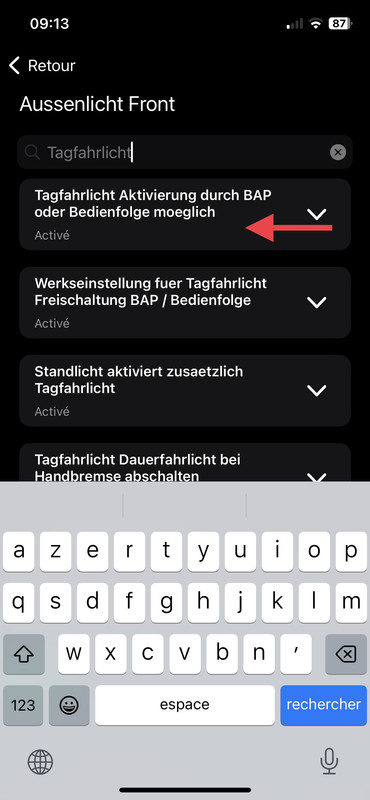
In this drop-down menu, select “Daytime running lights—Tagfahrlicht—Activation possible via BAP or control sequence.”
7 – On this same page, there is a second drop-down menu at the bottom
of the page.
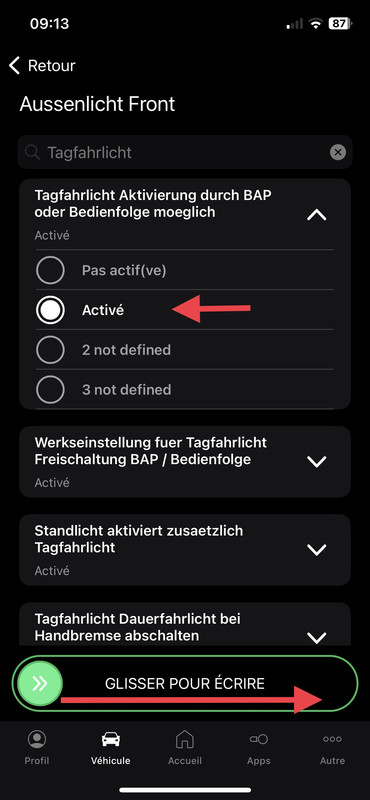
On this menu, select“active” and confirm.
OBDeleven:
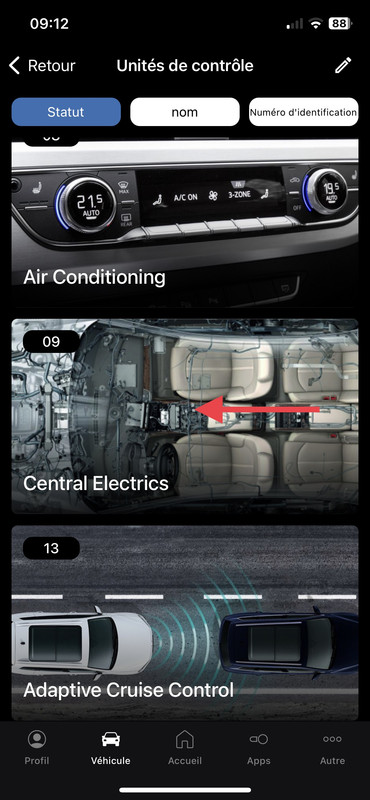
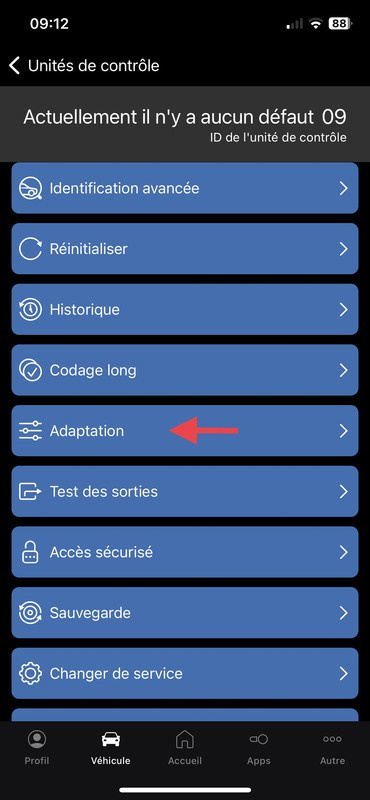
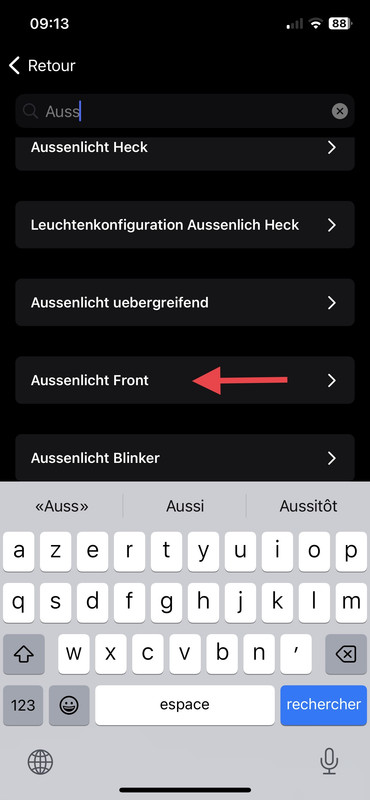
This post is also available in:
 Français (French)
