

Purpose: Allows you to disable or enable the electric parking brake in maintenance mode so that you can change or replace the rear brake pads or rear brake rotor. (EPB reset / Lining change mode)
Proceed :
1 – Engine off, ignition off, connect your official VAG-COM VCDS cable to the computer, then plug the other end into your vehicle’s diagnostics socket.
2 – Switch on the ignition and run the VCDS program.
To begin, set the gearshift lever to P, release the electric parking brake using the button, and, if possible, connect a battery charger as described in the vehicle manual. Check for any faults or errors before beginning the basic setup.
3 – Click “Select,” then click “53 – Parking Brake.”
4 – Click “Basic Settings – 04.”
5 – Sélectionner le Canal 007
6 – Click on“Go“.
Basic Settings: Set to OFF during the procedure, then to ON once it is complete (yellow arrow).
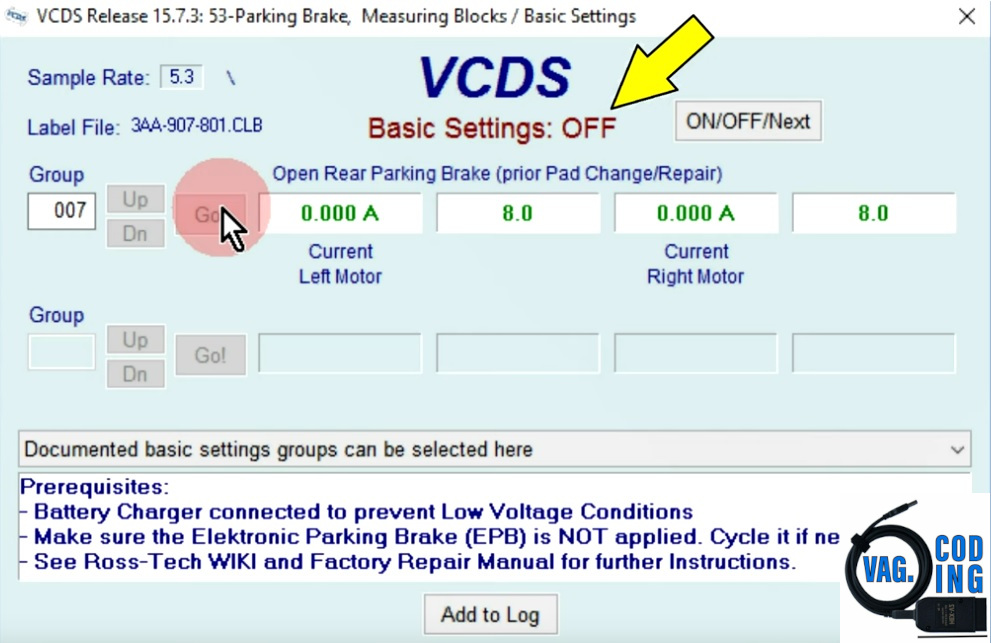
A fault message will appear on your OBD indicating ” Parking Brake Fault ” and an LED in the parking brake switch, but this is normal and you should ignore it.
7 – Once finished, go back (Done, Go Back) until the program closes.
8 – Turn off the vehicle’s ignition and then disconnect the VAG-COM cable
9 – Change the trim pieces on each side!
To reactivate the electric handbrake :
10 – With the engine off and the ignition switched off, connect your official VAG-COM VCDS cable to the computer, then plug the other end into your vehicle’s diagnostic port.
11 – Turn on the ignition, then launch the VCDS program.
12 – Click “Select,” then click “53 – Parking Brake.”
13 – Click “Basic Settings – 04.”
14 – Select Channel 006
15 – Click “Go.”
Basic Settings: Set to OFF during the procedure, then to ON once it is complete (yellow arrow).
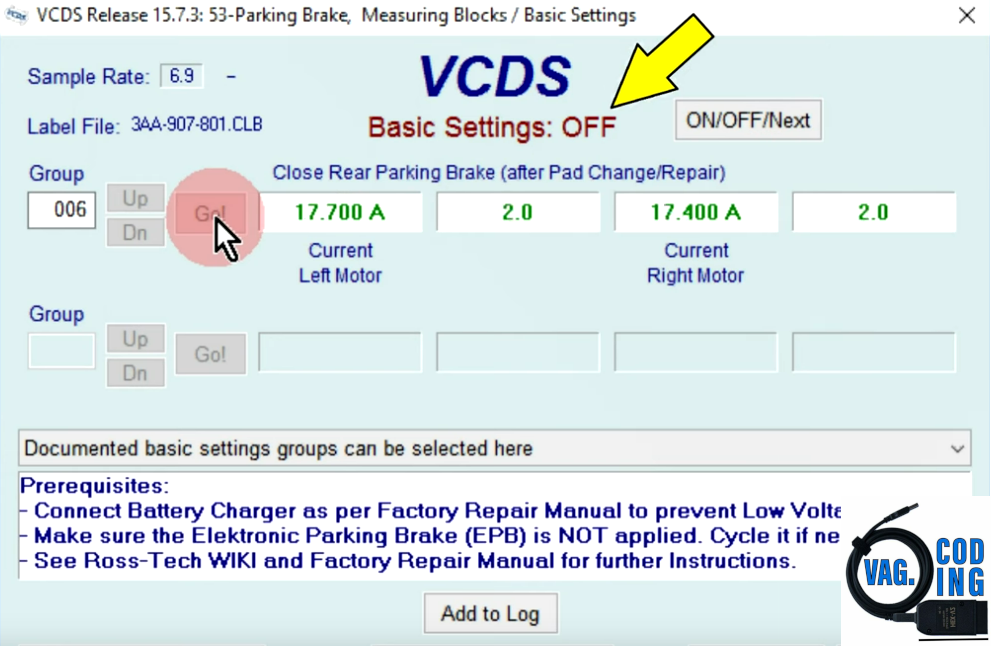
16 – When you’re done, click “Done, Go Back” until the program closes.
17 – Turn off the vehicle’s ignition, then disconnect the VAG-COM cable.
This post is also available in:
 Français (French)
