

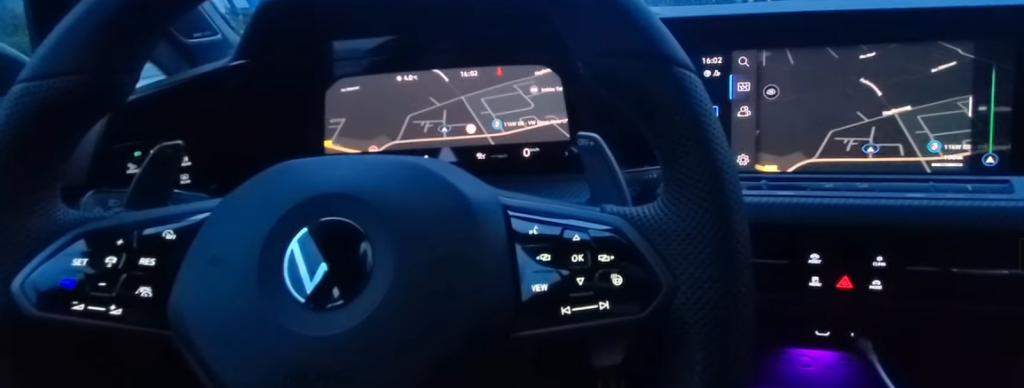
Purpose: displays the navigation map on both the Virtual Cockpit (AID) and the MIB3.
Procedure:
1 – With the engine off and the ignition switched off, connect your official VAG-COM VCDS cable to the computer, then connect the other end to your vehicle’s diagnostic port or your OBDeleven unit.
2 – Turn on the ignition, then launch the VCDS program or the OBDeleven app.
SFD: yes
Line 1:
3 – Click on“Select” then click on“5F – Electr. information”.
4 – Unlock SFD protection.
5 – Click on“Adaptation – 10”.
6 – On this page, at the very top, there is a drop-down menu.
In this drop-down menu, choose “Dashboard_Display_Configuration – ability_switch_nav_maps”
7 – On this same page, there is a second drop-down menu at the bottom
of the page.
On this menu, select“no” and confirm.
Line 2:
3 – Click on“Select” then click on“5F – Electr. information”.
4 – Unlock SFD protection.
5 – Click on“Adaptation – 10”.
6 – On this page, at the very top, there is a drop-down menu.
In this drop-down menu, choose “Dashboard_Display_Configuration – navigation_map_compression_mode”
7 – On this same page is a second drop-down menu, but at the bottom
of the page.
On this, select“H264” and confirm.
Line 3:
3 – Click on“Select” then click on“5F – Electr. information”.
4 – Unlock SFD protection.
5 – Click on“Adaptation – 10”.
6 – On this page, at the very top, there is a drop-down menu.
In this drop-down menu, choose “Dashboard_Display_Configuration – navigation_map_resolution”
7 – On this same page, there is a second drop-down menu toward the bottom of the page:
.
From this menu, select “1” and then confirm. (Alternatively: 2)
Line 4:
3 – Click on“Select” then click on“5F – Electr. information”.
4 – Unlock SFD protection.
5 – Click on“Adaptation – 10”.
6 – On this page, at the very top, there is a drop-down menu.
In this drop-down menu, choose “Dashboard_Display_Configuration – navigation_map_transmission_mode”
7 – On the same page, there is a second drop-down menu located toward the bottom of the page.
From this menu, select “IP_streaming” and then confirm. (Alternative: MOST_High)
Restart the MIB!

