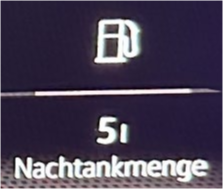
Purpose: to display the amount of fuel used since refuelling on the Virtual Cockpit (AID).
SFD: no
Proceed :
1 – Engine off, ignition off, connect your official VAG-COM VCDS cable to the computer, then plug the other end into your vehicle’s diagnostic socket or OBDeleven box.
2 – Switch on the ignition and run the VCDS program or the OBDeleven application.
Line 1:
3 – Click on“Select”, then click on“17 – Instruments”.
4 – Click on“Coding – 07” then click on“Long Coding Helper”.
5 – Select byte“10”
Then check Bit“4”.
OBDeleven : Volume to be replenished / Refuel_volume -> yes