
Purpose: Allows you to program the remote controls that will be used with the vehicle for central locking and unlocking.
⚠️ WARNING: This procedure does not allow you to program remote controls with the vehicle’s immobilizer.
If your vehicle is equipped with a KESSY remote control (05 – Access/Ignition Authorization), you cannot program a new remote control using this procedure.
Proceed :
1 – Engine off, ignition off, connect your official VAG-COM VCDS cable to the computer, then plug the other end into your vehicle’s diagnostics socket.
2 – Switch on the ignition and run the VCDS program.
Line 1:
3 – Click “Select,” then click “ “09 – Cent. Elect.”.”
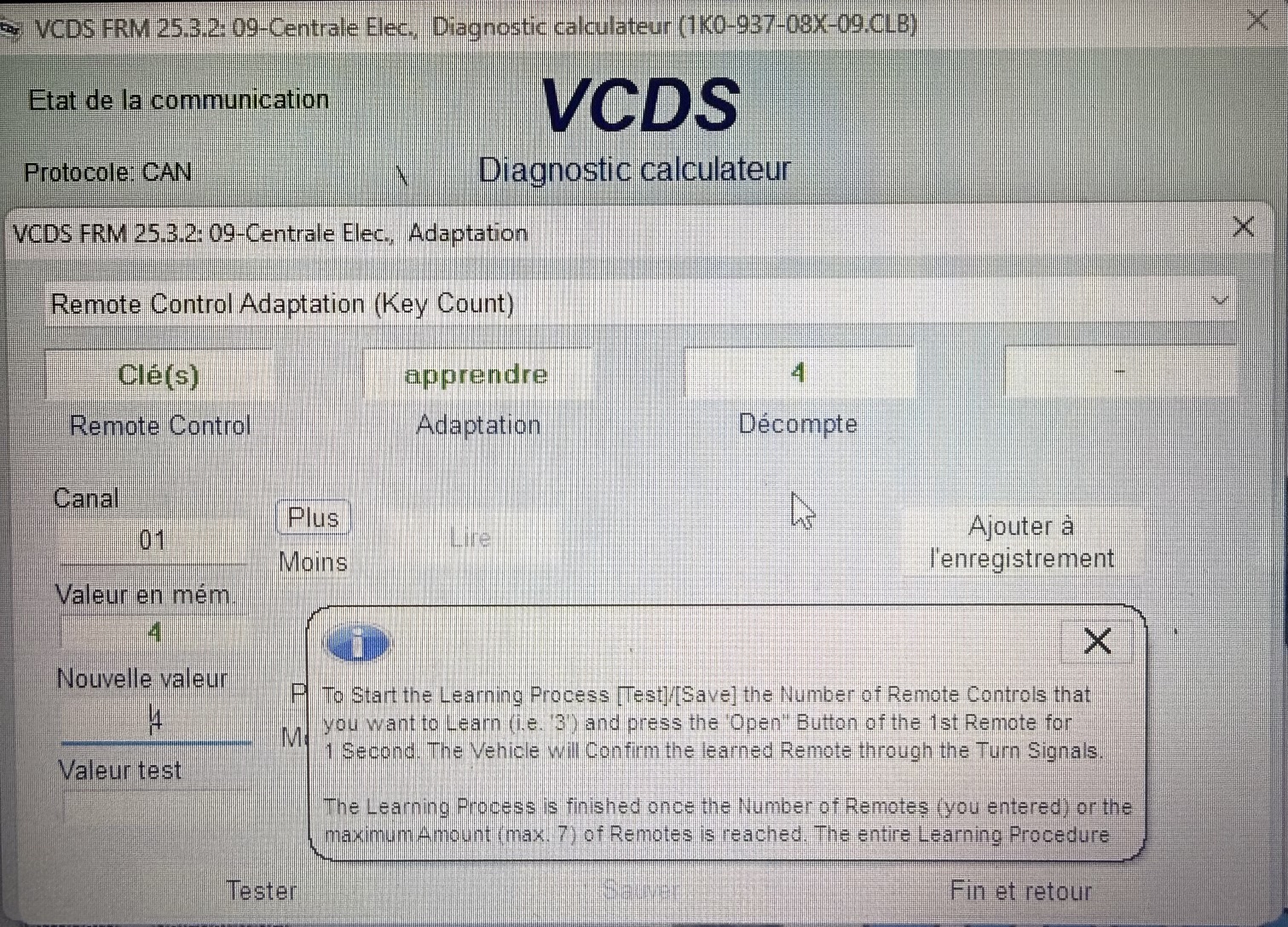
4 – Click on “Adaptation – 10”.
5 – Select Channel 01 ( “Remote Control Adaptation” from the drop-down list)
Enter the number of keys to program, then click Save.
Next, press the Unlock button on each remote control to be programmed for at least 1 second. The flashing lights will confirm the process.
All keys must be programmed in a single session, one after the other.
Programming all keys must not take longer than 15 seconds.
You can add up to 7 remote controls. If the [Test] and/or [Save] buttons are grayed out and unclickable, the module likely has all 7 slots filled; delete the remote controls using the “Reset Remote Controls” tutorial.
This post is also available in:
 Français (French)
