Purpose: automatically lowers the passenger mirror when reversing.
The mirror adjustment knob must be in position“R” for the passenger mirror to lower automatically.
Warning! There are 3 lines of coding to do here.
Procedure:
1 – Engine off, ignition off, connect your official VAG-COM VCDS cable to the computer, then plug the other end into your vehicle’s diagnostics socket.
2 – Switch on the ignition and run the VCDS program.
Line 1:
3 – Click on“Select”, then click on“52 – Passenger door”.
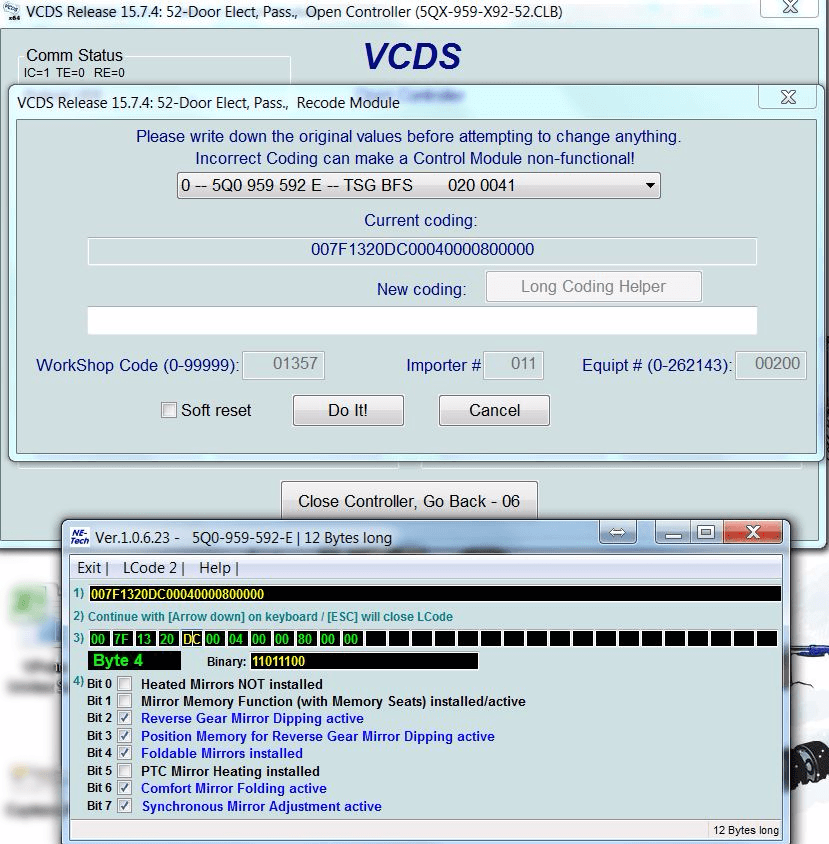
4 – Click on“Coding – 07” then click on“Long Coding Helper”.
5 – Select byte“4”
Then check Bit“2”:“Reserve Gear Mirror Dipping active”
and Bit“3”:“Position Memory for Reserve Gear Mirror Dipping active”.
Line 2:
3 – Click on“Select”, then click on“09 – Cent. Elect.”.
4 – Click on“Security Access – 16” then enter code“31347”.
5 – Click on“Adaptation – 10”.
6 – On this page, at the very top, there is a drop-down menu.
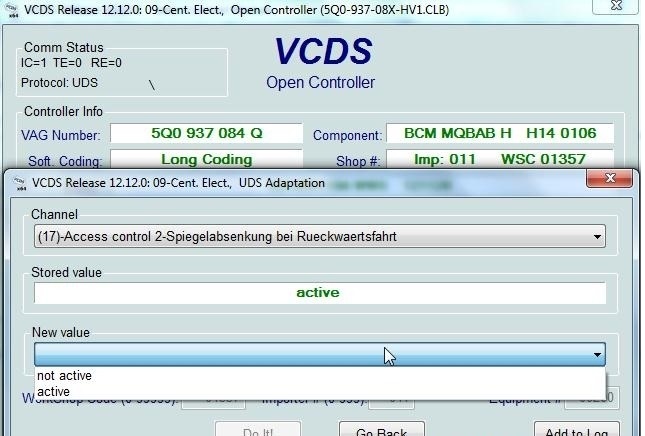
In this drop-down menu, choose“Access Control 2-Spieglelabsenkung bei Rueckwaertsfahrt”.
7 – On the same page, there’s a second drop-down menu at the bottom of the page.
Select“active” and confirm.
Line 3:
3 – Click on“Select”, then click on“09 – Cent. Elect.”.
4 – Click on“Security Access – 16” then enter code“31347”.
5 – Click on“Adaptation – 10”.
6 – On this page, at the very top, there is a drop-down menu.
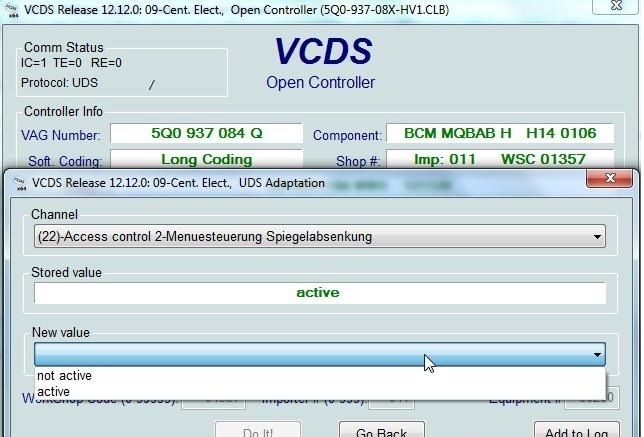
In this drop-down menu, choose“Access Control 2-Menuesteuerung Spieglelabsenkung”.
7 – On the same page, there’s a second drop-down menu at the bottom of the page.
Select“active” and confirm.