
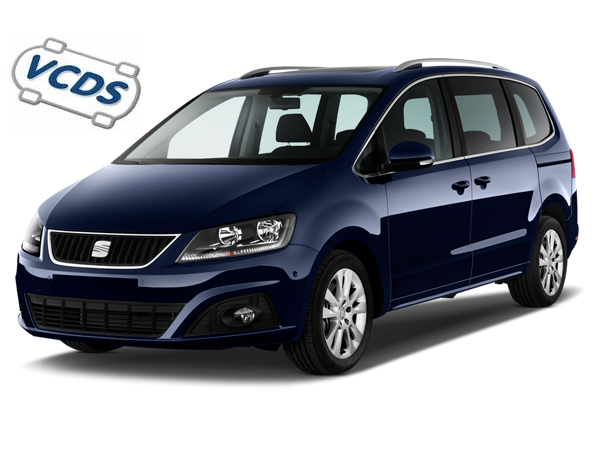
Purpose: Activating the turn signals causes the fog light on the side toward which you’re turning the steering wheel to turn on when traveling at speeds below 50 km/h. This feature is also called “cornering lights.” Once this feature is activated, the fog light on the side of the turn you’re making will turn on! It’s super handy on narrow roads or in roundabouts.
Procedure:
1 – With the engine off and the ignition off, connect your official VAG-COM VCDS cable to the computer, then plug the other end into your vehicle’s diagnostic port.
2 – Turn on the ignition, then launch the VCDS program.
Line 1:
3 – Click “Select,” then click “09 – Power Control Unit.”
4 – Click on“Coding 07”.
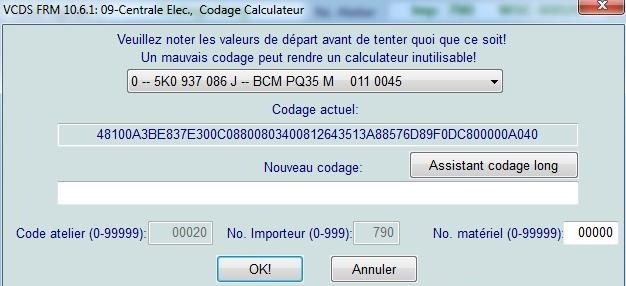
5 – Select the “0” module and click on “Long Coding Helper”:
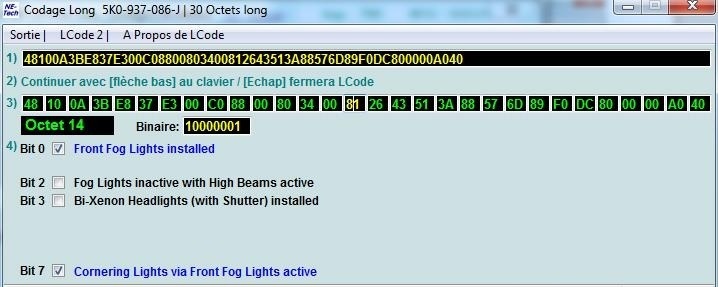
6 – In the window that appears, select
Byte 12:
Bit 4: Check “Cornering Light Activation Time Limited”
Byte 14:
Bit 7: Check “Cornering Lights via Front Fog Lights active”
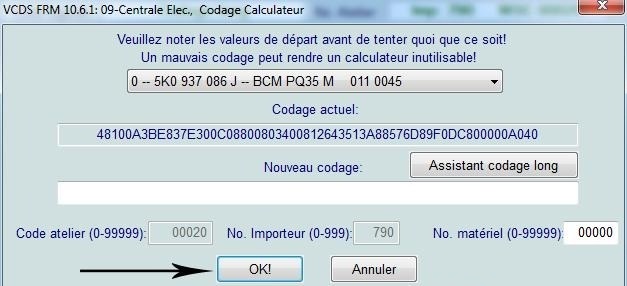
7 – After completing this step, click on the “Exit” menu
, then click “OK.”
This post is also available in:
 Français (French)
