
Function: Allows you to manually fold the side mirrors. Instead of them folding automatically when the doors are closed, you’ll need to press and hold the button on the remote control, just as you would to close the windows remotely.
Proceed :
1 – Engine off, ignition off, connect your official VAG-COM VCDS cable to the computer, then plug the other end into your vehicle’s diagnostics socket.
2 – Switch on the ignition and run the VCDS program.
Line 1:
3 – Click “Select,” then click “46 – Central Convenience“.
4 – Click on“Coding – 07“.
5 – Select byte 20
. Then check bit 4, “mirror_retractation_at_comfort_close.”
Note: The MMI system’s power-folding mirrors may NOT be enabled. Once this option is enabled, the mirrors will fold in instantly.
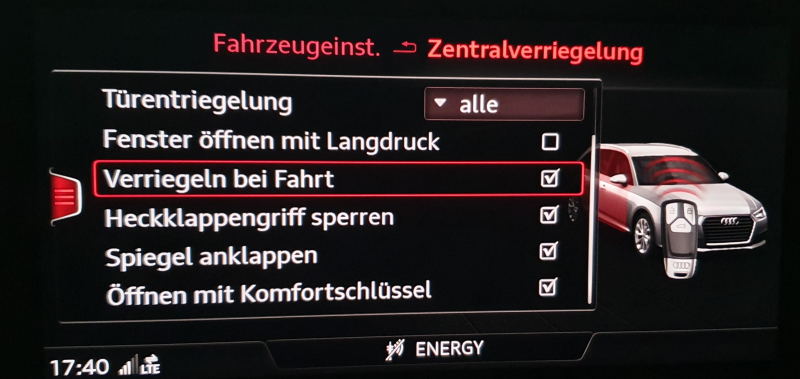
With the “image” setting, the side mirrors always fold in immediately when the car is locked
This post is also available in:
 Français (French)
