

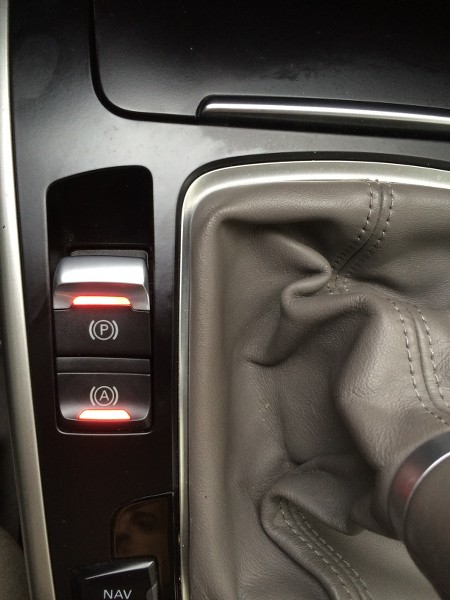
Purpose: Enables automatic activation of Hill Hold Assist after the button is installed (retrofit).
Hill Hold Assist maintains brake pressure for a few seconds after the brake pedal is held down for an extended period. (Works only on certain ABS modules with TPMS)
Procedure :
1 – Engine off, ignition off, connect your official VAG-COM VCDS cable to the computer, then plug the other end into your vehicle’s diagnostics socket.
2 – Switch on the ignition and run the VCDS program.
Line 1 :
3 – Click “Select,” then click “03 – ABS Brakes” (or “03 – ABS Brakes” ).
4 – Click “Security Access – 16,” then enter the code “ 61378”
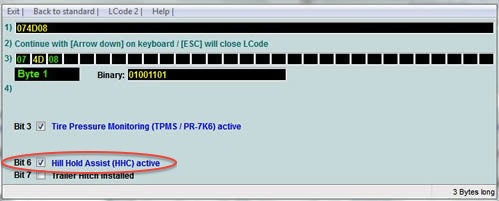
5 – Click on“Encoding – 07,” then“Long Coding Helper”
Byte 1:
Check Bit 6 “Auto-Hold active”.
This post is also available in:
 Français (French)
