

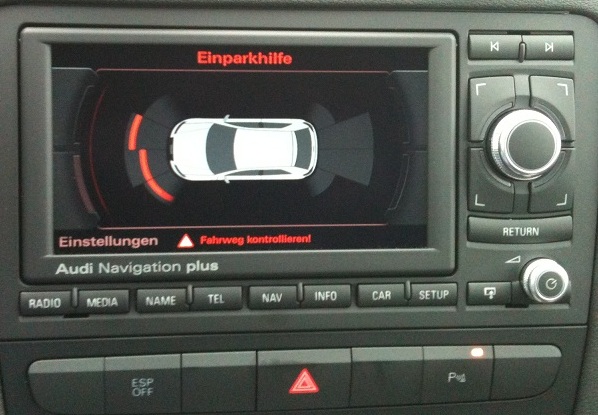
Purpose : to activate the display of Audi Parking System radars on the RNS-E screen.
WARNING: requires RNS-E version 193 and rear + front radars
Proceed :
1 – Engine off, ignition off, connect your official VAG-COM VCDS cable to the computer, then plug the other end into your vehicle’s diagnostics socket.
2 – Switch on the ignition and run the VCDS program.
Line 1:
3 – Click on “Select”, then click on “37 – Navigation”.
4 – Click on “Coding- 07”.
5 – Add 2 to the 3rd digit. (e.g. replace xx0xxxxby xx2xxxx)
Line 2:
3 – Click “Select,” then click “10 – Parking Assistance,” then “Security -16” (code 71679)
4 – Click “Coding – 07,” then“Long Coding Helper”
5 – Byte 0:
Bit 4: Check the “Optical illustration active” box
This post is also available in:
 Français (French)
