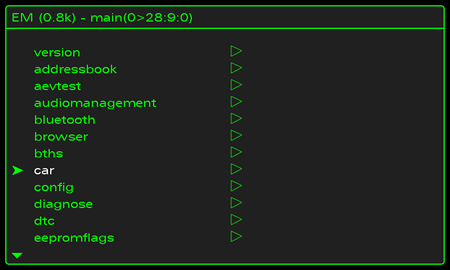
Purpose: Activates the green hidden menu (green menu, hidden menu, testmode, engineer mode) in Audi MMI RMC.
Proceed :
1 – Engine off, ignition off, connect your official VAG-COM VCDS cable to the computer, then plug the other end into your vehicle’s diagnostics socket.
2 – Switch on the ignition and run the VCDS program.
Line 1:
3 – Click on ” Select”, then click on “Select”.5F – Information Electr.Information” / “56 – Radio”.
4 – Click on “Adaptation – 10”.
5 – Choose Channel 5 then set the value to 1
No need to restart the MMI.
To launch the Hidden Menu press MENU + CAR (for 6s)